ineo+ 650/550/451 2-105
Copy Operations
2
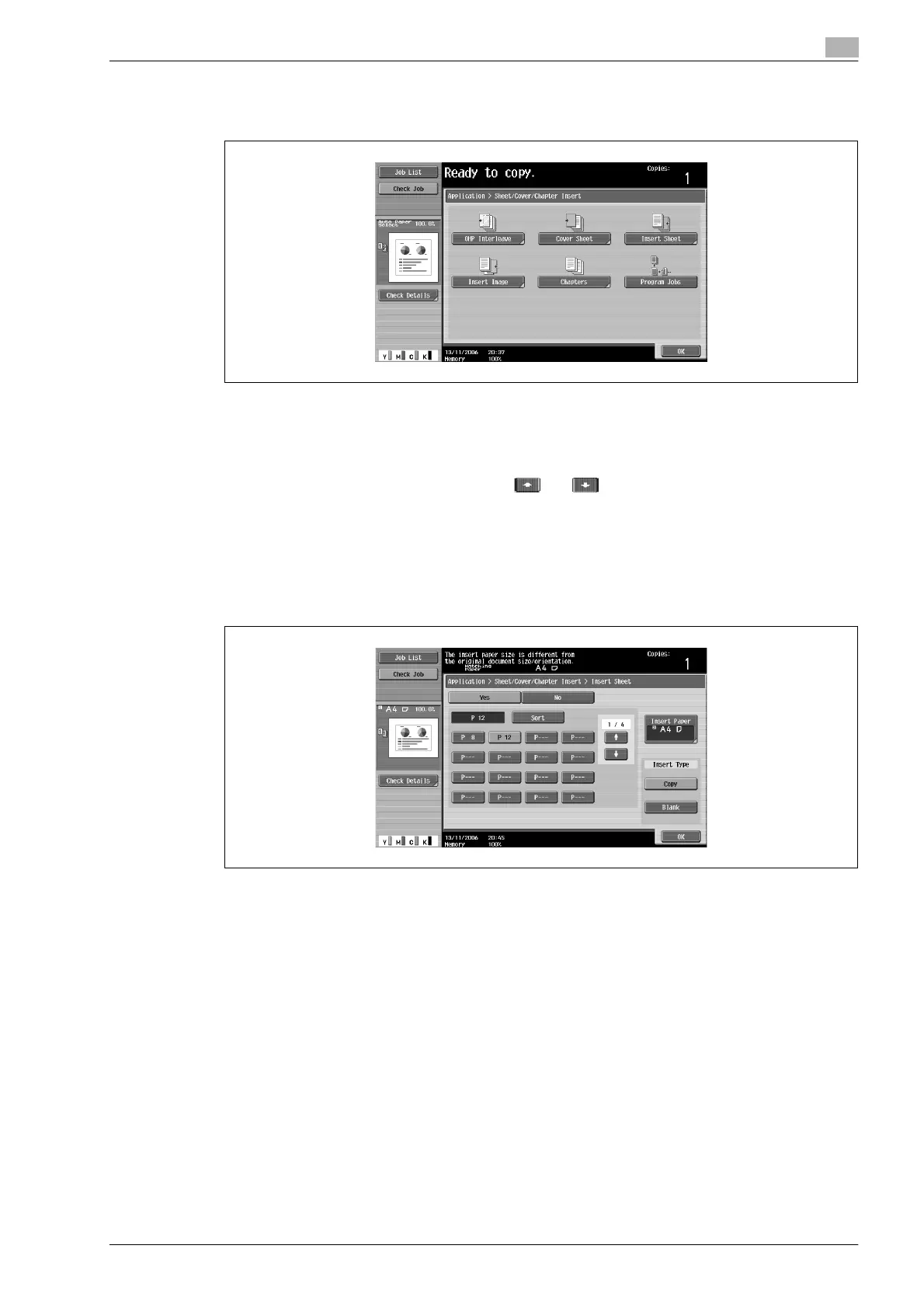
4 Touch [Insert Sheet].
– To cancel the "Insert Sheet" function, touch [No].
The Insert Sheet screen appears.
5 Touch a button for a page number, and then use the keypad to type in the number of the page where
the paper is to be inserted.
– There are two Insert Sheet screens. Touch and to display a different screen.
– To arrange the page numbers in order, starting with the lowest number, touch [Sort].
– To remove a page number that has been specified, touch the button for the page to be removed,
and then press the [C] (clear) key.
– If the same page number is entered multiple times, copying is not possible. Delete repeated page
numbers.
– If the entered page number is greater than the number of pages in the document, paper is not
inserted.
6 Under "Insert Type", touch either [Copy] or [Blank].
– If "Copy" is selected, the document is copied with the specified paper inserted for the specified
page. If "Blank" is selected, the specified paper is inserted after the specified page.
7 Touch [Insert Paper].
The Insert Paper Settings screen appears.









 To Next Page