2
Copy Operations
2-118 ineo+ 650/550/451
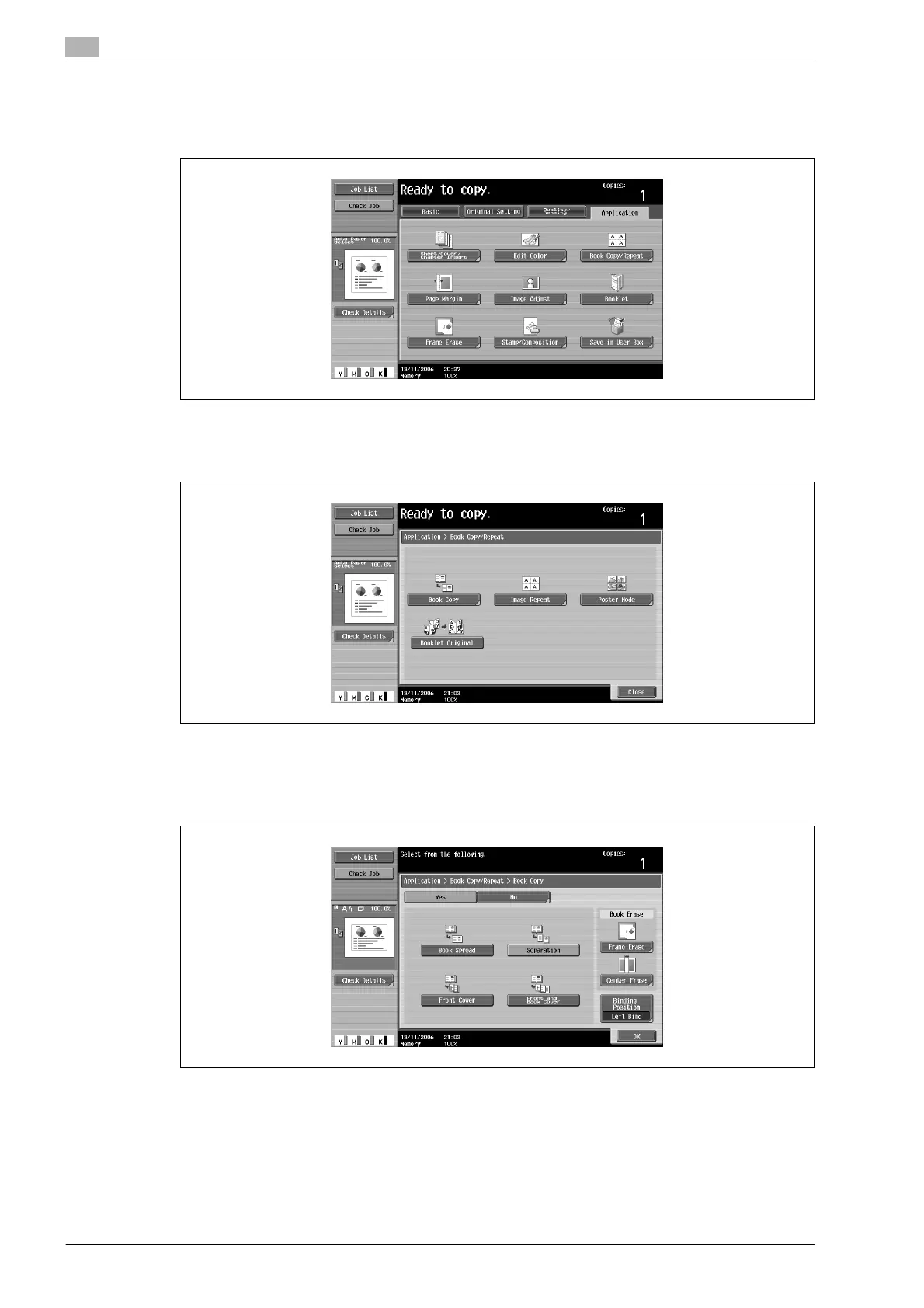
3 Touch [Application], and then touch [Book Copy/Repeat].
– To cancel changes to the settings for all Application functions, press the [Reset] key. All changes to
the settings are canceled.
The Book Copy/Repeat screen appears.
4 Touch [Book Copy].
– [Booklet Original] appears only if the optional finisher or saddle stitcher on the finisher is installed.
The Book Copy screen appears.
5 Touch the button for the desired setting.
– If "Separation", "Front Cover" or "Front and Back Cover" is selected, [Binding Position] appears.
Select the binding position of the document.
– If desired, specify a Book Erase function. Touch the button for the erasing method, touch [-] and [+]
to specify the width of the area to be erased, and then touch "OK".
– When using the keypad to specify the settings, press the [C] (clear) key to erase the value, and then
type in the setting.









 To Next Page