2
Copy Operations
2-120 ineo+ 650/550/451
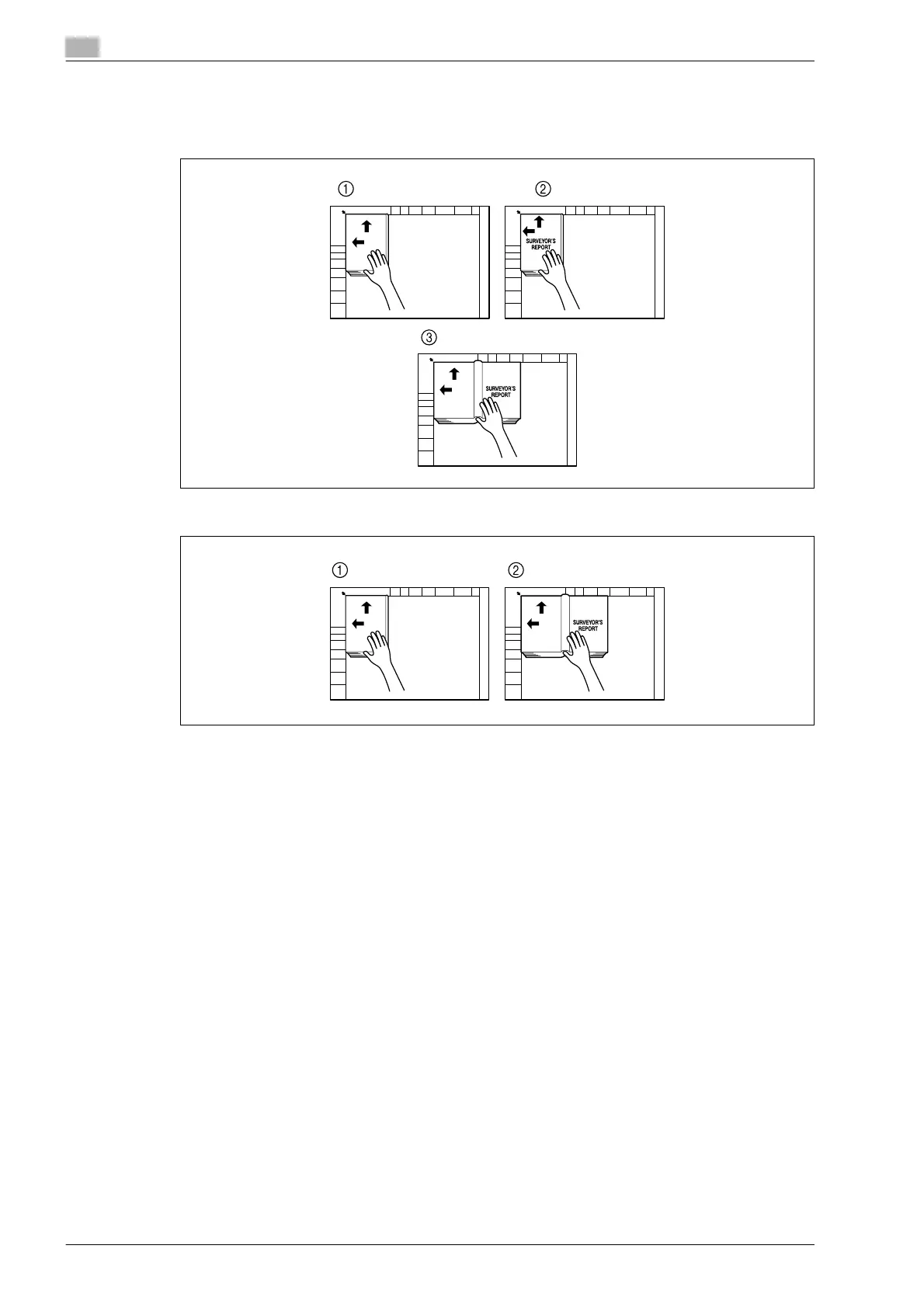
11 After all document pages have been scanned, touch [Finish].
– If "Front and Back Cover" was selected, the back cover is scanned after the front cover, and then
all page spreads are scanned in order.
– If "Front Cover" was selected, all page spreads are scanned in order after the front cover.
12 Press the [Start] key.



 To Next Page