2
Copy Operations
2-130 ineo+ 650/550/451
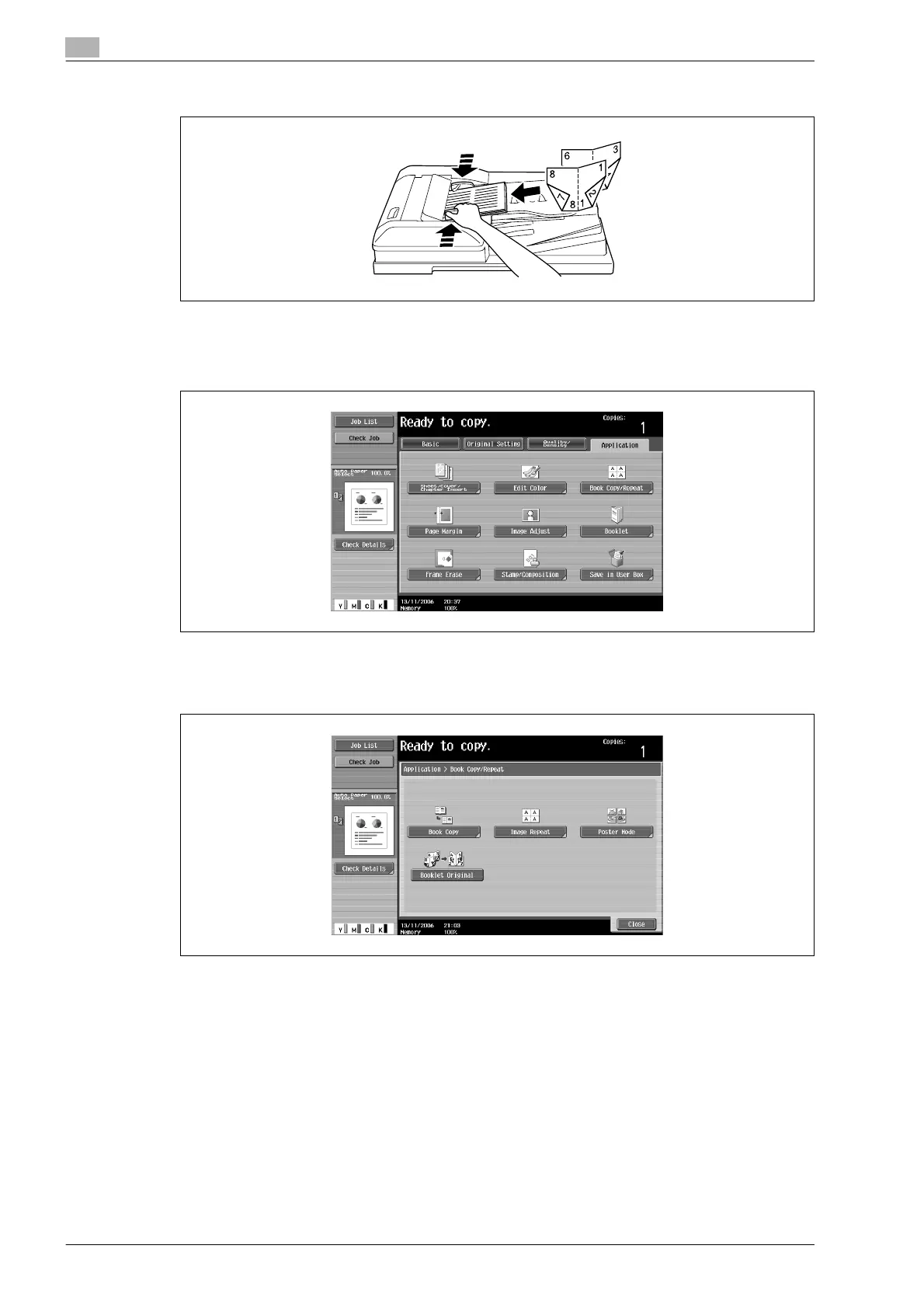
– When using the ADF, load the pages with the side that includes the first page on top.
2 Touch [Application], and then touch [Book Copy/Repeat].
– To cancel changes to the settings for all Application functions, press the [Reset] key. All changes to
the settings are canceled.
The Book Copy/Repeat screen appears.
3 Touch [Booklet Original].
4 Touch [Close].
5 Specify any other desired copy settings.
6 Using the keypad, type in the desired number of copies.
7 Press the [Start] key.
– If the document is placed on the original glass, scanning begins.
– For details on scanning a document from the original glass, refer to "Scanning a multi-page
document from the original glass" on page 2-31.
8 After all document pages have been scanned, touch [Finish] and then press the [Start] key.









 To Next Page