5
Network Scanner Operations
5-14 ineo+ 650/550/451
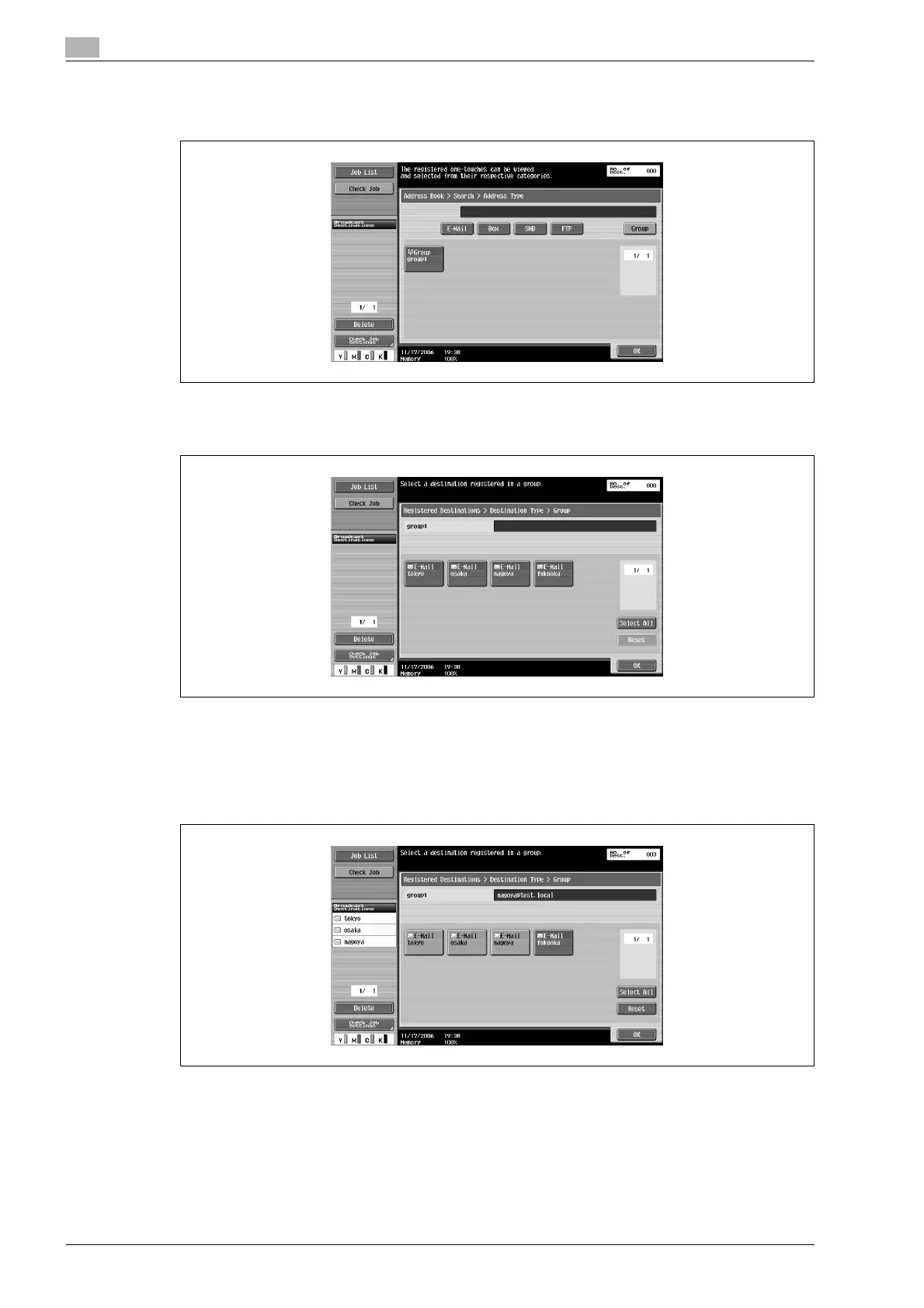
2 Touch [Group].
The destinations registered as groups appear.
3 Touch the button for the group destination.
A list of destinations registered in the group appears.
4 Select the destination where the data is to be sent, and then touch [OK].
– To select all destinations, touch [Select All].
– To deselect all destinations, touch [Reset].
– Additional destinations can be added by directly typing in the address.
The button appears selected, and the destination appears under "Broadcast Destinations".
5 Touch [Scan Settings], [Original Settings] or [Communication Settings], and then specify the desired
scan settings.
– For details on the scan settings, refer to "Specifying scan and transmission settings (Scan
settings/original settings/communication settings)" on page 5-28.
6 Load the document into the ADF or place it on the original glass.









 To Next Page