5
Network Scanner Operations
5-56 ineo+ 650/550/451
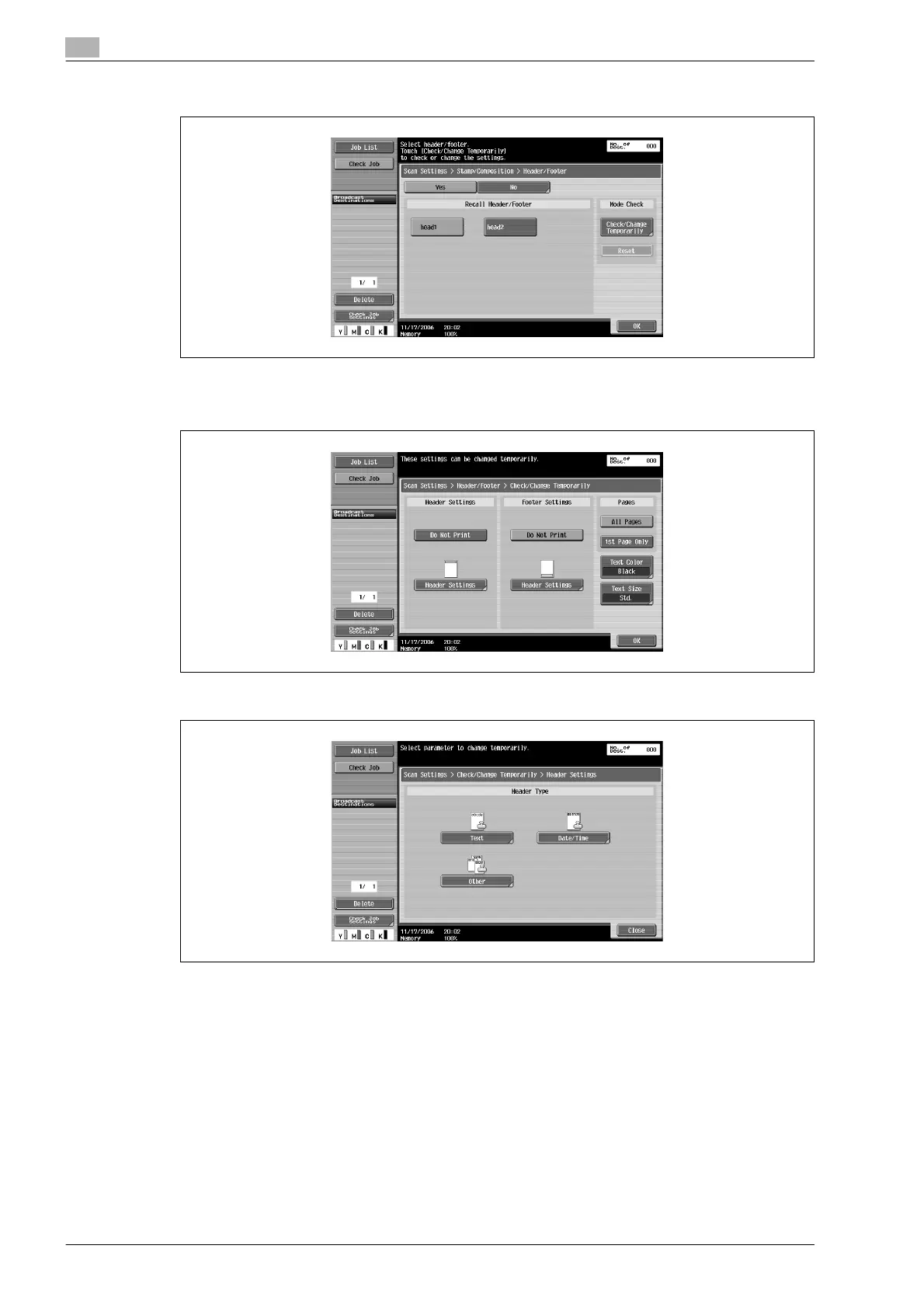
5 To print a header/footer, touch [YES], and then select the type of header/footer to be recalled.
6 To check or temporarily change the selected settings, touch [Check/Change Temporarily].
The Check/Change Temporarily screen appears.
7 Touch "Header Settings" or "Footer Settings", and then specify the header/footer settings.









 To Next Page