8
Network Fax Operations (Option)
8-18 ineo+ 650/550/451
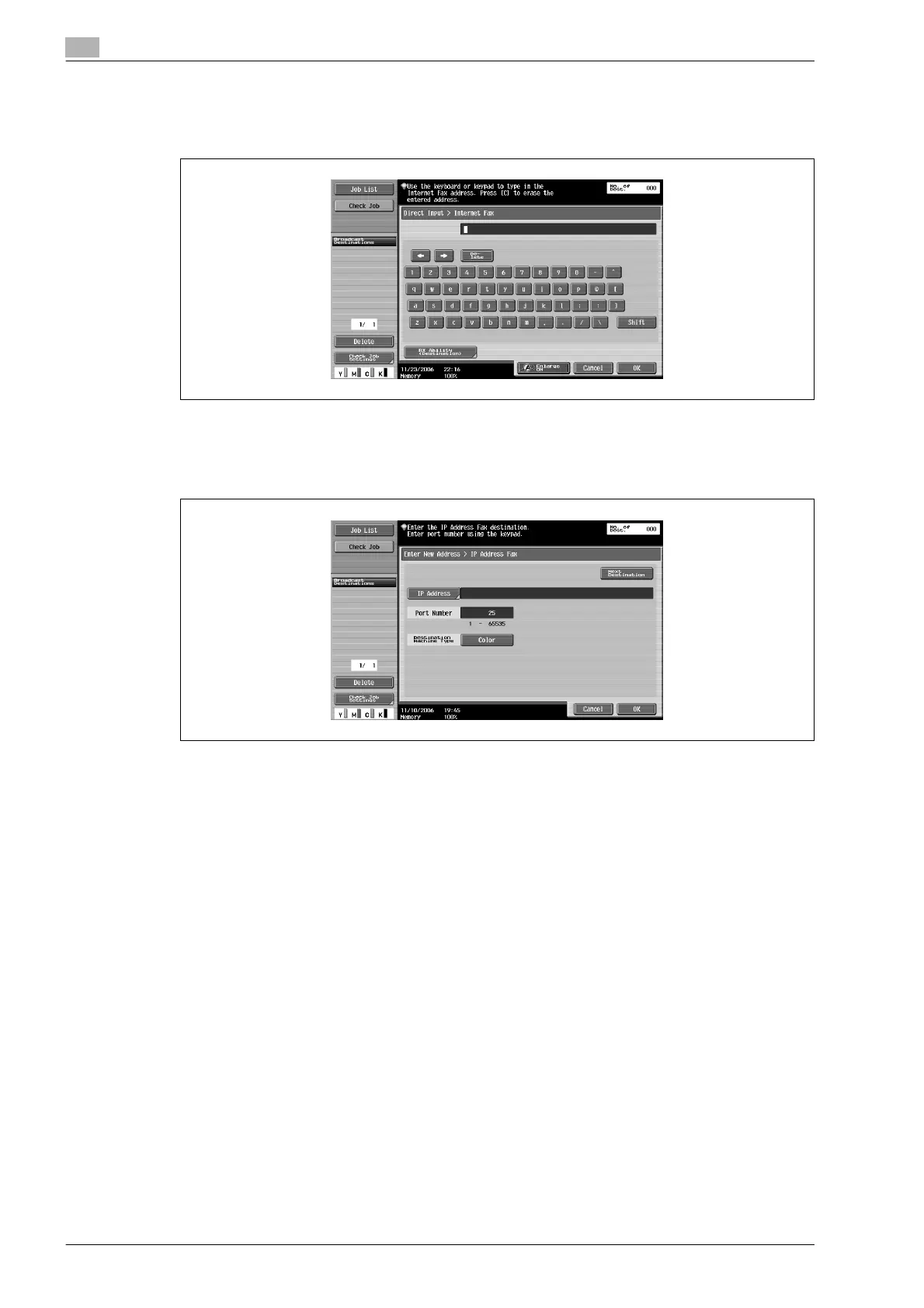
3 Enter the destination and then touch [OK].
– In case of internet fax, enter E-mail address of transmission destination with the keyboard on the
screen.
– In case of IP Address Fax, touch [IP Address] and enter the IP Address or the host name with the
keypad or keyboard of the screen and touch [OK]. To change the port number, press [C] (clear) key
to clear the number, and enter the desired port number with the keypad.
– If the recipient’s machine is a color machine, and a color original is to be sent, touch [Color].
– When [C] (clear) key is pressed, all entered addresses or numbers are cleared.
The destination is specified.









 To Next Page