ineo+ 650/550/451 2-61
Copy Operations
2
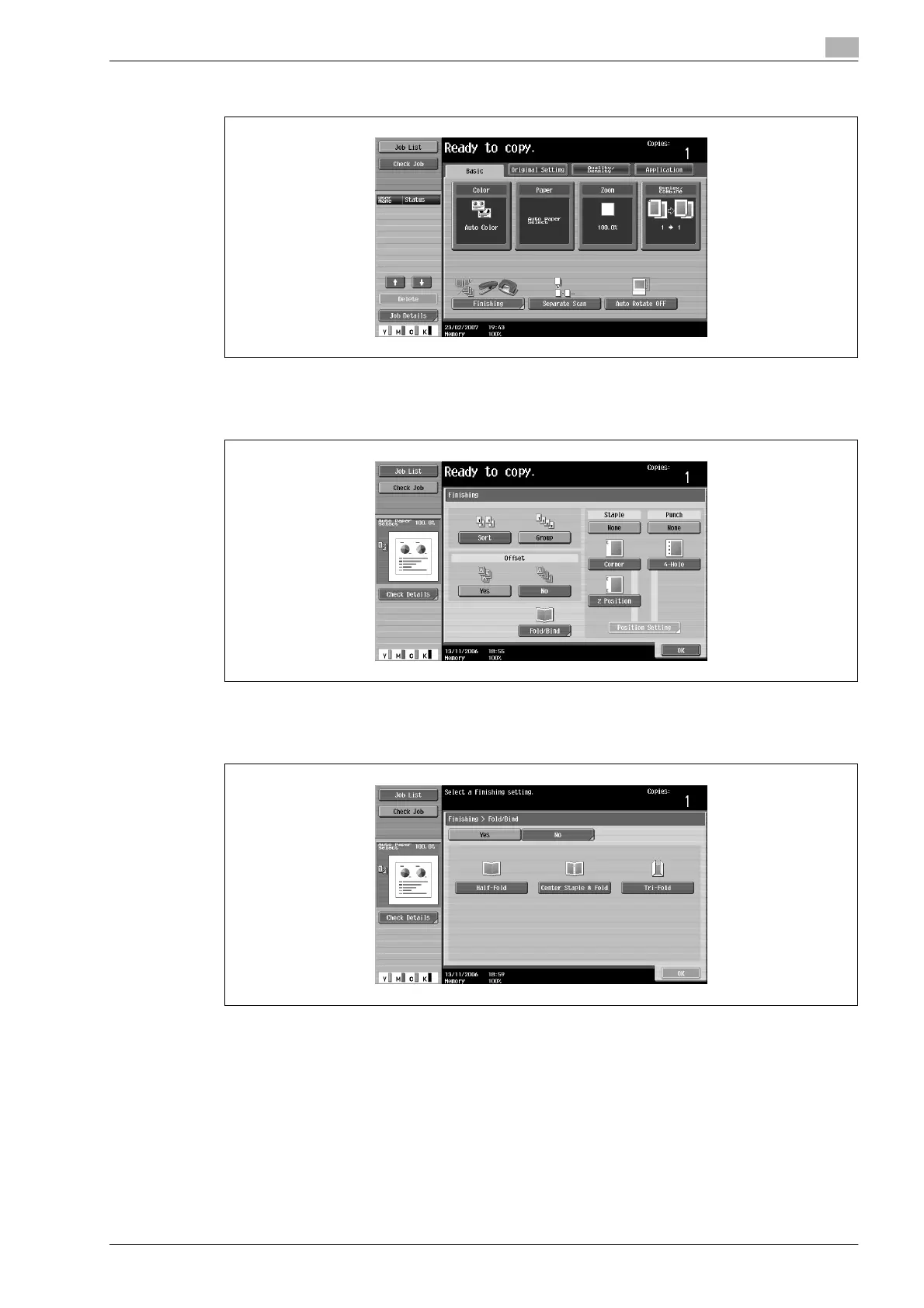
1 In the Basic screen, touch [Finishing].
The Finishing screen appears.
2 Touch [Fold/Bind].
The Fold/Bind screen appears.
3 Touch [Half-Fold].
– As the factory default, the "Booklet" function is automatically specified when "Half-Fold" is
selected.
– To cancel the "Half-Fold" setting, touch [No] or the button for a different setting.
4 Touch [OK], and then touch [OK] again.









 To Next Page