PSS5000/TEMA/803046/05 115 of 152
PSS 5000 – Technical Manual
9 W&M (Menu W)
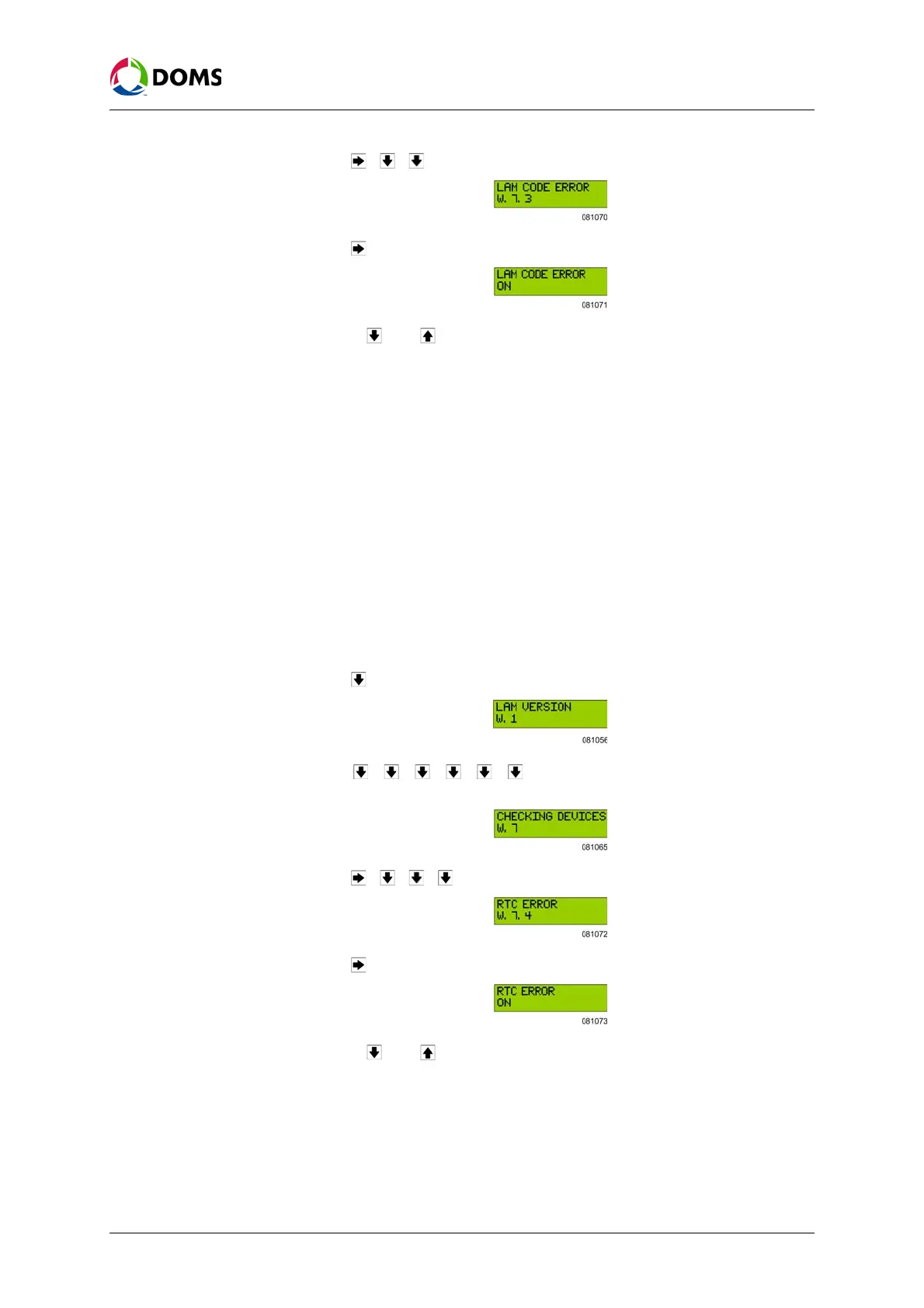
3. Press , , to move to the LAM CODE ERROR W.7.3 menu.
4. Press to move to the LAM CODE ERROR menu.
5. Use the and buttons to toggle between ON and OFF.
When the LAM CODE ERROR value is
ON, this simulates that the LAM
coder function has an error and the PSS 5000 must react accordingly.
6. Return the checking device setting to OFF before you leave the PSS 5000.
Failure to do this will result in the PSS 5000 not operating correctly.
9.7.4 RTC Error (Menu W.7.4)
To activate RTC errors
with web service pages
The procedure used here is the same procedure as is used to check all the de-
vices, see ‘To activate checking devices with web service pages’ on page 112.
To activate checking
RTC errors with local
service panel
This procedure describes how to activate the built-in checking device that
makes sure that the RTC (Real Time Clock) checking facility is operating cor-
rectly.
Note: It is assumed that the Idle menu is shown in the display.
1. Press to move to the LAM VERSION W.1 menu.
2. Press , , , , , to move to the CHECKING DEVICES W.7
menu.
3. Press , , , to move to the RTC ERROR W.7.4 menu.
4. Press to move to the RTC ERROR menu.
5. Use the and buttons to toggle between ON and OFF.
When the RTC ERROR value is
ON, this simulates that the real time clock
has an error and the PSS 5000 must react accordingly.
6. Return the checking device setting to OFF before you leave the PSS 5000.
Failure to do this will result in the PSS 5000 not operating correctly.



 To Next Page