PSS5000/TEMA/803046/05 81 of 152
PSS 5000 – Technical Manual
8 Diagnostics (Menu 5)
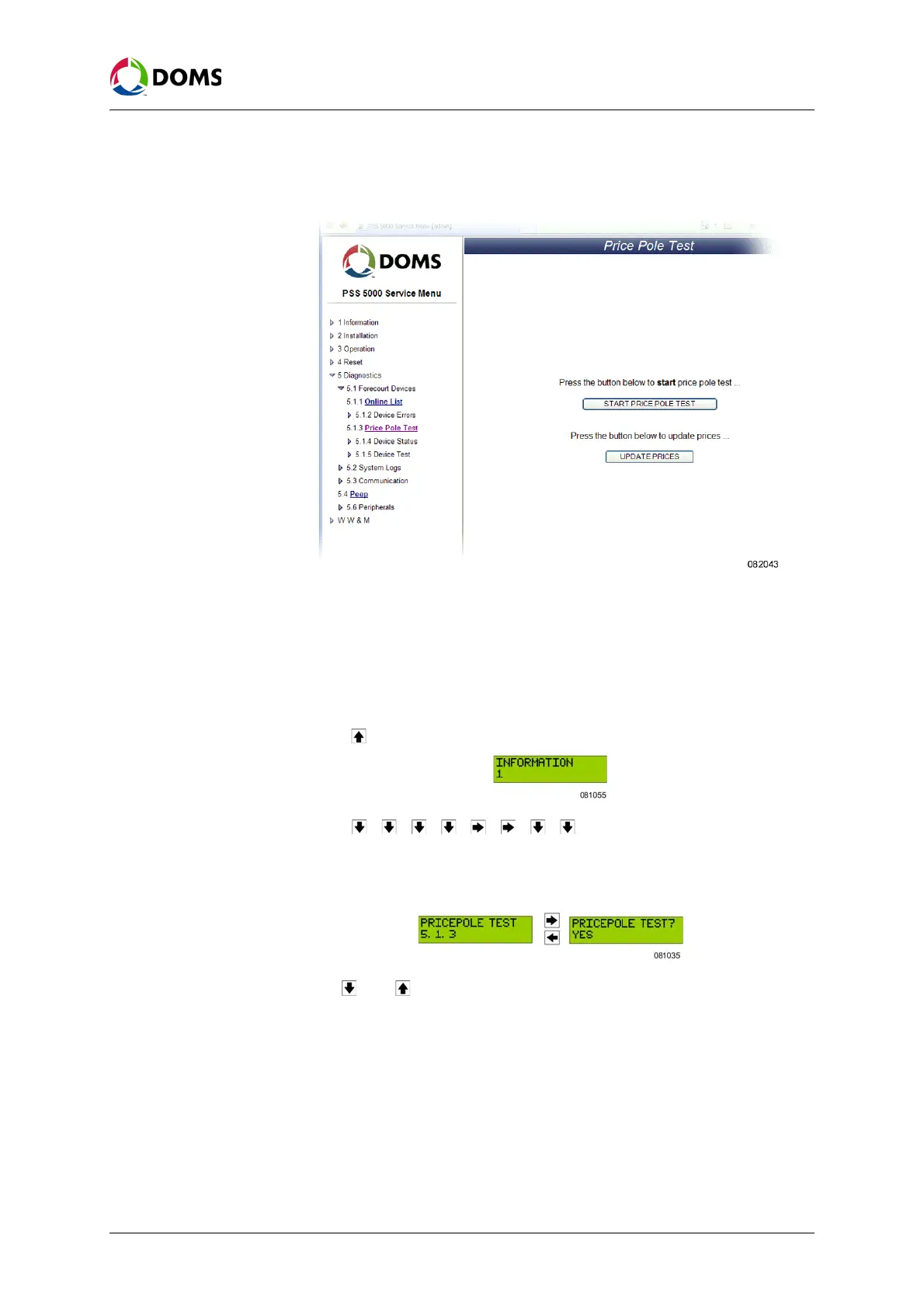
1. Select 5 Diagnostics → 5.1 Forecourt Devices → 5.1.3 Price Pole Test.
The
Price Pole Test page appears.
2. Click UPDATE PRICES.
The prices are sent to the price pole and the updated prices appear on the
price pole.
To start a price pole test
with local service panel
This procedure describes how to use the Service Menu in the local service pan-
el to start a price pole test.
1. Press to move to the INFORMATION 1 menu.
2. Press , , , , , , , to move to the PRICE POLE TEST
5.1.3
menu.
3. Press the buttons in the sequence shown below to move to the sub-menus.
The current test state is flashing.
4. Use and to toggle between YES and NO.
5. Select YES and press OK.
The price pole test starts.
8.1.4 Device Status (Menu 5.1.4)
Description of Device
Status menu
Use this menu to view the status of the various devices connected to the PSS
5000.



 To Next Page