PSS5000/TEMA/803046/05 59 of 152
PSS 5000 – Technical Manual
5 Installation (Menu 2)
Note: This prepares the PSS 5000 for the new setup.ini file, which is not de-
leted during a Master Reset.
Syntax errors in the setup.ini file are reported in the file
/pss_proc/sys/bel.txt.
For more information about parameter descriptions, see the Software Re-
lease Document for the actual Application Program.
5.8 Backup (Menu 2.8)
Description of backup
menu
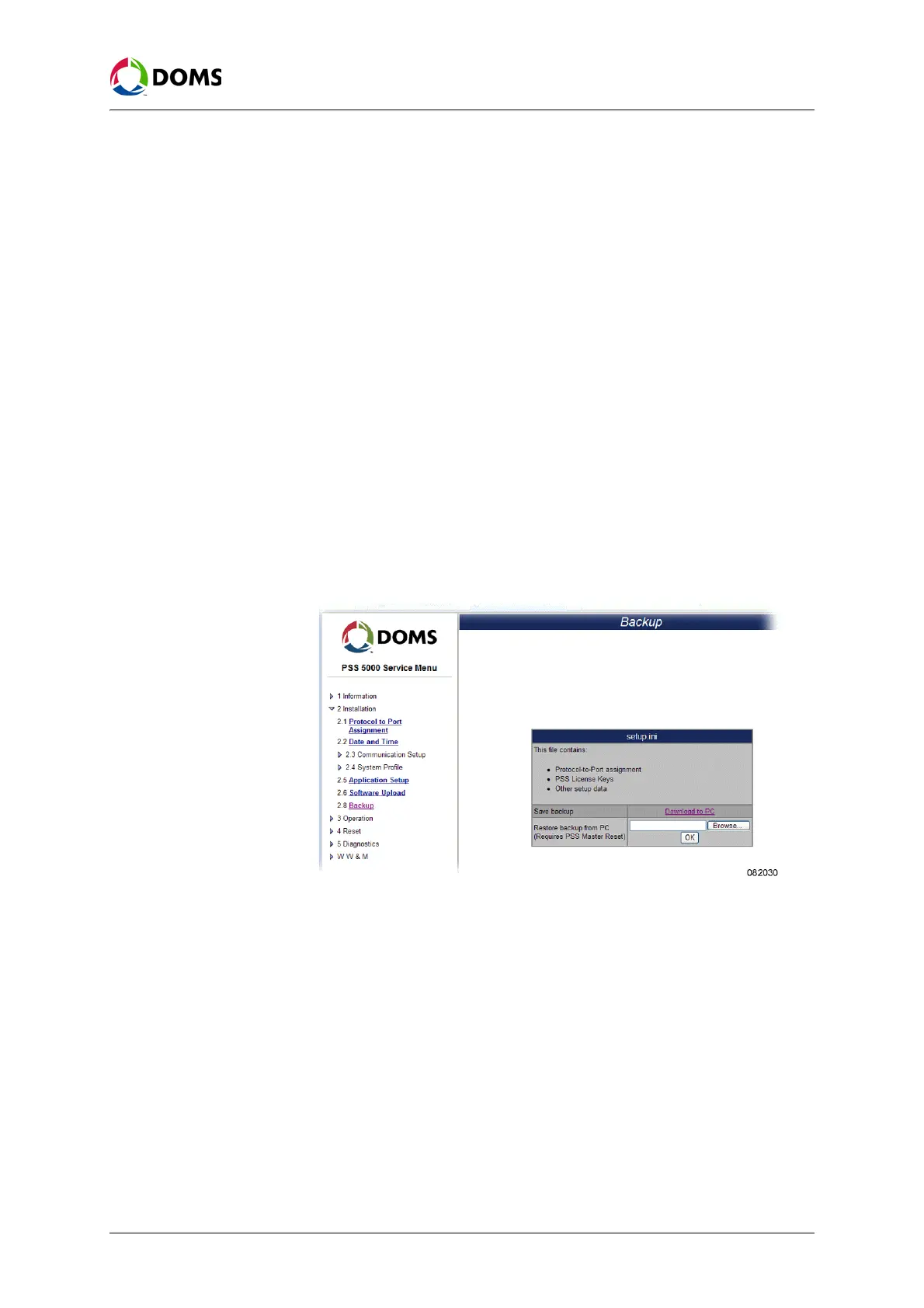
The Backup menu enables you to safely store a file that contains protocol-to-
port assignment, PSS license keys and other setup data configuration informa-
tion from the PSS 5000.
When the backup file is created, it can be stored on a PC. This can then be used
to restore the configuration settings after a Super Master Reset, which deletes
this information.
To create a backup file This procedure describes how to use the Service Menu in the web browser to
create the setup.ini backup file.
1. Select 2 Installation → 2.8 Backup.
The
Backup page appears.
Note: The backup file is called setup.ini and contains the items present in the bul-
let list shown on screen.
2. Click Download to PC to create the setup.ini file.
The
File Download window appears.
3. Click Save.
The
Save As window appears.
4. Use standard Windows procedures to select where you want to save the set-
up.ini file and click
Save.
The file is saved in the defined location.
To restore a backup file
to the PSS 5000
This procedure describes how to use the Service Menu in the web browser to
restore the setup.ini backup file in the PSS 5000.



 To Next Page