PSS5000/TEMA/803046/05 97 of 152
PSS 5000 – Technical Manual
8 Diagnostics (Menu 5)
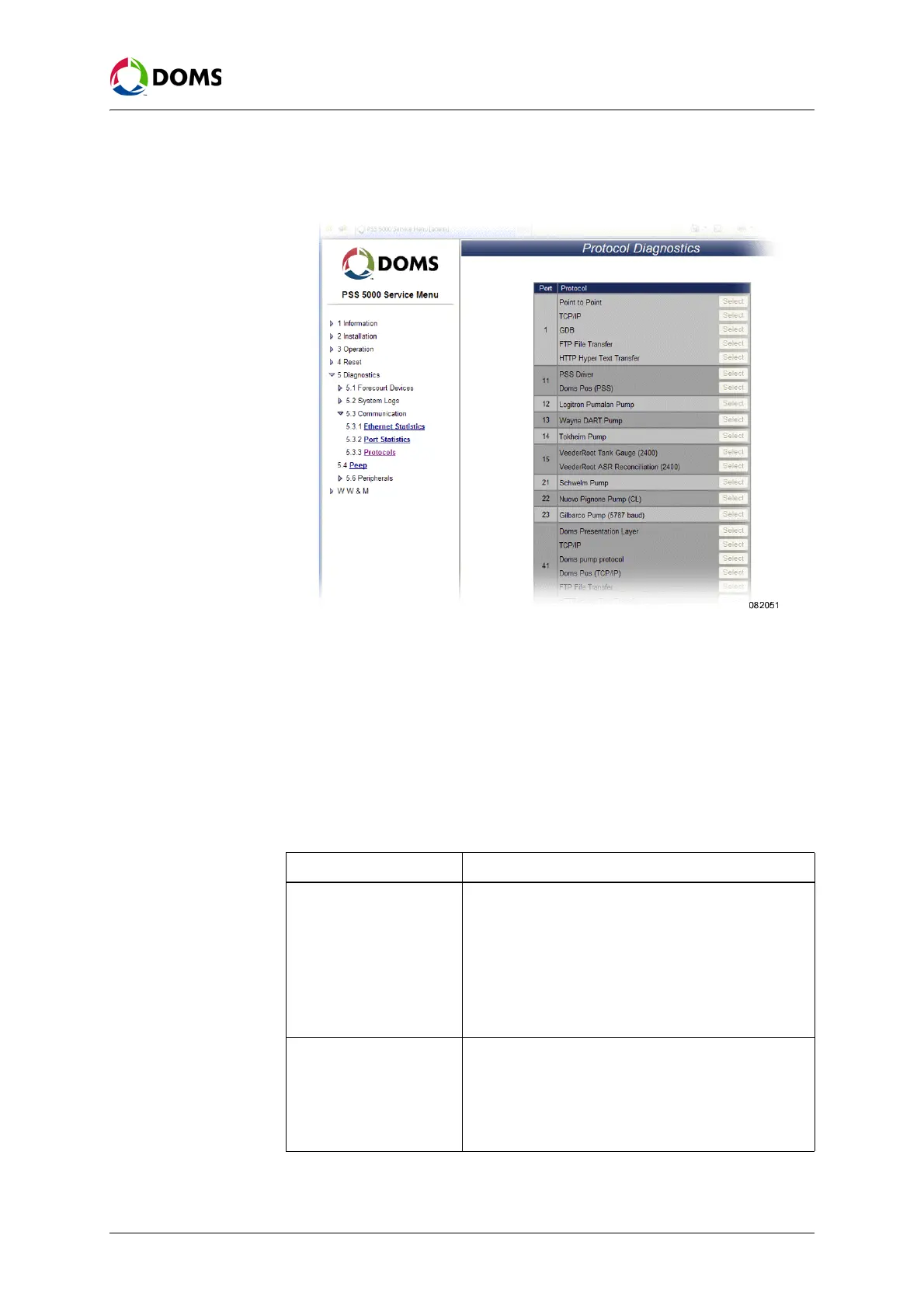
1. Select 5 Diagnostics → 5.3 Communication → 5.3.3 Protocols.
The
Protocol Diagnostics page appears.
2. Click Select to view a list of error counters for the selected protocol.
Note: The Select button is only available for certain protocols with specific Ap-
plication software.
8.4 Peep (Menu 5.4)
Description of the Peep
menu
The PSS 5000 has an embedded communication dump facility, which is called
a peep. The peep can basically run in two different modes. These modes are
described in the table below:
Mode Description
Peep File Swap When running in the swap mode the peeper will swap
between two file series, a and b. For example:
peepfile.a00... peepfile.b00... peepfile.a00...
This continues until the sequence number is increased
manually by a user pressing the 'Skip' button. This is
typically done when an 'interesting' event has occurred.
After this, the peeper will continue swapping between
peepfile.a01... peepfile.b01... peepfile.a01... and so on.
Peep File Incremental When running in the incremental mode the peeper will
create a continuous series of peep files.
The file extension is cxx, where xx is a 2 digit sequence
number from 00 to 99. After peepfile.c99 the peeper
automatically continues with d00... d99... e00... e99...
...z99.



 To Next Page