PSS5000/TEMA/803046/05 29 of 152
PSS 5000 – Technical Manual
4 Information (Menu 1)
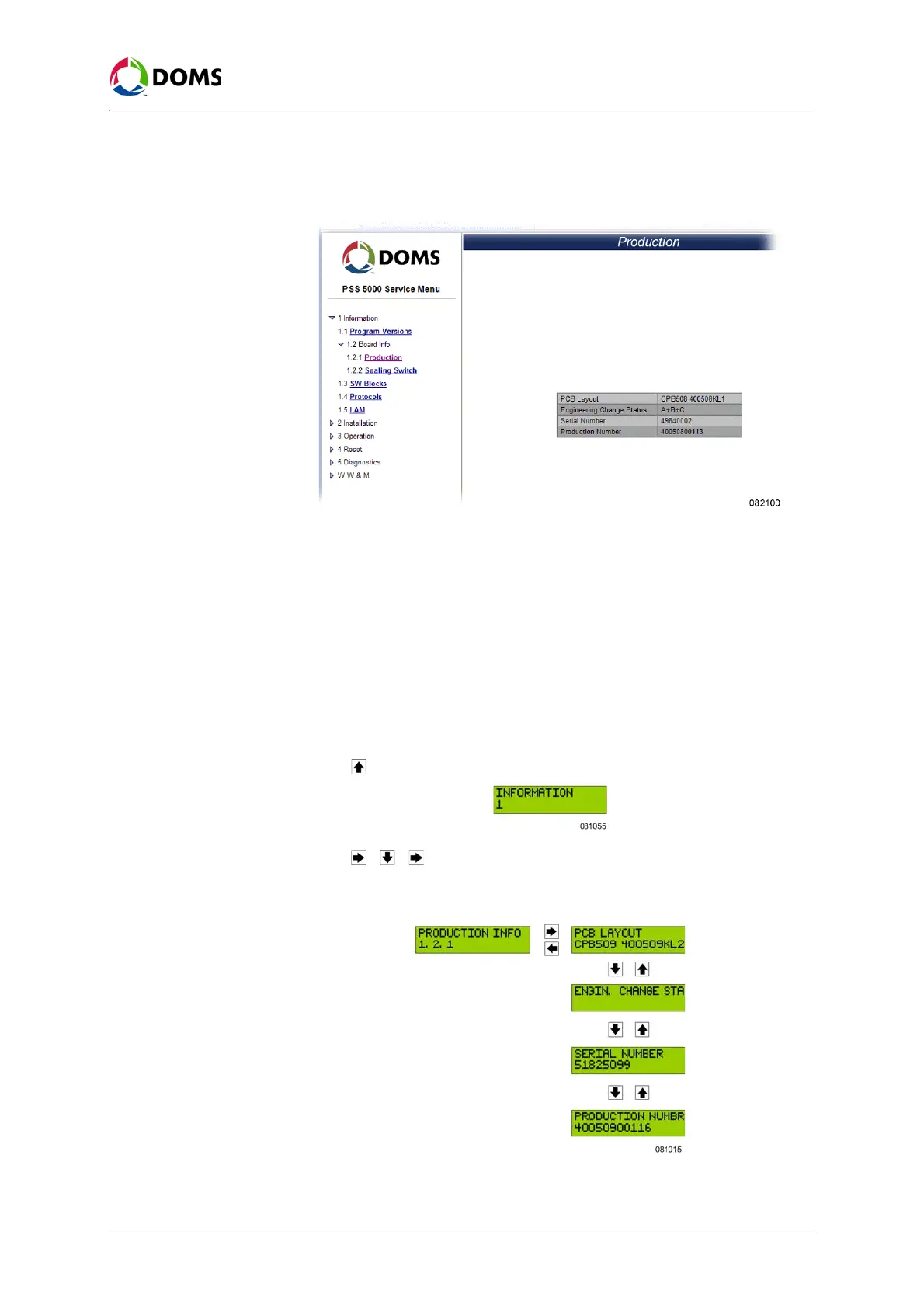
1. Select 1 Information → 1.2 Board Info→ 1.2.1 Production.
The
Production page appears.
2. Use the information on this page to read the version numbers for the fol-
lowing components:
• PCB Layout
• Engineering Change Status
• Serial Number
• Production Number
To view production
information with local
service panel
This procedure describes how to use the Local Service Panel to view the pro-
duction information for the CPU board.
1. Press to move to the INFORMATION 1 menu.
2. Press , , to move to the PRODUCTION INFO 1.2.1 menu.
3. Press the buttons in the sequence shown below to move to the sub-menus
and view the production information for the PSS 5000.
The serial number and production number shown in the display are unique
for the CPU Board of the PSS 5000 you are currently viewing.



 To Next Page