PSS5000/TEMA/803046/05 85 of 152
PSS 5000 – Technical Manual
8 Diagnostics (Menu 5)
3. Click DEVICE ID OK.
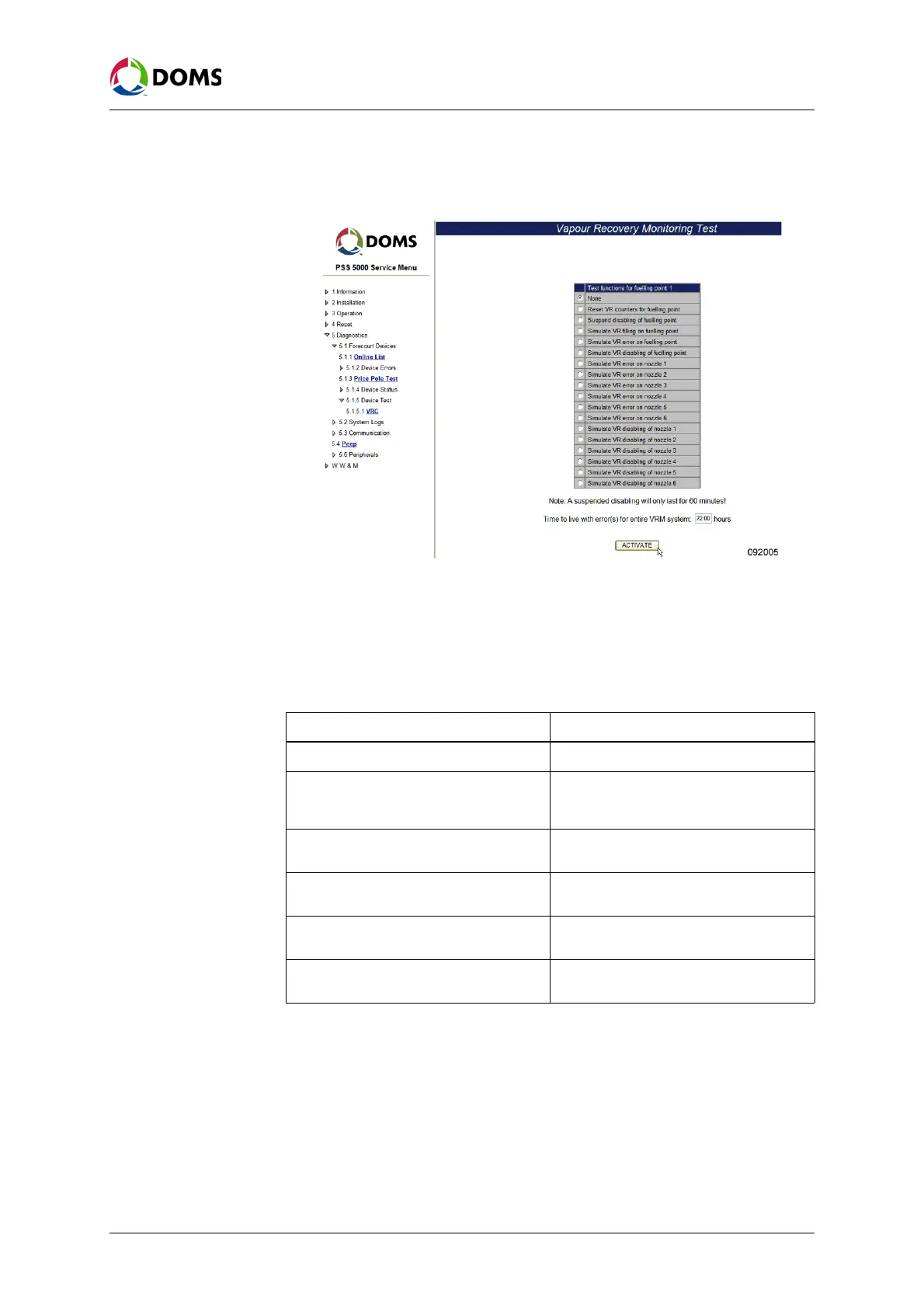
A page with a list of test functions for the selected device appears.
4. In the Time to live with error(s) for entire VRM system field, type in the cor-
rect value.
Note: The format for Time to live ... values is HH:MM. The permitted range is
00:01 to 99:59 hours, and the default value is 72 hours.
5. From the list of test functions, select the function to be activated:
6. Click ACTIVATE to start the selected test function.
The PSS 5000 replies with a message that informs you which function is
activated.
Device Test menu
description for Terminal
Text Test
The PSS 5000 has a built-in text bank. This makes it possible to show different
texts in the terminal’s display. The actual text in the text bank changes depend-
Test function Description
None Returns to normal system mode.
Reset VR counters for fuelling point All Vapor Recovery counters for all the
nozzles belonging to the selected fuel-
ling point are reset.
Suspend disabling of fuelling point Disabling of the fuelling point is suspend-
ed temporarily.
Simulate VR error on fuelling point Simulate a vapor recovery error on the
selected fuelling point.
Simulate VR disabling on fuelling point Simulate vapor recovery disabling on the
selected fuelling point.
Simulate VR disabling on nozzle n Simulate vapor recovery disabling of a
specific nozzle on the fuelling point.



 To Next Page