Page 36 of 112
DMM-0200 Product User Guide
159 Swanson Road
Boxborough, MA 01719
Tel: 508-475-3400
Email: sales@dovermotion.com
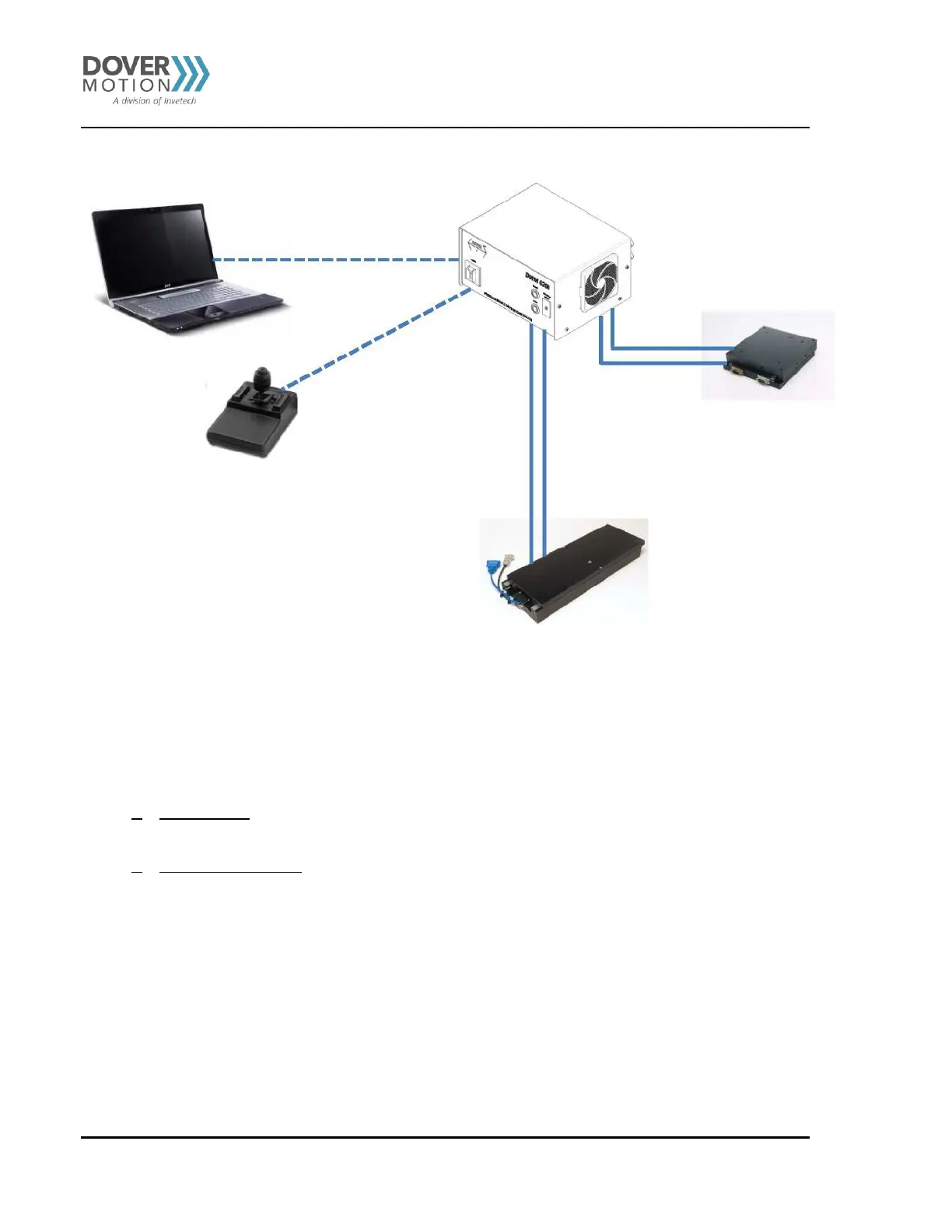
Installing the System
Figure 9 System Installation
Modes of Operation
1. PC Controlled – The DMM-0200 can be controlled using a PC and USB communications. Dover Motion provides a
GUI for running and programming the DMM-0200. The software is called PMX-2EX-SA. See Chapter 5.
2. Stand Alone Operation – The DMM-0200 can be operated stand alone. No external communications are required.
Motion can be initiated using the front panel START & STOP buttons and the PROGRAM SELECT thumbwheel. See
Chapter 6.



 To Next Page