Page 96 of 112
DMM-0200 Product User Guide
159 Swanson Road
Boxborough, MA 01719
Tel: 508-475-3400
Email: sales@dovermotion.com
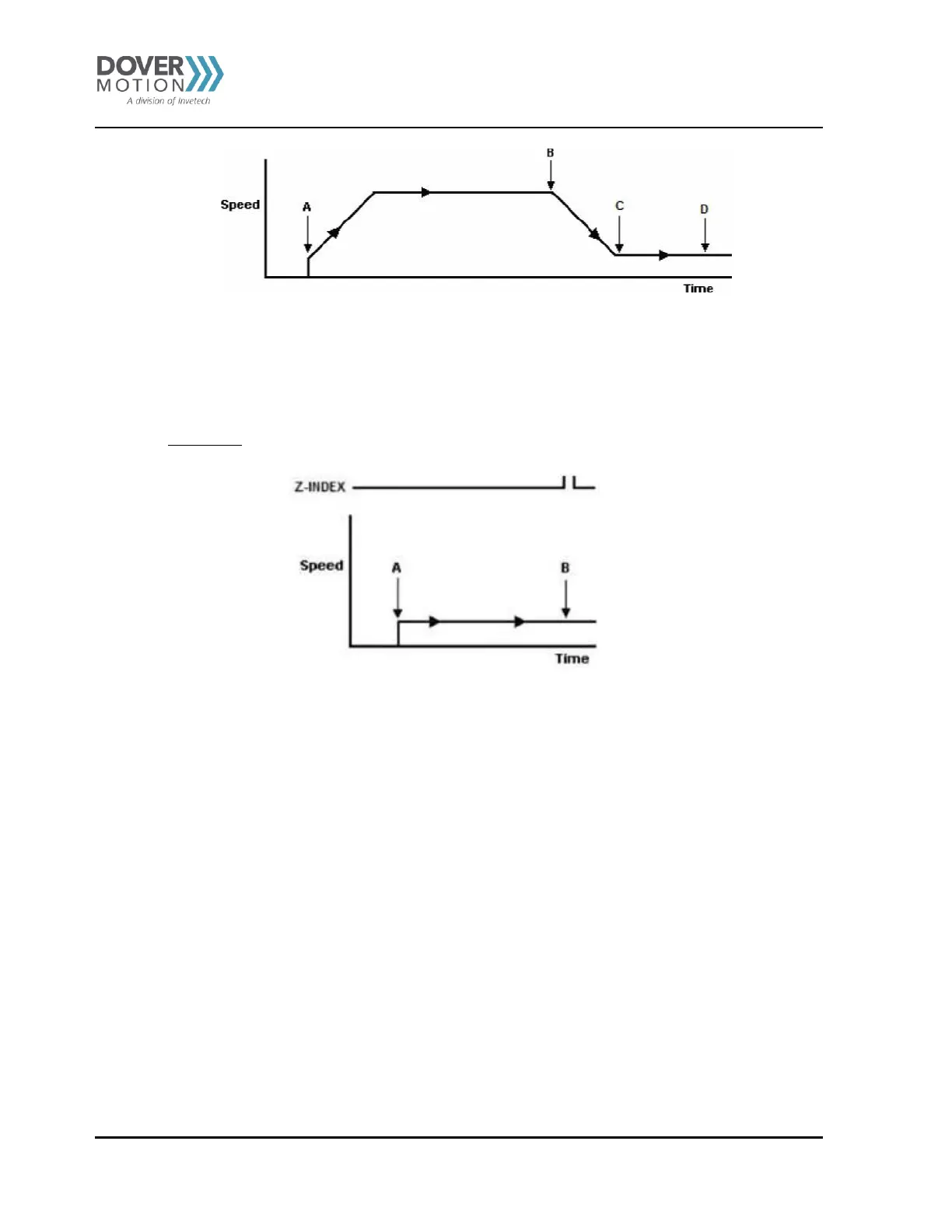
Figure 39 Homing - Z-Index Only
Figure 38 Homing - Home and Z-Index
A. Issuing the command starts the motor from low speed and accelerates to high speed.
B. As soon as the home input is triggered, the motor decelerates to low speed.
C. Once low speed is reached, the motor begins to search for the z-index pulse.
D. Once the z-index pulse is found, the motor stops and the position is set to zero.
Z-index only
Use the Z[axis]+/Z[axis]- command (use the Z+/Z- command for both axes). Figure 39 shows the homing routine.
A. Issuing the command starts the motor at low speed.
B. Once the z-index pulse is found, the motor stops and the position is set to zero.
Jogging
Jogging is available for continuous speed operation. Use JX+/JX-/JY+/JY- command. To have both
motors jog synchronously use the J+/J- command.
Stopping Motor
When the motor is moving, the ABORT[axis] command will immediately stop an individual axis. Use the
ABORT command to immediately stop ALL axes.
To employ deceleration on a stop, use the STOP[axis] to stop an individual axis. Use the STOP command to
stop ALL axes.
Note: If an interpolation operation is in process when a STOP[axis] orABORT[axis] command is entered,
all axes involved in the interpolation operation will stop.



 To Next Page