Page 46 of 112
DMM-0200 Product User Guide
159 Swanson Road
Boxborough, MA 01719
Tel: 508-475-3400
Email: sales@dovermotion.com
Using the Main Control Screen
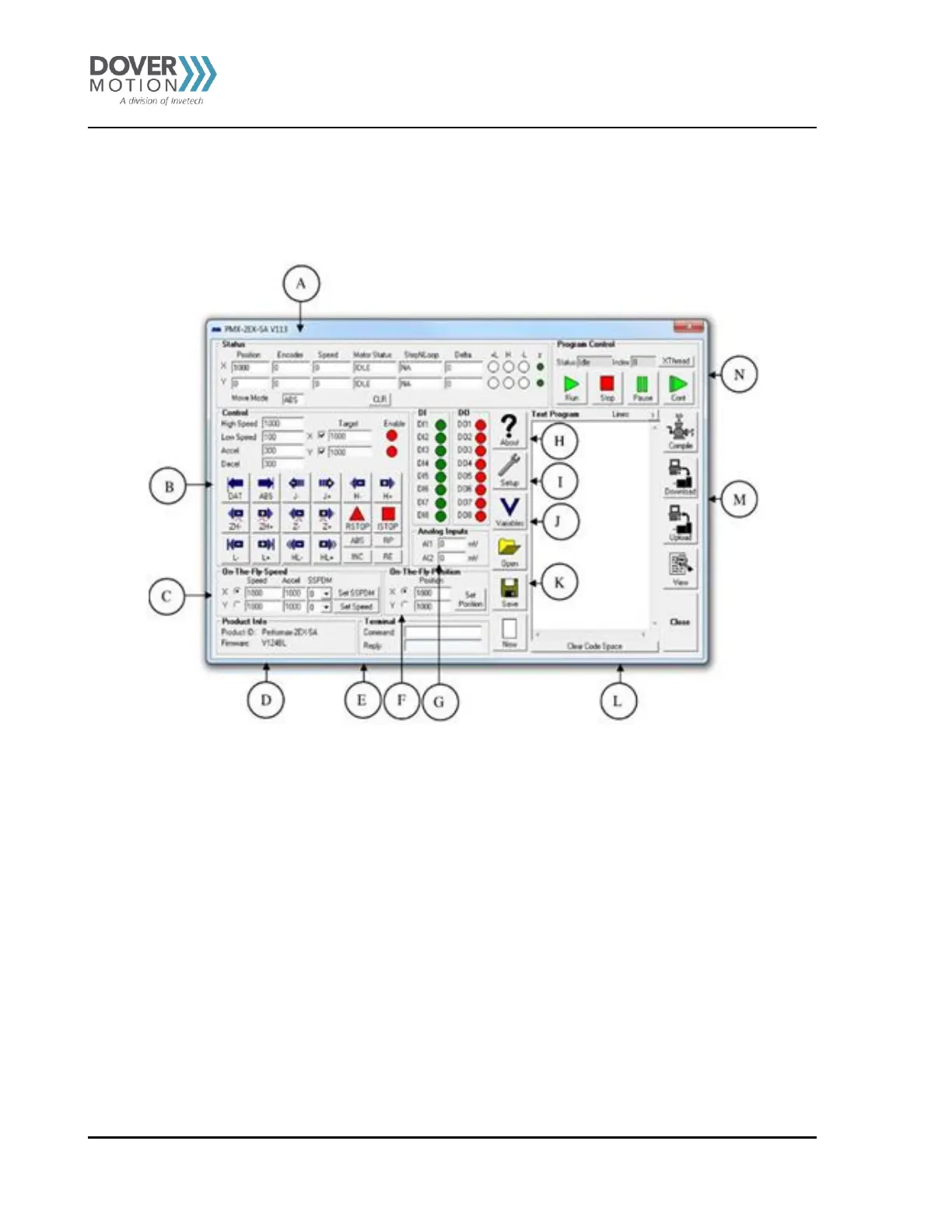
With the DMM-0200 GUI, you can control all motion via one “Main Control Screen”, see Figure 14. For addition information
not found in this manual reference the “PMX-4EX-SA Manual” which is included on the shipping CD and installed onto your
PC with this GUI.
Figure 14



 To Next Page