Page 94 of 112
DMM-0200 Product User Guide
159 Swanson Road
Boxborough, MA 01719
Tel: 508-475-3400
Email: sales@dovermotion.com
On-The-Fly Target Position Change
On-the-fly target position change can be achieved using the T[axis][value] command. While the motor is moving,
T[axis][value] will change the final destination of the motor. If the motor has already passed the new
target position, it will reverse direction once the target position change command is issued.
Note: If a T command is sent while the controller is not performing a target move, the command
is not processed. Instead, an error response is returned.
Homing
Home search sequence involves moving the motor towards the home or limit switches and then stopping when
the relevant input is detected. The PMX-2EX-SA has five different homing routines.
Home Input Only (High Speed Only)
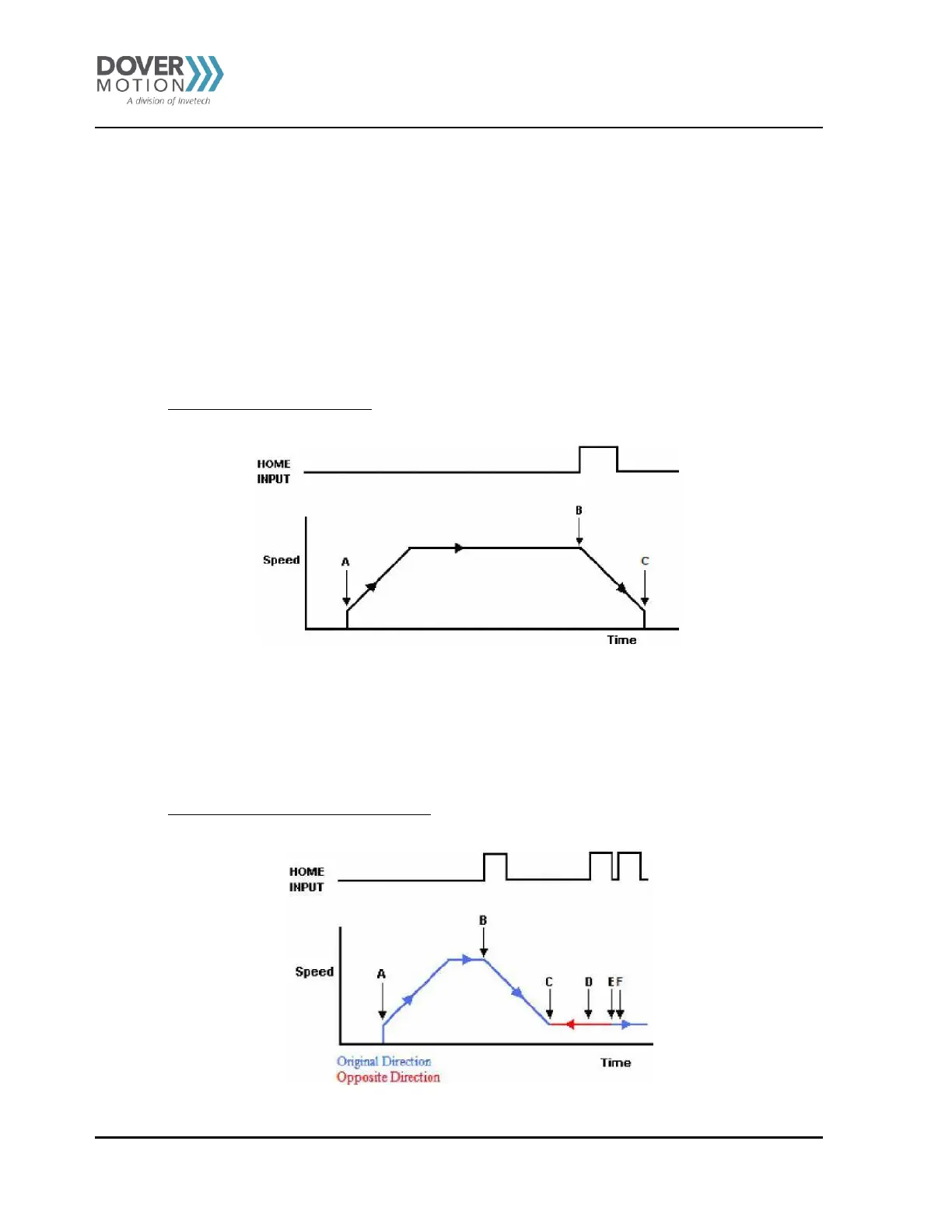
Use the H[axis]+/H[axis]- command. (use the H+/H- command for both axes). Figure 35 shows the homing routine.
Figure 35 Homing - Home Input Only (High Speed)
A. Starts the motor from low speed and accelerates to high speed.
B. As soon as the home input is triggered, the position counter is reset to zero and the motor begins to
decelerate to low speed. As the motor decelerates, the position counter keeps counting with reference to
the zero position.
C. Once low speed is reached, the motor stops. The position is non-zero.
Home Input Only (High Speedand LowSpeed)
Use the HL[axis]+/HL[axis]- command (use the HL+/HL- for both axes). Figure 36 shows the homing routine.
Figure 36 Homing - Home Input Only (High Speed and Low Speed)



 To Next Page