Page 52 of 112
DMM-0200 Product User Guide
159 Swanson Road
Boxborough, MA 01719
Tel: 508-475-3400
Email: sales@dovermotion.com
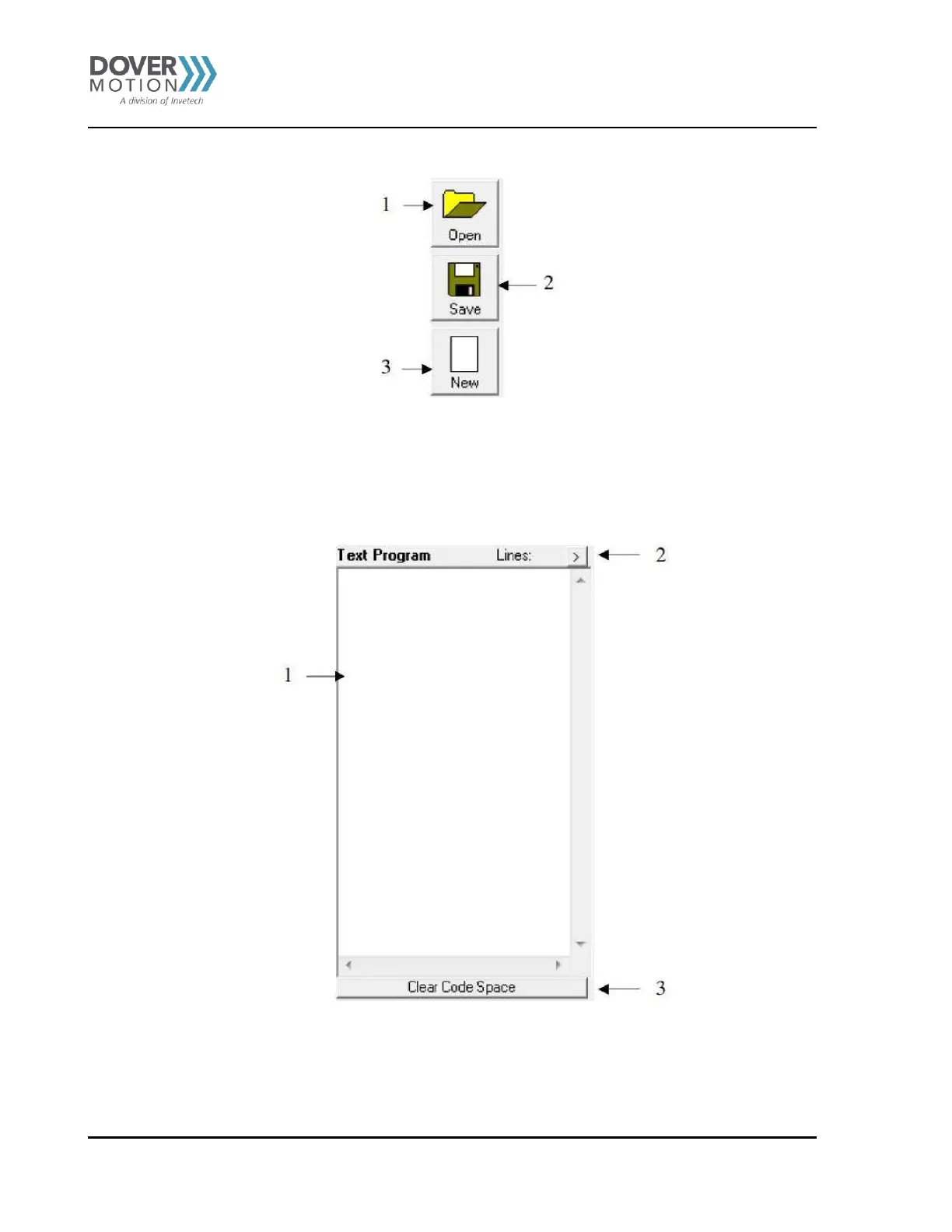
Figure 25 Program File Control (K)
1. Open - Open a standalone program
2. Save - Save a standalone program
3. New - Clear the standalone program editor
Text Programming Box (L)
Figure 26 Text Programming Box (L)
1. Text Program – Text box for writing and editing a standalone program.
2. Opens a larger Program Editor window for easier programming.
3. Clear Code Space – Clear the code space on the PMX-2EX-SA.



 To Next Page