Page 53 of 112
DMM-0200 Product User Guide
159 Swanson Road
Boxborough, MA 01719
Tel: 508-475-3400
Email: sales@dovermotion.com
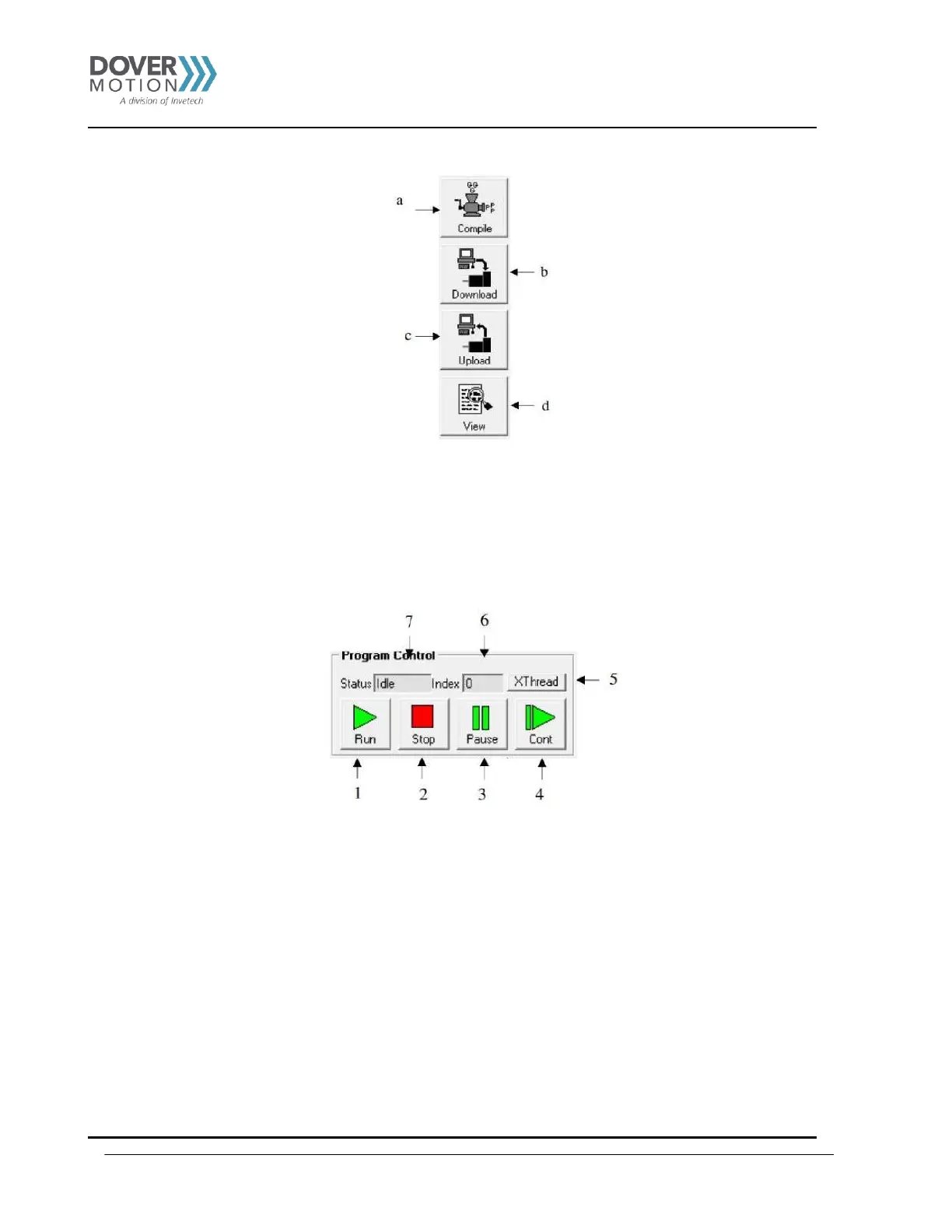
a. Compile - Compile code in text programming box into assembly level code that the PMX-2EX-SA can understand.
b. Download - Download the compiled code into memory. Note that the text based code must be compiled before download.
c. Upload - Upload standalone code that is currently on your PMX-2EX-SA. This automatically translates assembly
level language to readable text-based code.
d. View - View compiled code for easy cutting and pasting.
1. Run –Standalone program is run.
2. Stop – Program is stopped.
3. Pause – Program that is running can be stopped.
4. Cont – Program that is paused can be continued
5. XThread - Open the Standalone Program Control for all standalone programs.
6. Index - Current line of code that is being executed.
7. Status of standalone program:
i. Idle – Program is not running.
ii. Running – Program is running.
iii. Paused – Program is paused.
iv. Error – Program is in an error state.



 To Next Page