Page 90 of 112
DMM-0200 Product User Guide
159 Swanson Road
Boxborough, MA 01719
Tel: 508-475-3400
Email: sales@dovermotion.com
USB Communication Issues
A common problem that users may have with USB communication is that after sending a command from the PC to the
device, the response is not received by the PC until another command is sent. In this case, the data buffers between
the PC and the USB device are out of sync. Below are some suggestions to help alleviate this issue.
1) Buffer Flushing: If USB communication begins from an unstable state (i.e. your application has closed
unexpectedly, it is recommended to first flush the USB buffers of the PC and the USB device. See the
following function prototype below:
BOOL fnPerformaxComFlush(IN HANDLE pHandle)
Note: fnPerformaxComFlush is only available in the most recent PerformaxCom.dll which is
not registered by the standard USB driver installer. A sample of how to use this function
along with this newest DLL is available for download from the following website:
http://www.arcus-technology.com/
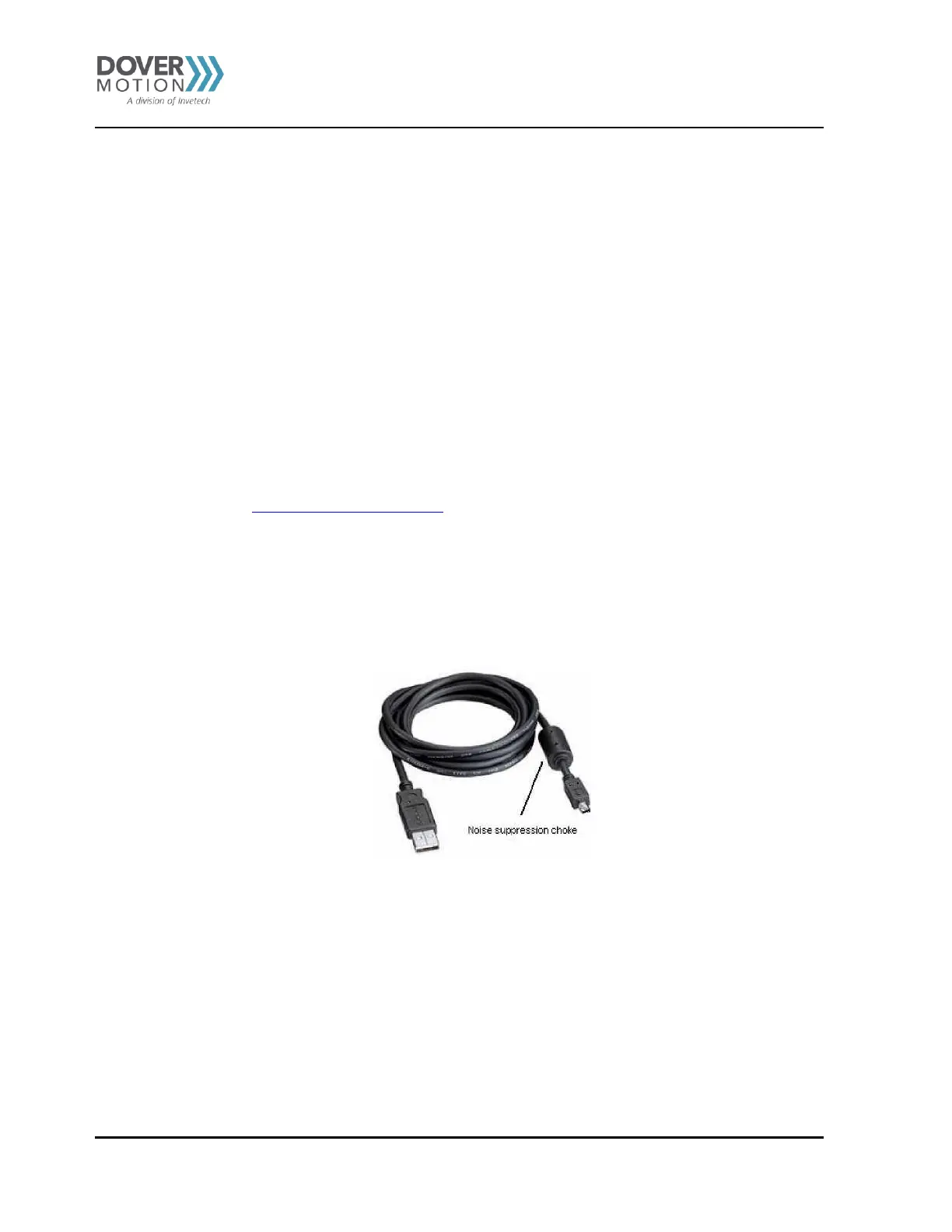
2) USB Cable: Another source of USB communication issues may come from the USB cable. Confirm that
the USB cable being used has a noise suppression choke. See photo below:
Figure 32 USB Cable



 To Next Page