Page 50 of 112
DMM-0200 Product User Guide
159 Swanson Road
Boxborough, MA 01719
Tel: 508-475-3400
Email: sales@dovermotion.com
About (H)
Figure 22 About (H)
Displays the current software and firmware versions
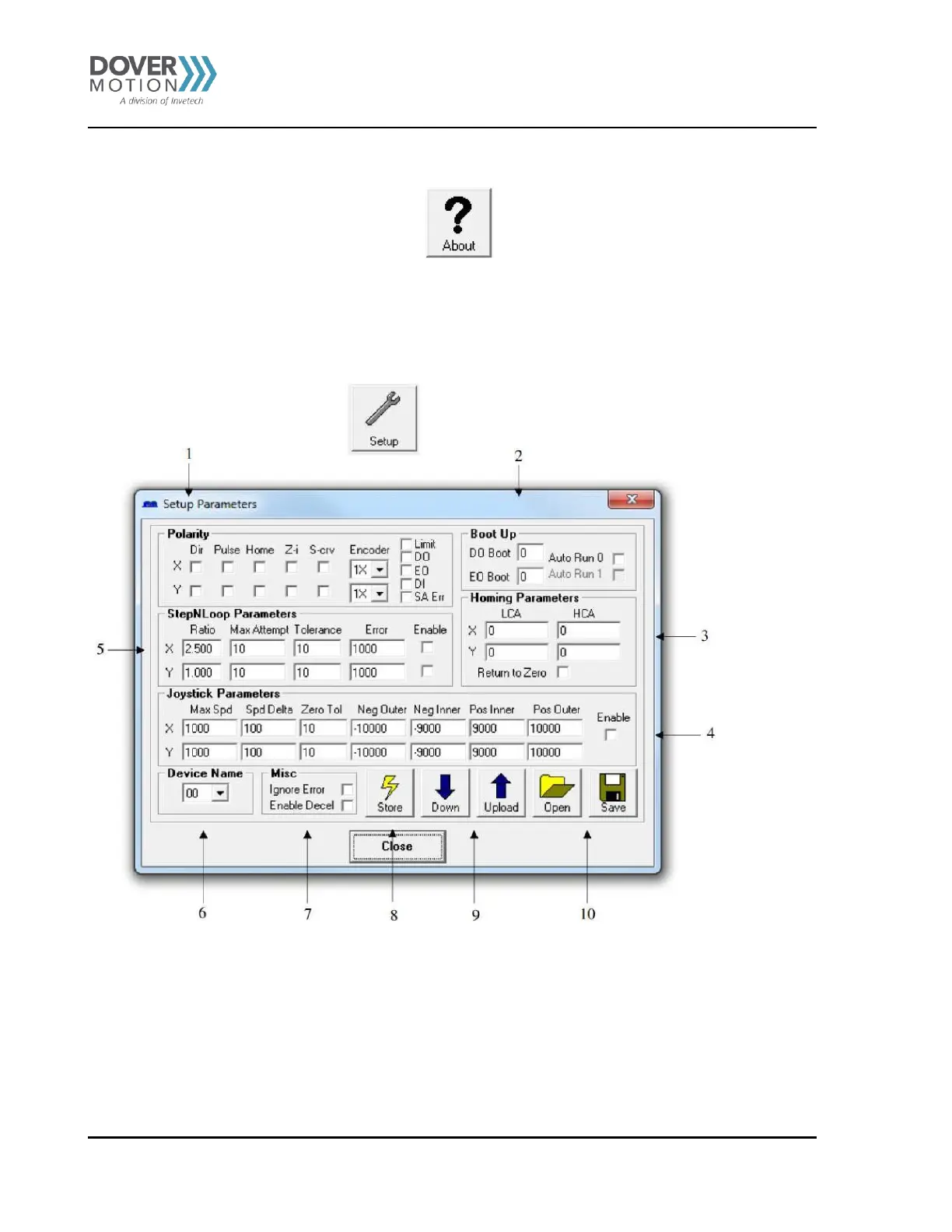
Setup (I)
. Polarity:
a. Set direction/pulse/home/Z-index polarity for X/Y axis
b. Set s-curve enable/disable for X/Y axis
c. Set the encoder multiplier to 1X/2X/4X for X/Y axis
d. Limit - Set the limit input polarity
e. DO - Set the digital output polarity
f. EO - Set the enable output polarity
g. DI - Set the digital input polarity
h. SA Err - Set the return jump line for standalone error handling



 To Next Page