Page 61 of 112
DMM-0200 Product User Guide
159 Swanson Road
Boxborough, MA 01719
Tel: 508-475-3400
Email: sales@dovermotion.com
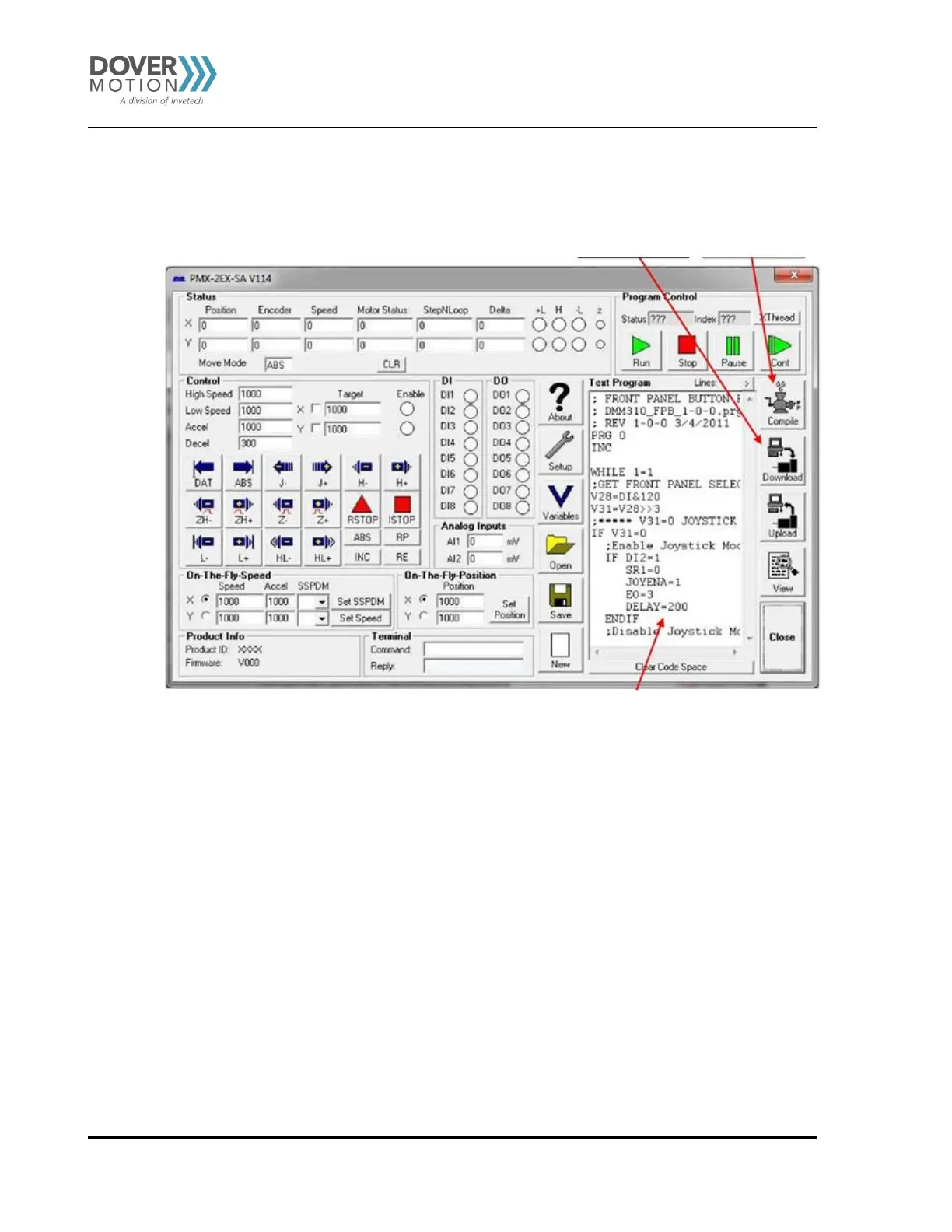
The program will now be in the Text window. The user can ow edit the program as needed.
After editing the programs, hit the Compile button and then the Download button to compile and download the
new programs into the DMM-0200 memory.
To run the new programs, hit the run button. See Figure 31.
Download button Compile Button
Figure 31: Text Window
Note: When you upload the saved programs from the controller’s memory, you will be uploading
Dover Motion’s standard motion programs described in the DMM-0400 Stored Programs section.
If you want to keep Dover Motion’s standard programs, you will have to edit the uploaded
file (which contains Dover Motion’s standard programs) to include your new motion
programs.
If you do not want to keep Dover Motion’s standard programs, Clear Code Space, create your own
motion programs, and download to the controller’s memory



 To Next Page