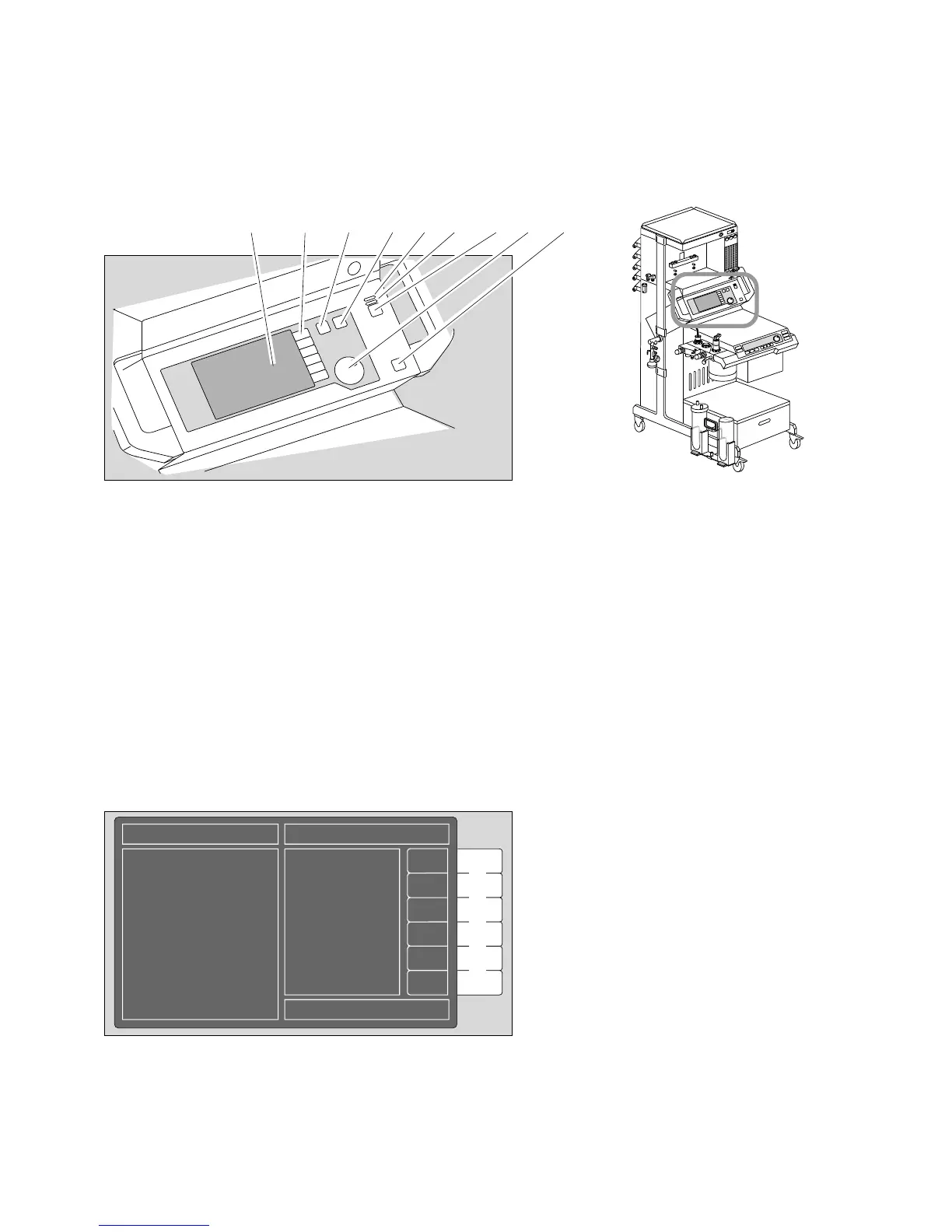
What's what
Operating elements and displays on monitor
110
Front panel of monitor:
1 Screen
2 Softkeys
3 Key for successively calling up the standard screen, data screen and trend screen
4 Key for calling up the standard screen
5 Red warning LED
6 Yellow caution/advisory LED
7 Keys for deactivating the alarm tone for two minutes and for reactivating it
8 Rotary control for selecting = turn and confirming = press menu items
9 Key for standby or measuring mode. The yellow LED lights up in standby mode
Screen layout:
D
2 5
1 3
87 9
6
4
D
P
M
805
0
0
I
D
G
A
S
Status field Alarm field
Measured
value field
Operator prompts
Graphic field
Softkeys
Operating elements and displays on monitor
07528971 20428970
03837224












 To Next Page