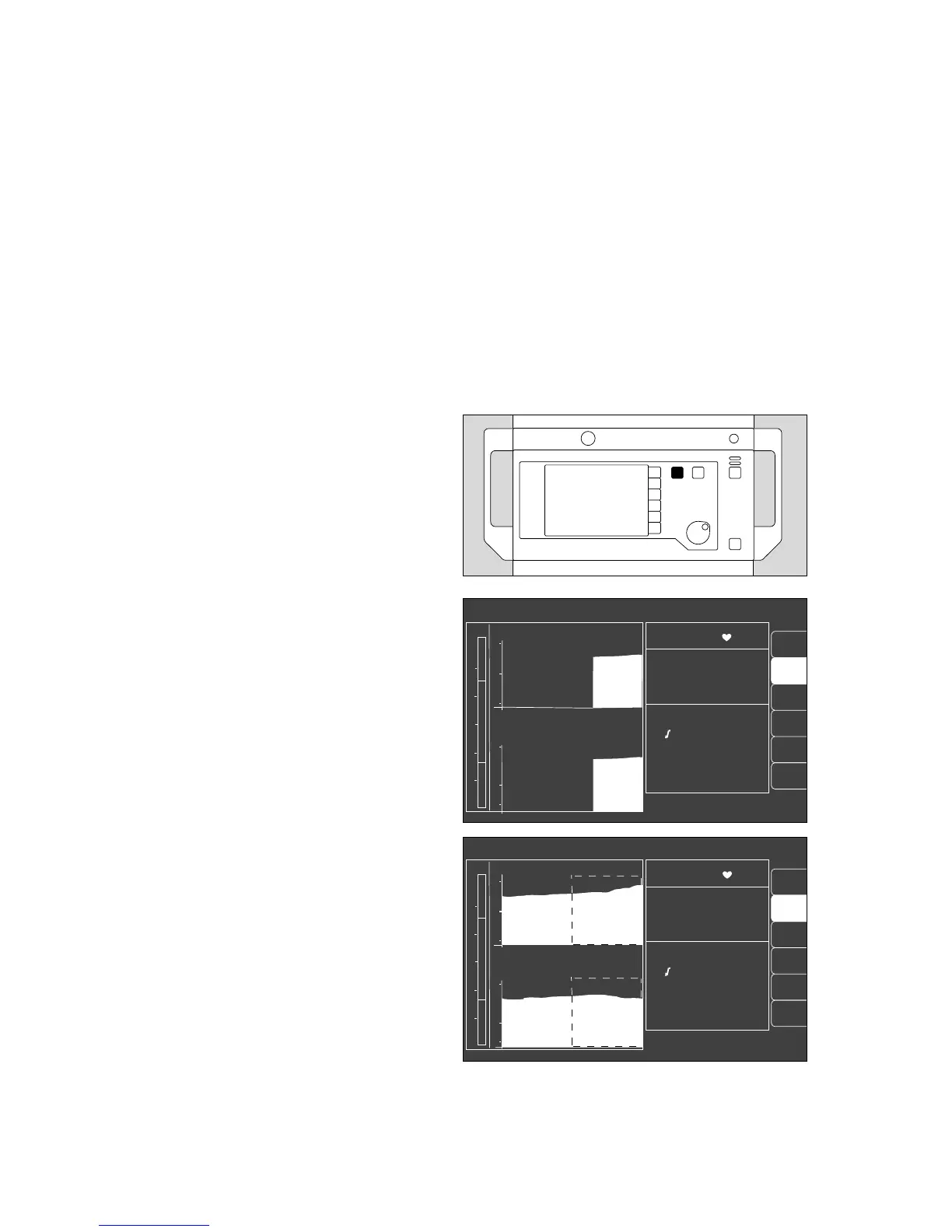
Select trend screen with zoom function
This screen presents the development of measured
values over time since measurement commenced.
Values can be saved for a maximum of eight hours.
The following combinations can be displayed:
–CO2 / AMV
– Agas / N2O
–O2 / Compliance
– SpO2 / Pulse rate
1 Press W (repeatedly) until the trend screen is
displayed.
Example:
(The bottom softkey »full trend« is only available here)
The zoom function can also be called up when the equip-
ment has been in operation for more than 30 minutes.
This function makes it possible to magnify part of the time
range (possibly several times). The magnified section is
marked by a dashed border. The past is on the left.
Example:
● Turn rotary knob – the dashed area moves until it
includes the interval of interest.
● Press rotary knob – the dashed area is enlarged to
the full display width.
When the monitor has been in operation for a
sufficiently long time, a new dashed area appears
and can be extended as described above.
The maximum has been reached when no new
dashed border appears.
Monitor functions
Monitor functions during operation
Select trend screen with zoom function
58
SpO
2
pulse
AGas
N
2
O
IPPV alarm limits
CO
2
MV
O
2
compl.
SpO
2
98 67
etCO
2
38
MV 6.0 freq 10
Fi Fet
O
2
29 25
Hal. 0.8 0.6
N
2
O 70 68
18
MV
15
5
0
CO
2
60
30
0
11:00 12:00 13:00
PAW
20
40
0
10
full
trend
alarm
limits
SpO
2
pulse
AGas
N
2
O
IPPV alarm limits
Zoom locate: select !
Increase: confirm !
CO
2
MV
O
2
compl.
SpO
2
98 67
etCO
2
38
MV 6.0 freq 10
Fi Fet
O
2
29 25
Hal. 0.8 0.6
N
2
O 70 68
18
MV
15
5
0
CO
2
60
30
0
11:00 12:00 13:00
PAW
20
40
0
10
full
trend
alarm
limits
1
0452897104628971 02437224












 To Next Page