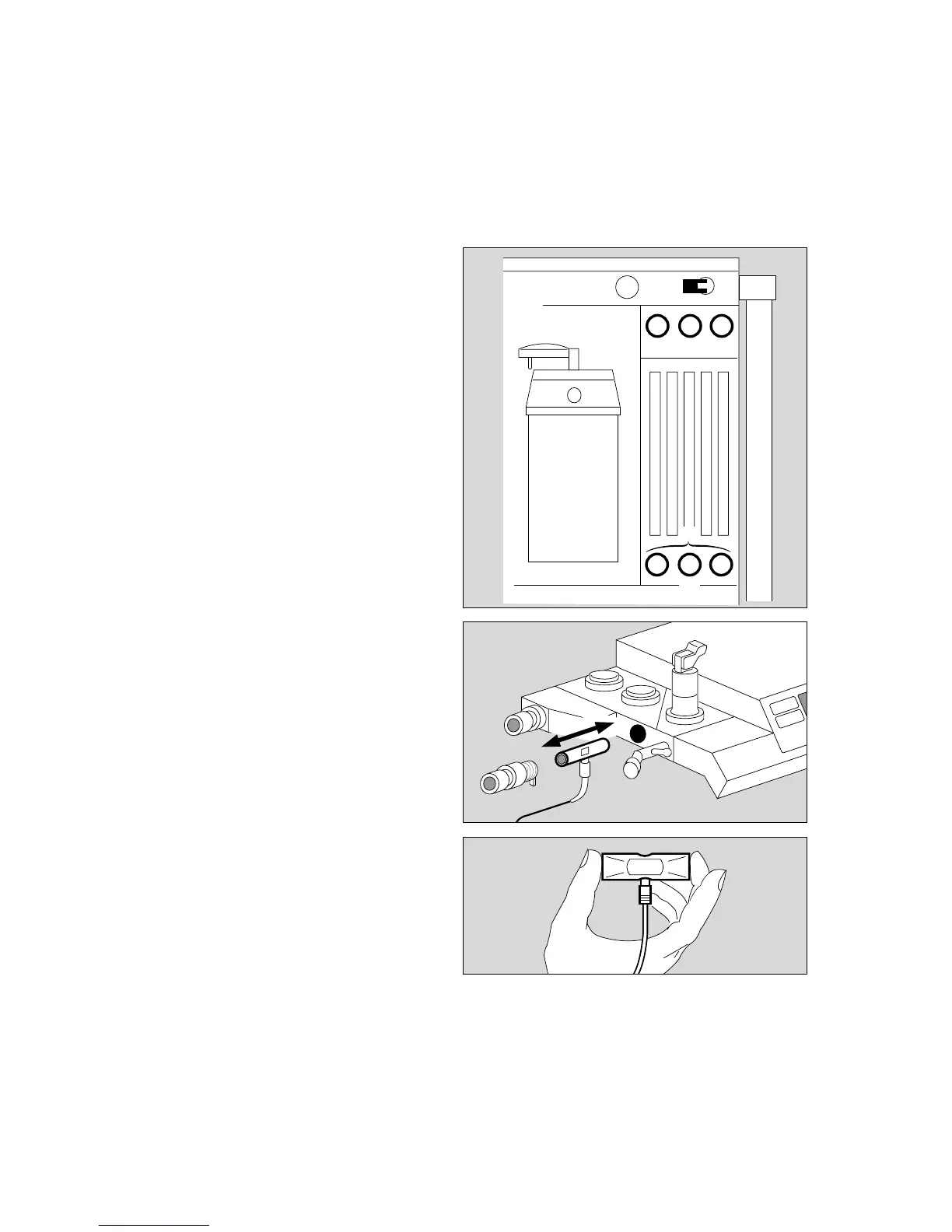
Manual calibration of the flow sensor
– The flow sensor can be calibrated by hand while O2
calibration is still in progress, either in the machine or
after being removed from the machine.
Without removal:
On the anaesthetic unit:
1 Set AIR/N2O selector to »AIR«.
2 Close the delivery valves for O2 and N2O, open the
delivery valve for air and thoroughly flush the
breathing system with air.
3 Close the delivery valve for air.
● Press the rotary control on the monitor to start
calibration.
The question mark (?) disappears and is replaced by
a timer icon (
u
) on the screen.
A tick ( ✔ ) appears on the screen when calibration
has been completed correctly.
✔ Tick off in checklist.
The cursor frame has automatically jumped to
»Ventilator start-up test«.
With removal:
4 Remove flow sensor:
– Unscrew expiration nozzle
– Remove flow sensor
– Briefly swing it to flush with ambient air
– Hold it horizontally with the cable connection pointing
downwards (calibration in installation position
improves the measuring accuracy)
– Seal off one or both sides as shown on the right,
preferably with your thumb or palm.
● Press the rotary control on the monitor to start
calibration; continue as above.
4 Replace flow sensor!
30
Preparing for use
Checking readiness for operation with checklist
Manual calibration of the flow sensor
4
2
1
3
2
013372240512897005228970












 To Next Page