Softkeys
Displaying and setting alarm limits during
operation
This can be done in all screens.
– So that measured values can be displayed together
with their associated alarm limits.
– So that alarm limits can be corrected in line with
changed values.
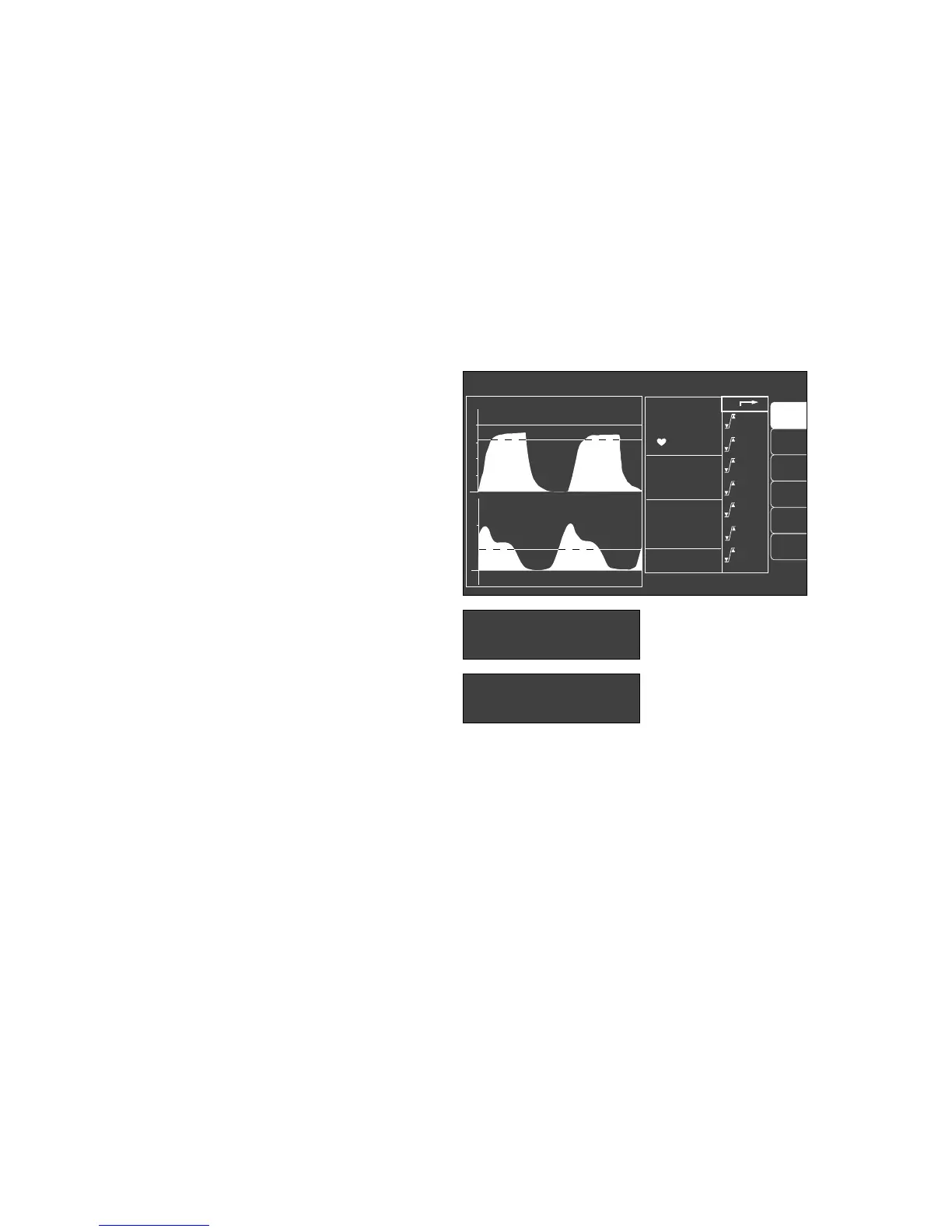
● Invoked via the softkey »alarm limits«.
The display comprises the designation of the measured
value (etCO2 in this example), the value actually measured
on the patient in large numerals (38 in this example) and
the set upper and lower alarm limits as small numerals
following the symbol for alarm limits (
_
).
A deactivated alarm limit is indicated by two dashes in
the numbers field.
The set limit values only apply temporarily! They are
overwritten by the standard alarm limits when
– the Cato is switched off;
– the setting »default« is selected and confirmed under
»warning«.
To change alarm limits:
● Move the cursor frame to the value for the required
alarm limit with the rotary control and press to
confirm.
● The value can then be altered by turning the rotary
control until the required value has been obtained.
● The value is confirmed by pressing the rotary control –
this value now represents the active limit.
The active alarm limits are shown as a dashed line in the
graphs displayed on the monitor.
See page 65 for information on adjusting alarm limits.
Monitor functions
Softkeys
Displaying and setting alarm limits during operation
60
curve
list
IPPV alarm limits
CO
2
PAW
20
0
alarm
info
auto set
vent. al.
0
40
20
SpO
2
98
67
etCO
2
38
MV 6.0
FiO
2
29
FiHal. 0.8
PAW
--
95
40
30
3.0
--
20
1.0
0.0
40
8
120
50
alarm
limits
Set limits ! confirm !
--
config.
etCO2 38
_
40
30
etCO2 38
_
– –
30
05128971












 To Next Page