Monitor functions during operation
Changing to measuring mode from »standby«
● The monitor automatically changes to measuring
mode when »standby« mode is deactivated on the
ventilator or a ventilation pattern is set (»IPPV«,
»SIMV«) or »MAN/SPONT«.
or
1 Press »standby« E on the monitor; the yellow LED
goes out.
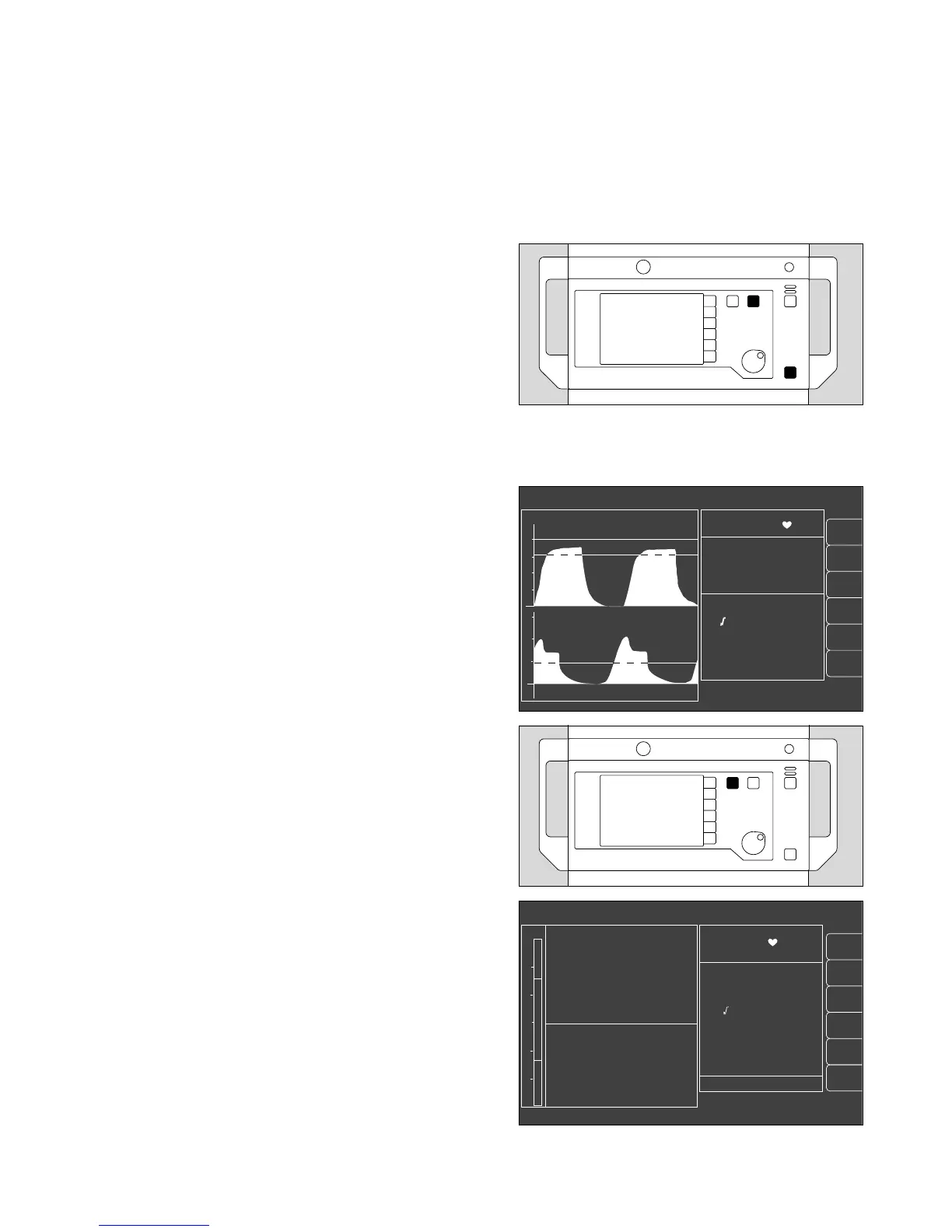
● The standard screen with the basic parameters of
importance for anaesthesia ventilation is displayed on
the monitor.
The data screen and the trend screen with zoom
function can also be selected. These screens are
described below.
Select standard screen
The standard screen can be selected at any time:
2 Press Q on the monitor.
Select data screen
to display all measured values.
3 Press W (repeatedly) until the data screen is
displayed.
● Display (example):
The airway pressure Paw is continuously indicated by
the bar graph on the left-hand side of the screen.
57
Monitor functions
Monitor functions during operation
Changing to measuring mode from »standby«
Select standard screen, Select data screen
2
1
alarm
limits
auto set
vent. al.
list
IPPV alarm limits
alarm
info
10 - 03 - 97 8:00
PAW
peak 37 mbar
plat. 30
PEEP 5
mean 20
compliance 15 ml/mbar
MV 6.0 L/min
V
T
0.60 L
freq 10 1/min
AW-temp 38
o
C
20
40
0
Fi Fet
SpO
2
98 67
% 1/min
0 36
29 25
0.8 0.6
70 68
CO
2
mmHg
O
2
%
Hal.
%
N
2
O
%
sys-compl. 1.5 from 10-03
leakage 5 8 : 00
18
config.
3
alarm
limits
auto set
vent. al.
curve
list
config.
alarm
info
IPPV alarm limits
SpO
2
98 67
etCO
2
38
MV 6.0 freq 10
Fi Fet
O
2
29 25
Hal. 0.8 0.6
N
2
O 70 68
CO
2
40
0
PAW
20
0
20
18
0432897104428971 0223722402337224












 To Next Page