router manually.
DNS Server IP Address Type in the primary IP address for the router. If necessary,
type in secondary IP address for necessity in the future.
After finishing all the settings here, please click OK to activate them.
I
I
I
I
-
-
1
1
-
-
2
2
-
-
5
5
D
D
e
e
t
t
a
a
i
i
l
l
s
s
P
P
a
a
g
g
e
e
f
f
o
o
r
r
P
P
P
P
P
P
o
o
E
E
i
i
n
n
W
W
A
A
N
N
2
2
(
(
P
P
h
h
y
y
s
s
i
i
c
c
a
a
l
l
M
M
o
o
d
d
e
e
:
:
E
E
t
t
h
h
e
e
r
r
n
n
e
e
t
t
)
)
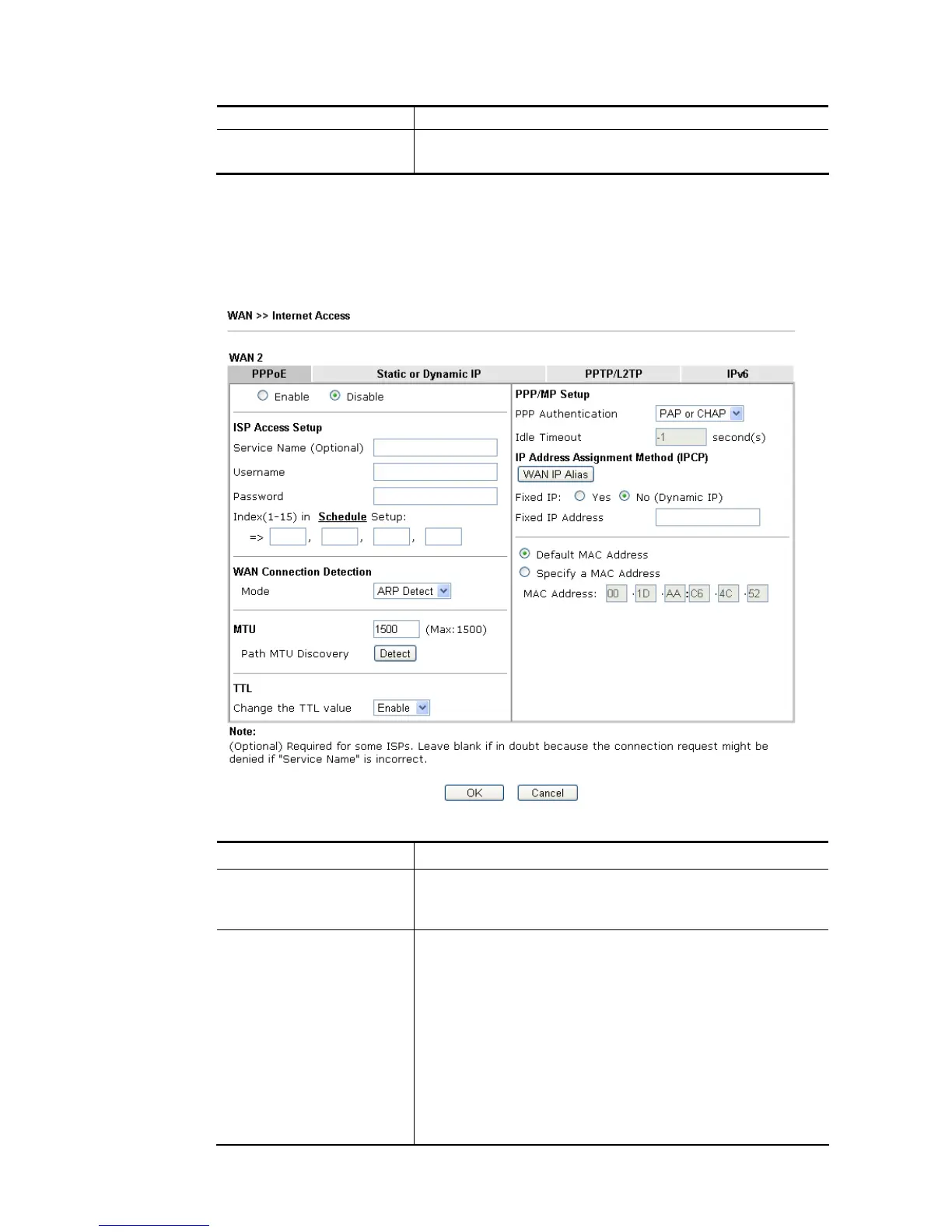
To choose PPPoE as the accessing protocol of the Internet, please select PPPoE from the
WAN>>Internet Access >>WAN2 page. The following web page will be shown.
Available settings are explained as follows:
Item Description
Enable/Disable Click Enable for activating this function. If you click Disable,
this function will be closed and all the settings that you
adjusted in this page will be invalid.
ISP Access Setup Enter your allocated username, password and authentication
parameters according to the information provided by your
ISP.
Service Name (Optional) - Enter the description of the
specific network service.
Username – Type in the username provided by ISP in this
field.
The maximum length of the user name you can set is 63
characters.
Password – Type in the password provided by ISP in this field.














 To Next Page