W
W
e
e
b
b
U
U
s
s
e
e
r
r
I
I
n
n
t
t
e
e
r
r
f
f
a
a
c
c
e
e
I
I
I
I
-
-
3
3
-
-
1
1
P
P
o
o
r
r
t
t
R
R
e
e
d
d
i
i
r
r
e
e
c
c
t
t
i
i
o
o
n
n
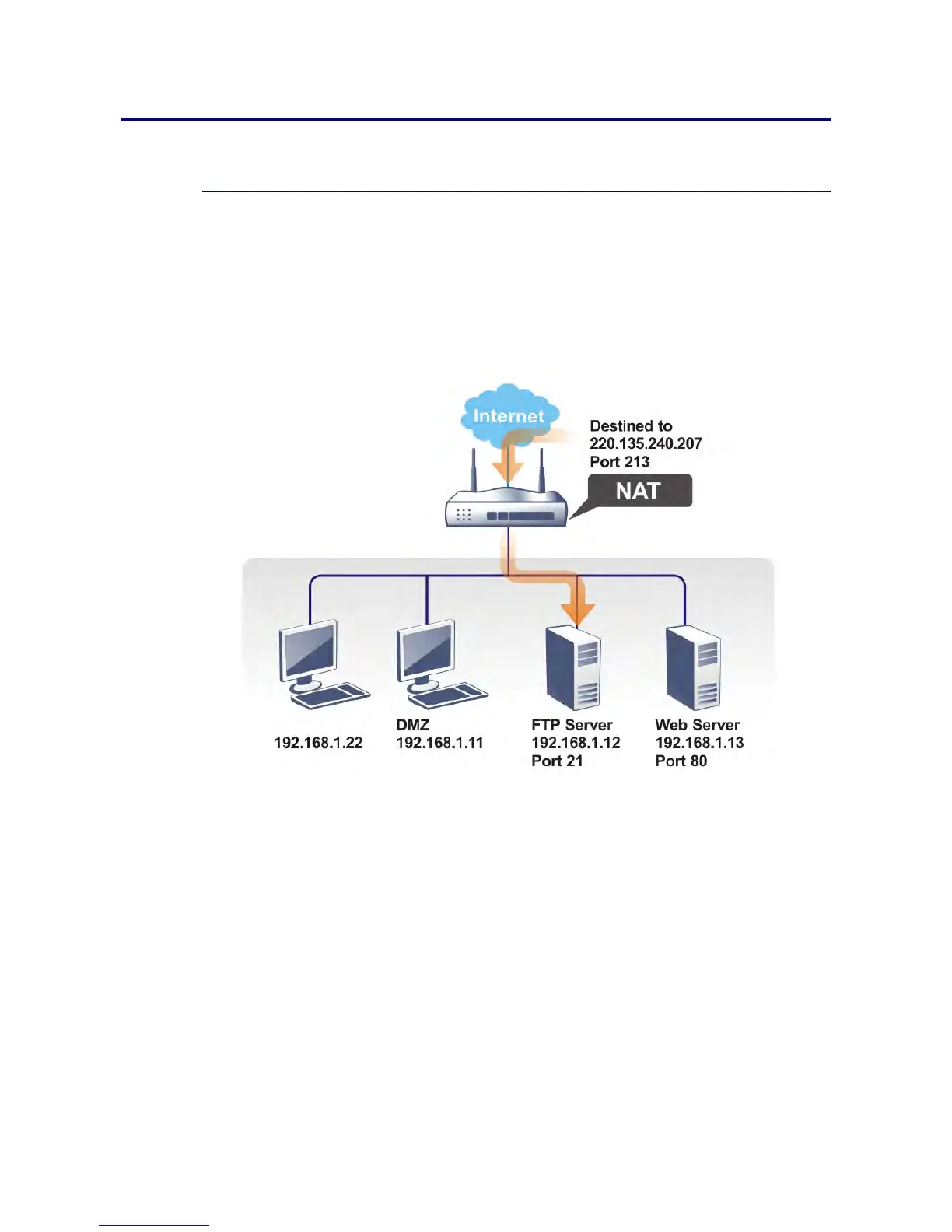
Port Redirection is usually set up for server related service inside the local network (LAN),
such as web servers, FTP servers, E-mail servers etc. Most of the case, you need a public IP
address for each server and this public IP address/domain name are recognized by all users.
Since the server is actually located inside the LAN, the network well protected by NAT of the
router, and identified by its private IP address/port, the goal of Port Redirection function is
to forward all access request with public IP address from external users to the mapping
private IP address/port of the server.
The port redirection can only apply to incoming traffic.
To use this function, please go to NAT page and choose Port Redirection web page. The Port
Redirection Table provides 40 port-mapping entries for the internal hosts.














 To Next Page