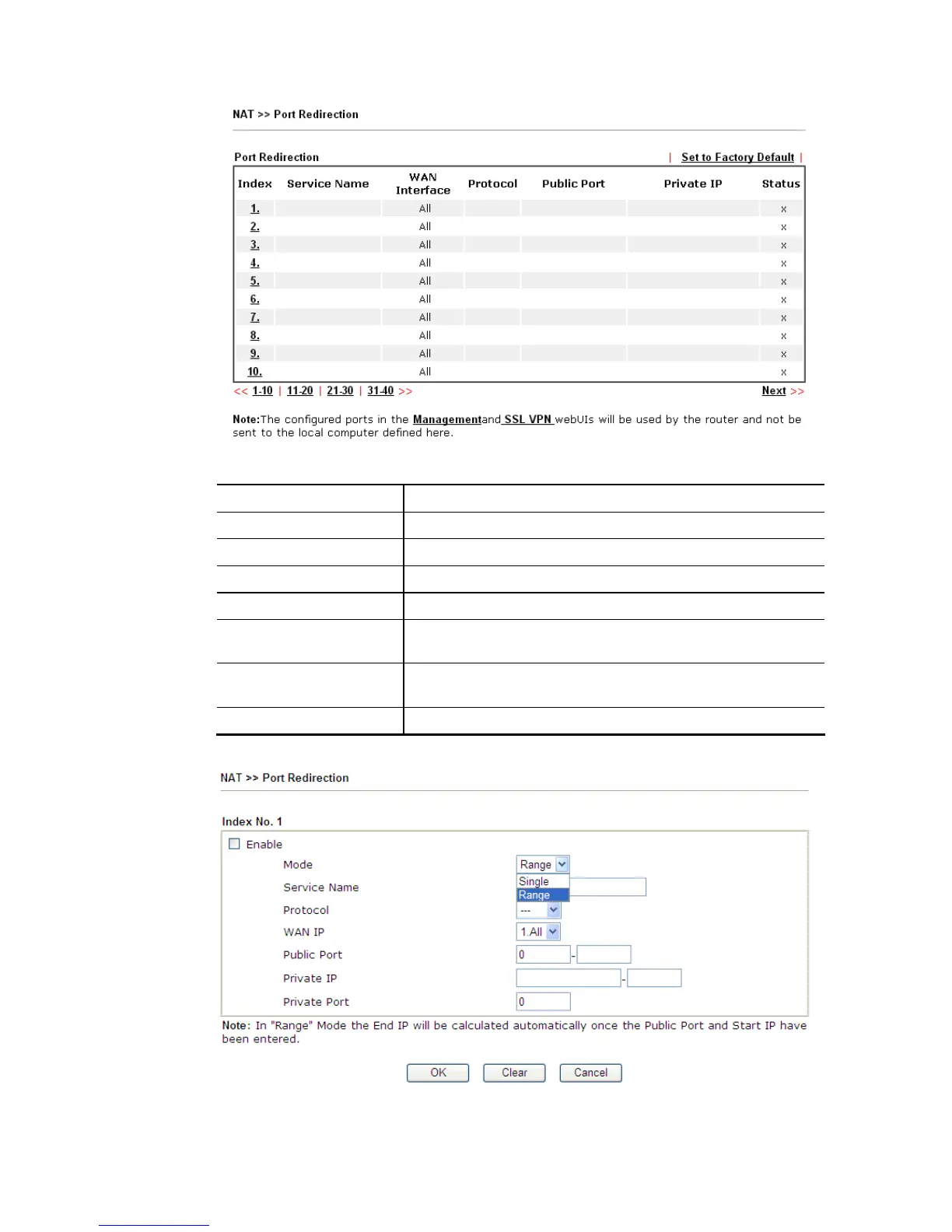
Each item is explained as follows:
Item Description
Index Display the number of the profile.
Service Name Display the description of the specific network service.
WAN Interface Display the WAN IP address used by the profile.
Protocol Display the transport layer protocol (TCP or UDP).
Public Port Display the port number which will be redirected to the
specified Private IP and Port of the internal host.
Private IP Display the IP address of the internal host providing the
service.
Status Display if the profile is enabled (v) or not (x).
Press any number under Index to access into next page for configuring port redirection.
Available settings are explained as follows:














 To Next Page