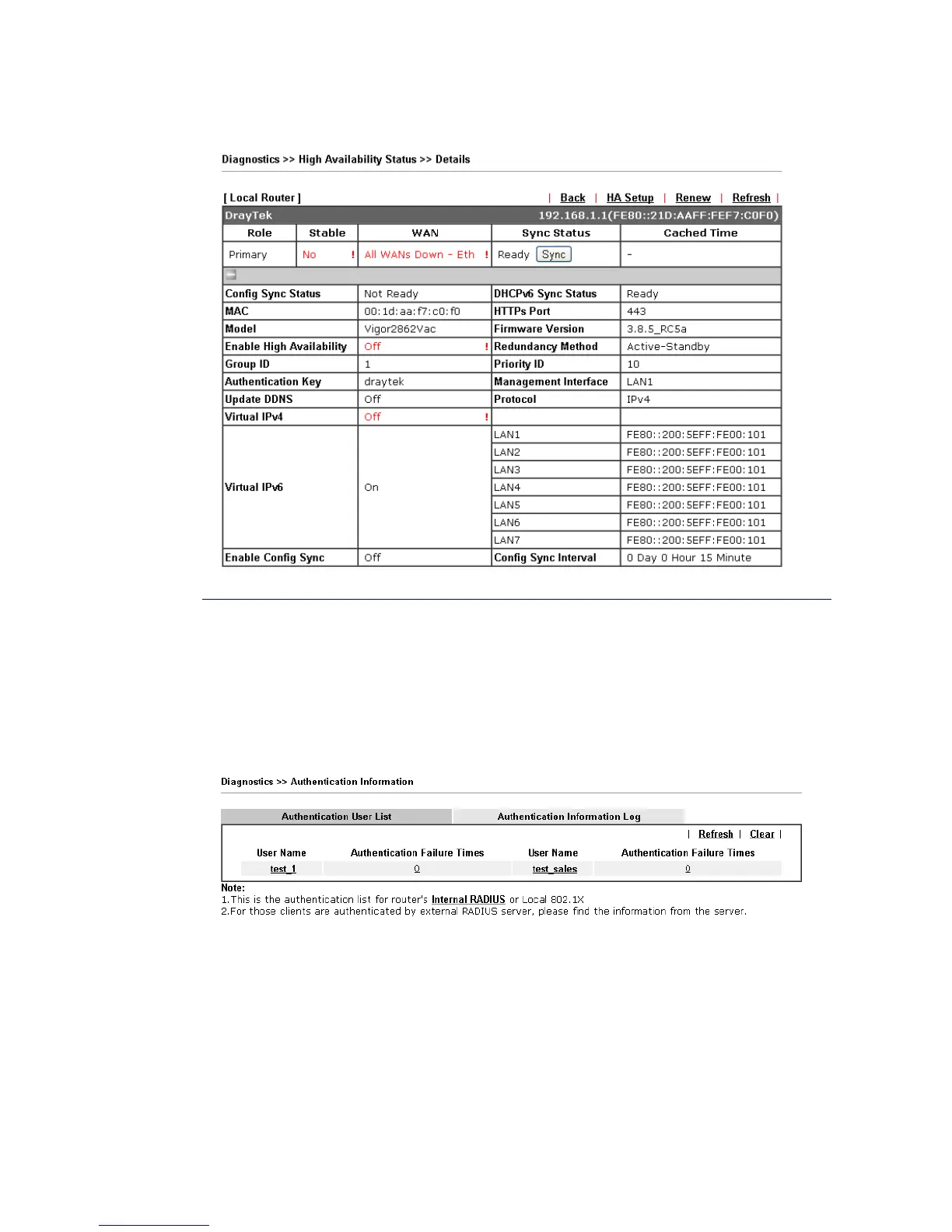
Cick the link of Router Name, IPv4 or Details, the following page will be displayed on the
screen.
I
I
X
X
-
-
1
1
-
-
1
1
7
7
A
A
u
u
t
t
h
h
e
e
n
n
t
t
i
i
c
c
a
a
t
t
i
i
o
o
n
n
I
I
n
n
f
f
o
o
r
r
m
m
a
a
t
t
i
i
o
o
n
n
A
A
u
u
t
t
h
h
e
e
n
n
t
t
i
i
c
c
a
a
t
t
i
i
o
o
n
n
U
U
s
s
e
e
r
r
L
L
i
i
s
s
t
t
Such page displays authentication jobs made by Internal RADIUS or Local 802.1X.
When the mouse cursor moves to the name link under User Name, the connection message
(including authentication failed information) about internal RADIUS or local 802.1X service
will be shown by a popped up dialog box.
A
A
u
u
t
t
h
h
e
e
n
n
t
t
i
i
c
c
a
a
t
t
i
i
o
o
n
n
I
I
n
n
f
f
o
o
r
r
m
m
a
a
t
t
i
i
o
o
n
n
L
L
o
o
g
g
This page will display the complete authentication log information.














 To Next Page