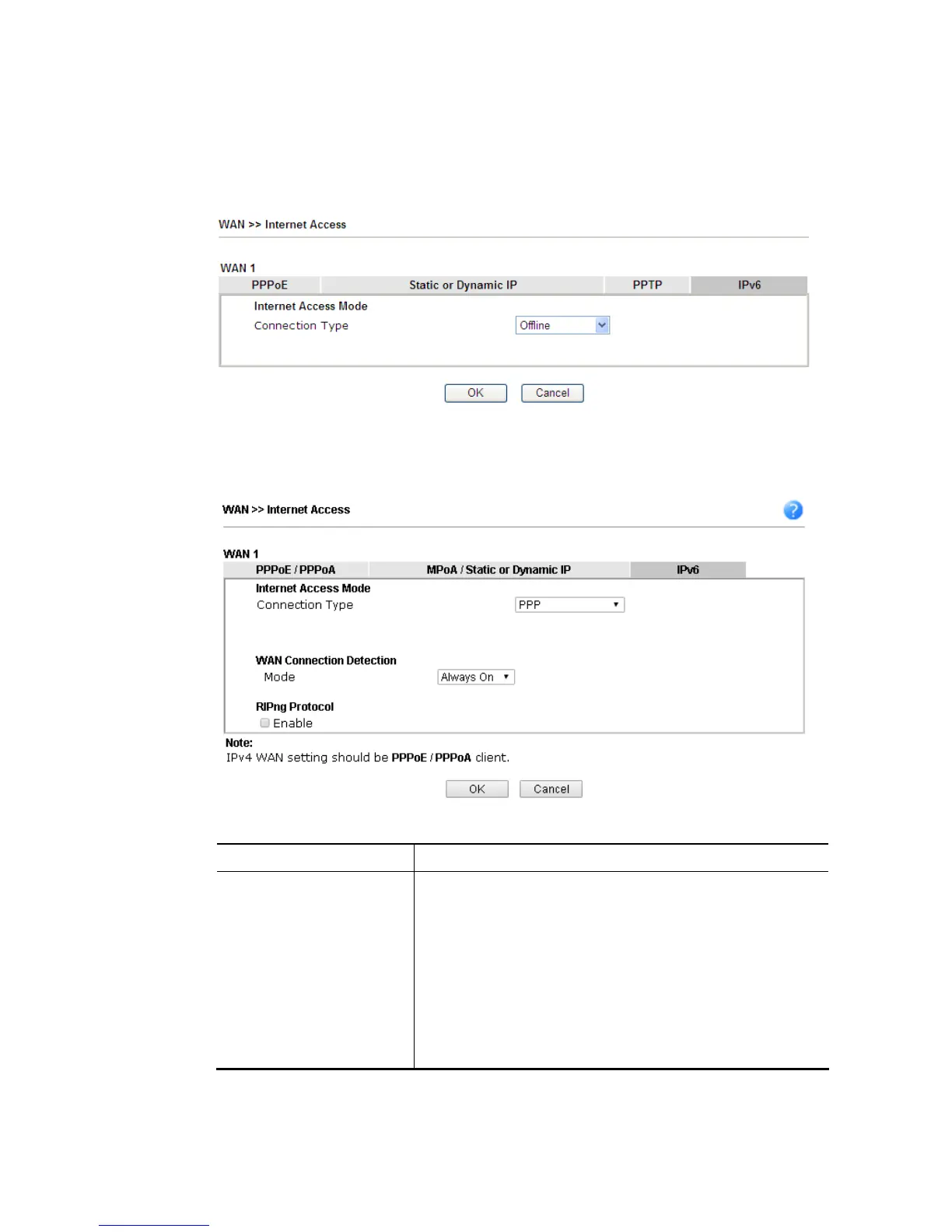
After finishing all the settings here, please click OK to activate them.
I
I
I
I
-
-
1
1
-
-
2
2
-
-
1
1
2
2
D
D
e
e
t
t
a
a
i
i
l
l
s
s
P
P
a
a
g
g
e
e
f
f
o
o
r
r
I
I
P
P
v
v
6
6
–
–
O
O
f
f
f
f
l
l
i
i
n
n
e
e
i
i
n
n
W
W
A
A
N
N
1
1
/
/
W
W
A
A
N
N
2
2
/
/
W
W
A
A
N
N
3
3
/
/
W
W
A
A
N
N
4
4
When Offline is selected, the IPv6 connection will be disabled.
I
I
I
I
-
-
1
1
-
-
2
2
-
-
1
1
3
3
D
D
e
e
t
t
a
a
i
i
l
l
s
s
P
P
a
a
g
g
e
e
f
f
o
o
r
r
I
I
P
P
v
v
6
6
–
–
P
P
P
P
P
P
i
i
n
n
W
W
A
A
N
N
1
1
/
/
W
W
A
A
N
N
2
2
Available settings are explained as follows:
Item Description
WAN Connection
Detection
Such function allows you to verify whether network
connection is alive or not through Ping Detect.
Mode – Choose Always On or Ping Detect for the system to
execute for WAN detection. Always On means no detection
will be executed. The network connection will be on always.
Ping IP/Hostname – If you choose Ping Detect as
detection mode, you have to type IP address in this field
for pinging.
TTL (Time to Live) –If you choose Ping Detect as
detection mode, you have to type TTL value.
Below shows an example for successful IPv6 connection based on PPP mode.














 To Next Page