I
I
-
-
5
5
-
-
1
1
V
V
i
i
r
r
t
t
u
u
a
a
l
l
P
P
a
a
n
n
e
e
l
l
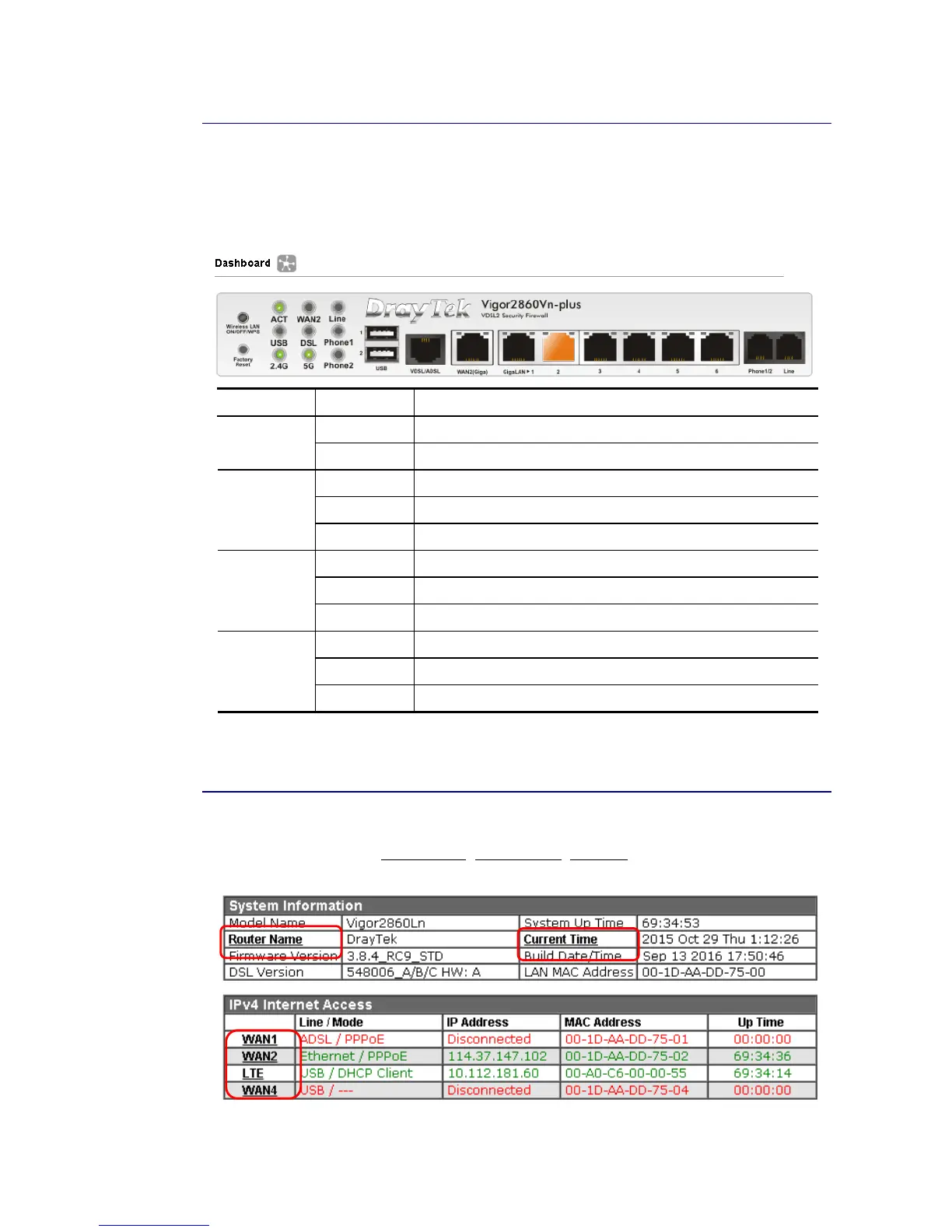
On the top of the Dashboard, a virtual panel (simulating the physical panel of the router)
displays the physical interface connection. It will be refreshed every five seconds. When you
move and click the mouse cursor on LEDs (except ACT), USB ports, VDSL/ADSL, WAN2, or
LAN1 – LAN6, related web setting page will be open for you to configure if required.
Port Color Description
Black No USB device is connected. USB
Green A USB device is connected.
Black No VDSL/ADSL connection.
Green ADSL connection is ready.
VDSL/ADSL
Orange VDSL connection is ready.
Black WAN2 port is disconnected.
Green WAN2 port is connected at 1 Gbps.
WAN2(Giga)
Orange WAN2 port is connected at 10/100 Mbps.
Black LAN port is disconnected.
Green LAN port is connected at 1 Gbps.
GigaLAN
1 ~ 6
Orange LAN port is connected at 10/100 Mbps.
For detailed information about the LED display, refer to I-1-1 LED Indicators and
Connectors.
I
I
-
-
5
5
-
-
2
2
N
N
a
a
m
m
e
e
w
w
i
i
t
t
h
h
a
a
L
L
i
i
n
n
k
k
A name with a link (e.g., Router Name, Current Time, WAN1~4 and etc.) below means you can
click it to open the configuration page for modification.














 To Next Page