V
V
-
-
2
2
-
-
2
2
S
S
S
S
L
L
W
W
e
e
b
b
P
P
r
r
o
o
x
x
y
y
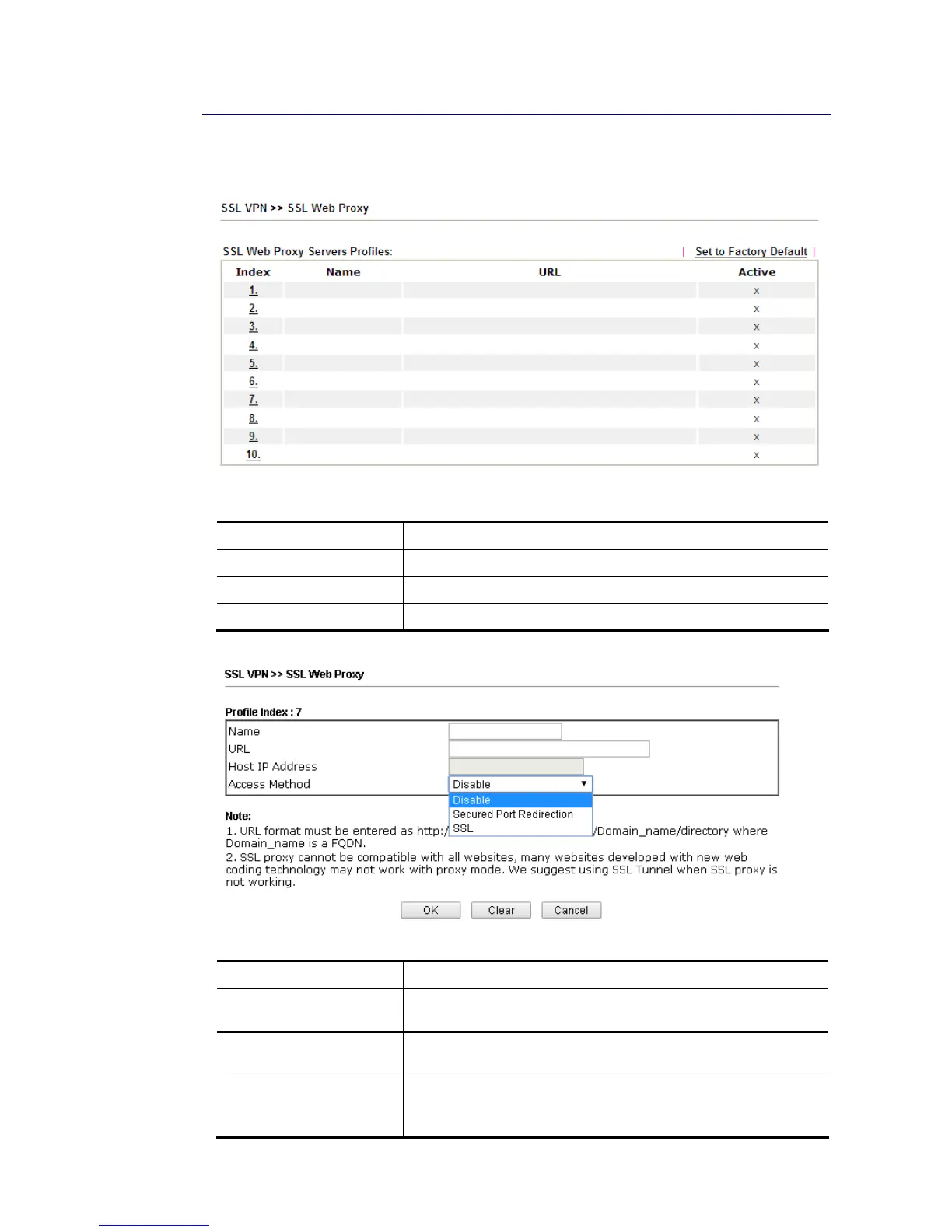
SSL Web Proxy will allow the remote users to access the internal web sites over SSL.
Each item is explained as follows:
Item Description
Name Display the name of the profile that you create.
URL Display the URL.
Active Display current status (active or inactive) of such profile.
Click number link under Index filed to set detailed configuration.
Available settings are explained as follows:
Item Description
Name Type name of the profile. The length of the name is limited to
15 characters.
URL Type the address (function variation or IP address) or path of
the proxy server.
Host IP Address If you type function variation as URL, you have to type
corresponding IP address in this filed. Such field must match
with URL setting.














 To Next Page