V
V
-
-
2
2
-
-
3
3
S
S
S
S
L
L
A
A
p
p
p
p
l
l
i
i
c
c
a
a
t
t
i
i
o
o
n
n
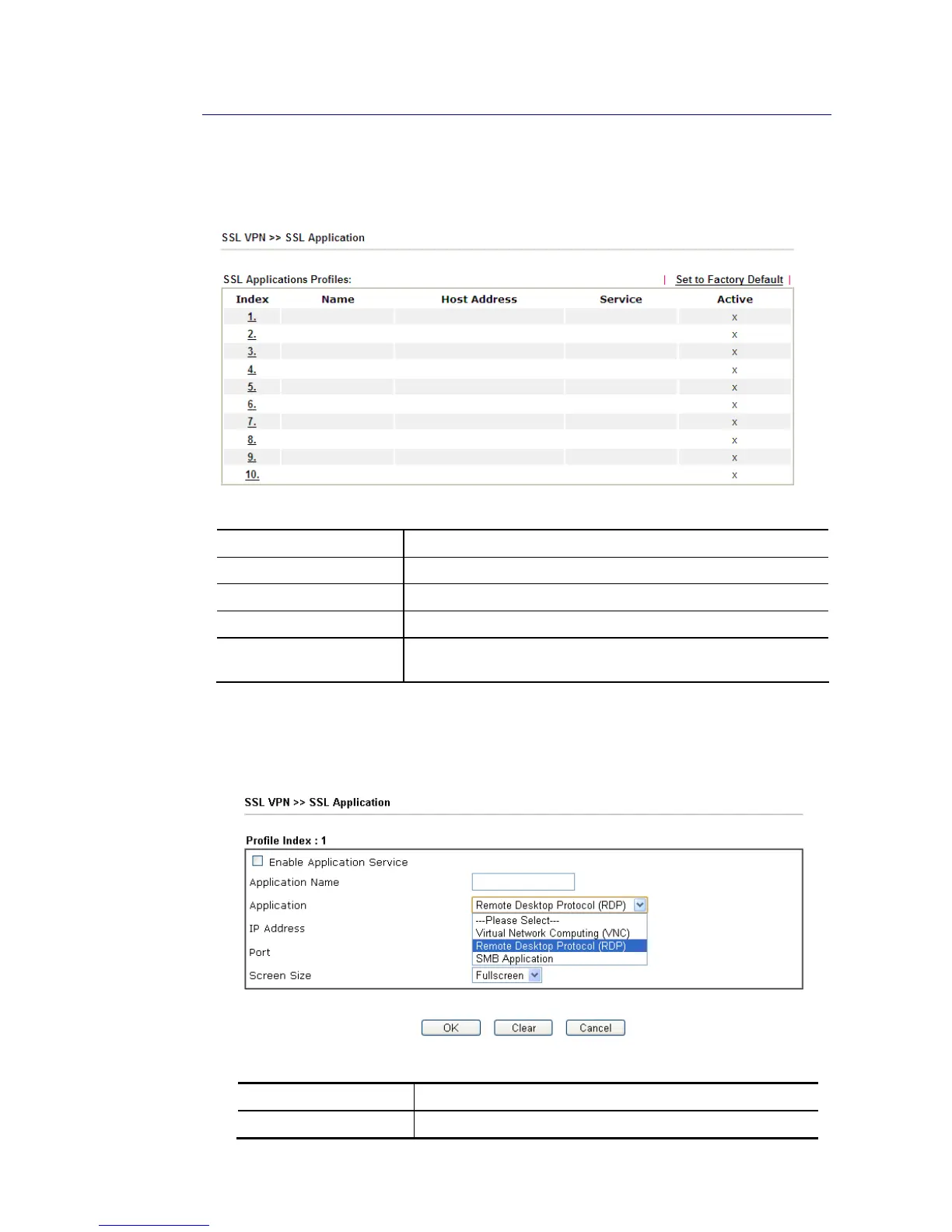
It provides a secure and flexible solution for network resources, including VNC (Virtual
Network Computer) /RDP (Remote Desktop Protocol) /SMB, to any remote user with access to
Internet and a web browser.
Each item is explained as follows:
Item Description
Name Display the application name of the profile that you create.
Host Address Display the IP address for VNC/RDP or SMB path.
Service Display the type of the service selected, e.g., VNC/RDP/SMB.
Active Display current status (active or inactive) of the selected
profile.
To create a new SSL application profile:
1. Click number link under Index filed to set detailed configuration.
2. The following page will appear.
Available settings are explained as follows:
Item Description
Enable Application Check the box to enable such profile.














 To Next Page