V
V
I
I
I
I
-
-
1
1
-
-
6
6
C
C
o
o
n
n
f
f
i
i
g
g
u
u
r
r
a
a
t
t
i
i
o
o
n
n
B
B
a
a
c
c
k
k
u
u
p
p
Such function can be used to apply the router settings configured by Vigor2820/ Vigor2830/
Vigor2850 to Vigor2860.
B
B
a
a
c
c
k
k
u
u
p
p
t
t
h
h
e
e
C
C
o
o
n
n
f
f
i
i
g
g
u
u
r
r
a
a
t
t
i
i
o
o
n
n
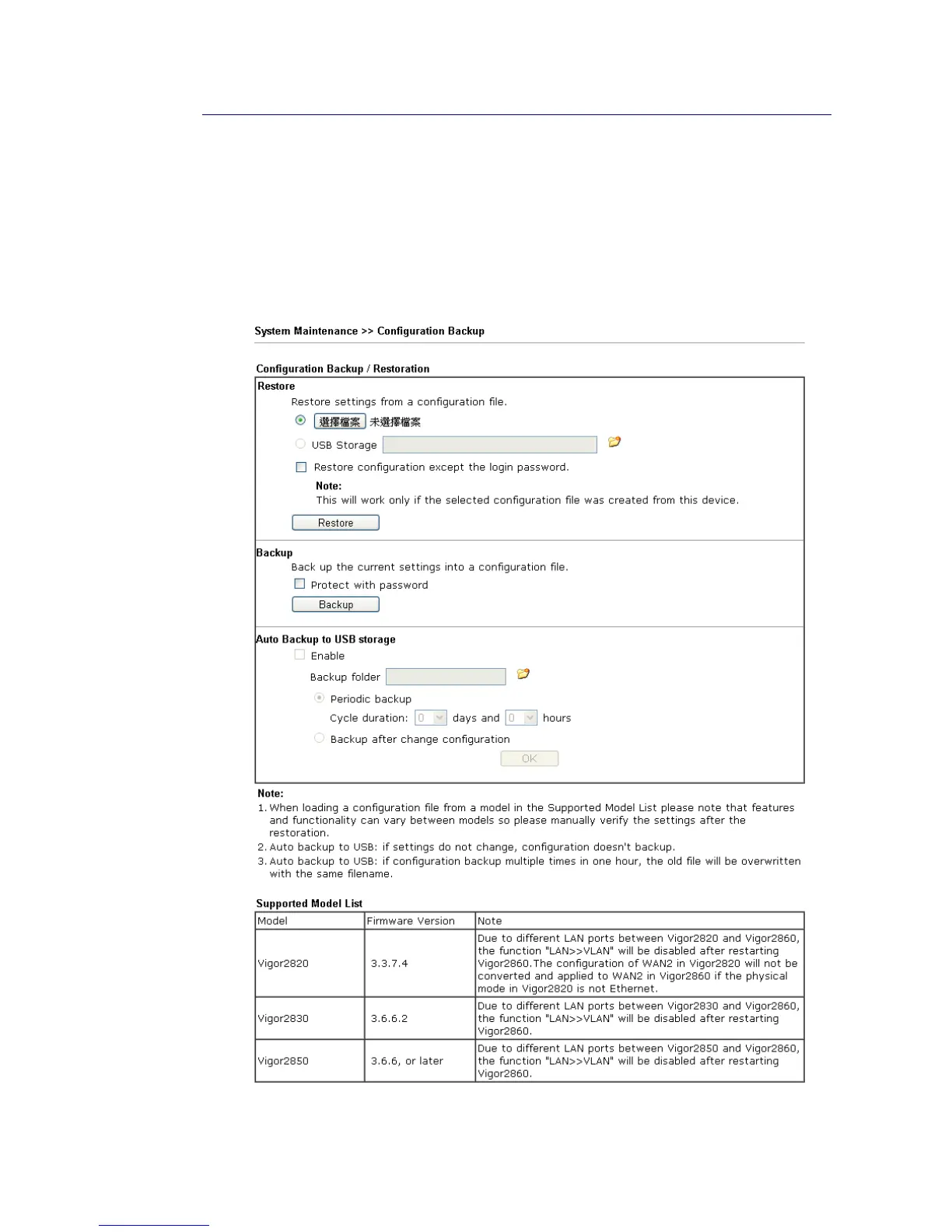
Follow the steps below to backup your configuration.
1. Go to System Maintenance >> Configuration Backup. The following page will be
popped-up, as shown below.
Available settings are explained as follows:














 To Next Page