I
I
I
I
-
-
6
6
-
-
4
4
R
R
o
o
u
u
t
t
e
e
r
r
C
C
o
o
m
m
m
m
a
a
n
n
d
d
s
s
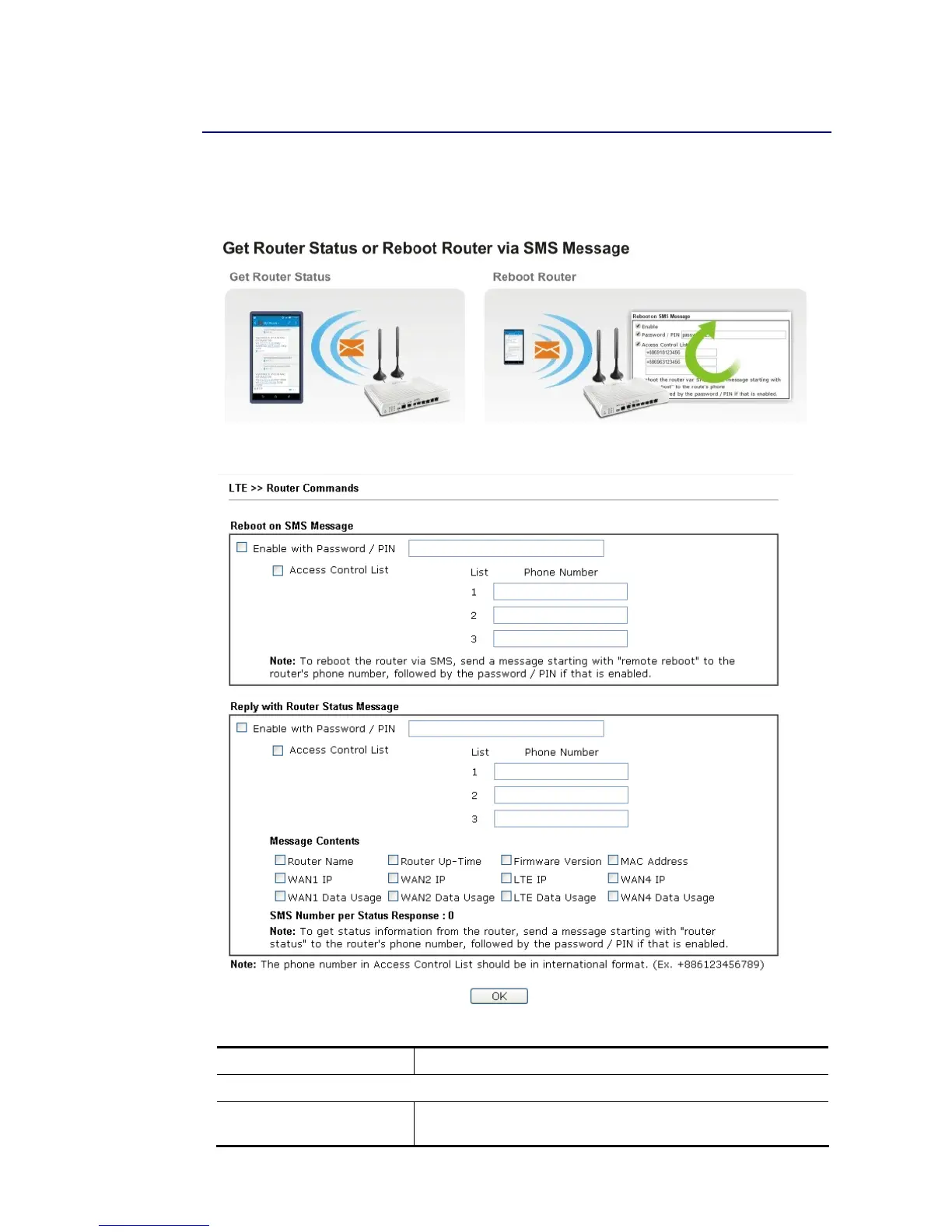
This page allows the user to set function to reboot Vigor router remotely and get the router
status via SMS.
Go to LTE>>Router Commands to get the following page.
Available settings are explained as follows:
Item Description
Reboot on SMS Message
Enable with Password /
PIN
To reboot Vigor router remotely via SMS, please check such
box and type the password/PIN number (treated as














 To Next Page