EasyManua.ls Logo

Draytek Vigor2860 - II-4-6-2 Profiles

Draytek Vigor2860
944 pages
Print Icon
To Next Page IconTo Next Page
To Previous Page IconTo Previous Page
Loading...
Vigor2860 Series User’s Guide
200
and Regular Password.
Server Address Enter the IP address of LDAP server.
Destination Port Type a port number as the destination port for LDAP server.
Use SSL Check the box to use the port number specified for SSL.
Regular DN Type this setting if Regular Mode is selected as Bind Type.
Regular Password Specify a password if Regular Mode is selected as Bind Type.
After finished the above settings, click OK button to save the settings.
I
I
I
I
-
-
4
4
-
-
6
6
-
-
2
2
P
P
r
r
o
o
f
f
i
i
l
l
e
e
s
s
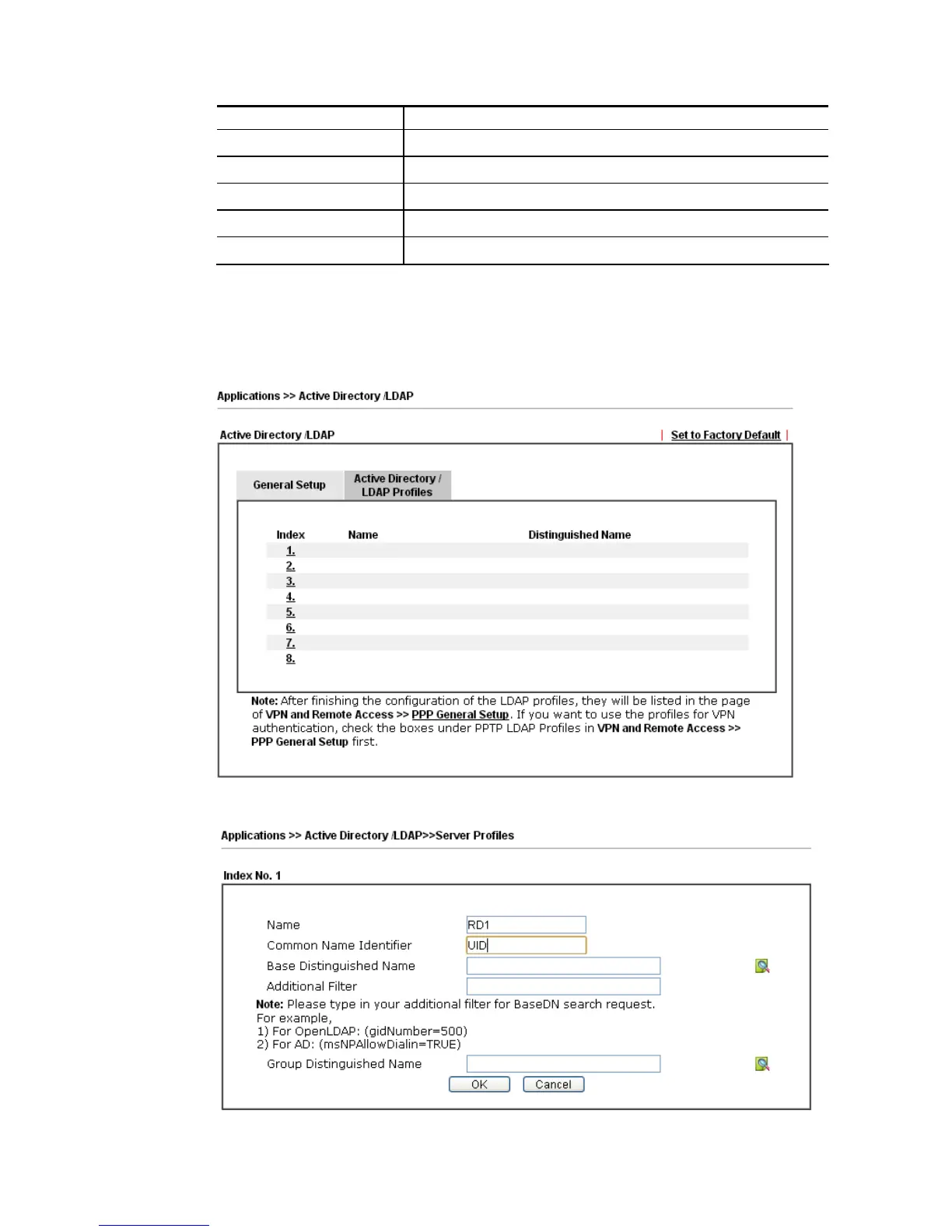
You can configure eight AD/LDAP profiles. These profiles would be used with User
Management for different purposes in management.
Click any index number link to open the following page.

Table of Contents

Related product manuals