execute the PING operation.
Ping Retry – Type the number of times that the system is
allowed to execute the PING operation before WAN
disconnection is judged.
After finishing all the settings here, please click OK to activate them.
I
I
I
I
-
-
1
1
-
-
2
2
-
-
1
1
0
0
D
D
e
e
t
t
a
a
i
i
l
l
s
s
P
P
a
a
g
g
e
e
f
f
o
o
r
r
3
3
G
G
/
/
4
4
G
G
U
U
S
S
B
B
M
M
o
o
d
d
e
e
m
m
(
(
D
D
H
H
C
C
P
P
m
m
o
o
d
d
e
e
)
)
i
i
n
n
W
W
A
A
N
N
3
3
/
/
W
W
A
A
N
N
4
4
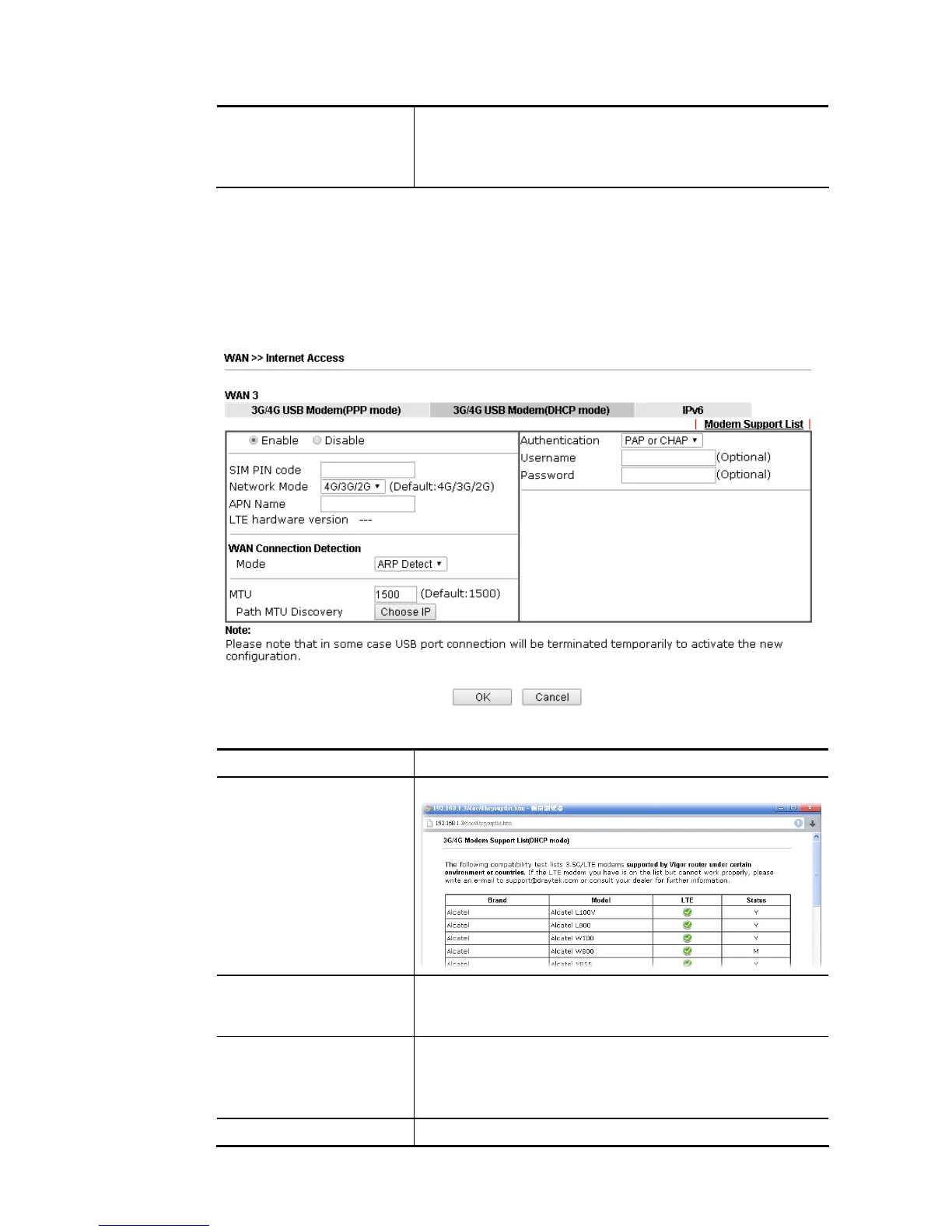
To use 3G/4G USB Modem (DHCP mode) as the accessing protocol of the internet, please
choose Internet Access from WAN menu. Then, select 3G/4G USB Modem (DHCP mode) for
WAN3/WAN4. The following web page will be shown.
Available settings are explained as follows:
Item Description
Modem Support List It lists all of the modems supported by such router.
Enable / Disable Click Enable for activating this function. If you click Disable,
this function will be closed and all the settings that you
adjusted in this page will be invalid.
SIM PIN code Type PIN code of the SIM card that will be used to access
Internet.
The maximum length of the PIN code you can set is 19
characters.
Network Mode Force Vigor router to connect Internet with the mode














 To Next Page