V
V
I
I
I
I
-
-
1
1
-
-
3
3
A
A
d
d
m
m
i
i
n
n
i
i
s
s
t
t
r
r
a
a
t
t
o
o
r
r
P
P
a
a
s
s
s
s
w
w
o
o
r
r
d
d
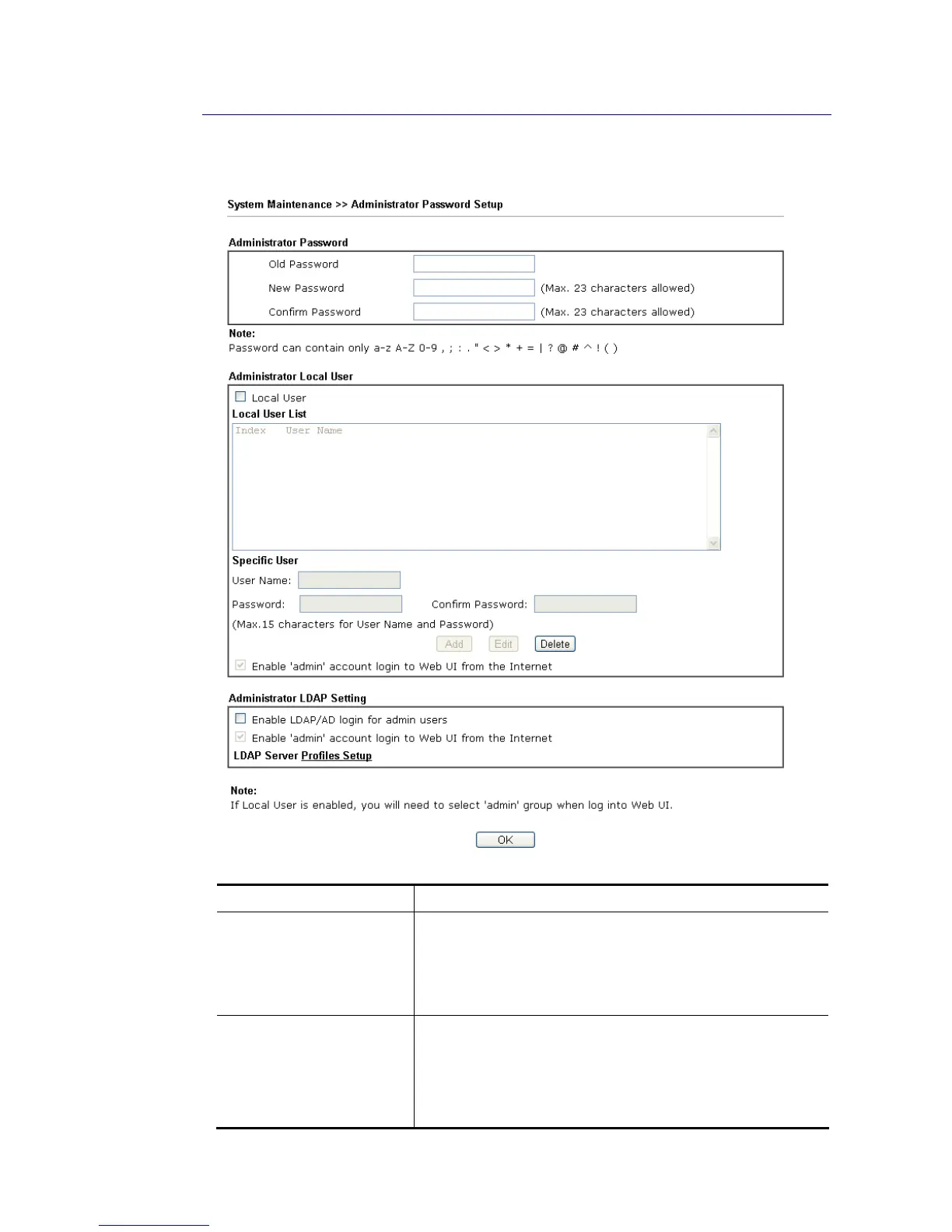
This page allows you to set new password.
Available settings are explained as follows:
Item Description
Administrator Password Old Password - Type in the old password. The factory default
setting for password is “admin”.
New Password -Type in new password in this field. The
length of the password is limited to 23 characters.
Confirm Password -Type in the new password again.
Administrator Local User The administrator can login web user interface of Vigor
router to modify all of the settings to fit the requirements.
This feature allows other user in LAN who can access into the
web user interface with the same privilege of the
administrator.
Local User – Check the box to enable the local user














 To Next Page