V
V
I
I
I
I
-
-
8
8
C
C
e
e
n
n
t
t
r
r
a
a
l
l
M
M
a
a
n
n
a
a
g
g
e
e
m
m
e
e
n
n
t
t
(
(
E
E
x
x
t
t
e
e
r
r
n
n
a
a
l
l
D
D
e
e
v
v
i
i
c
c
e
e
s
s
)
)
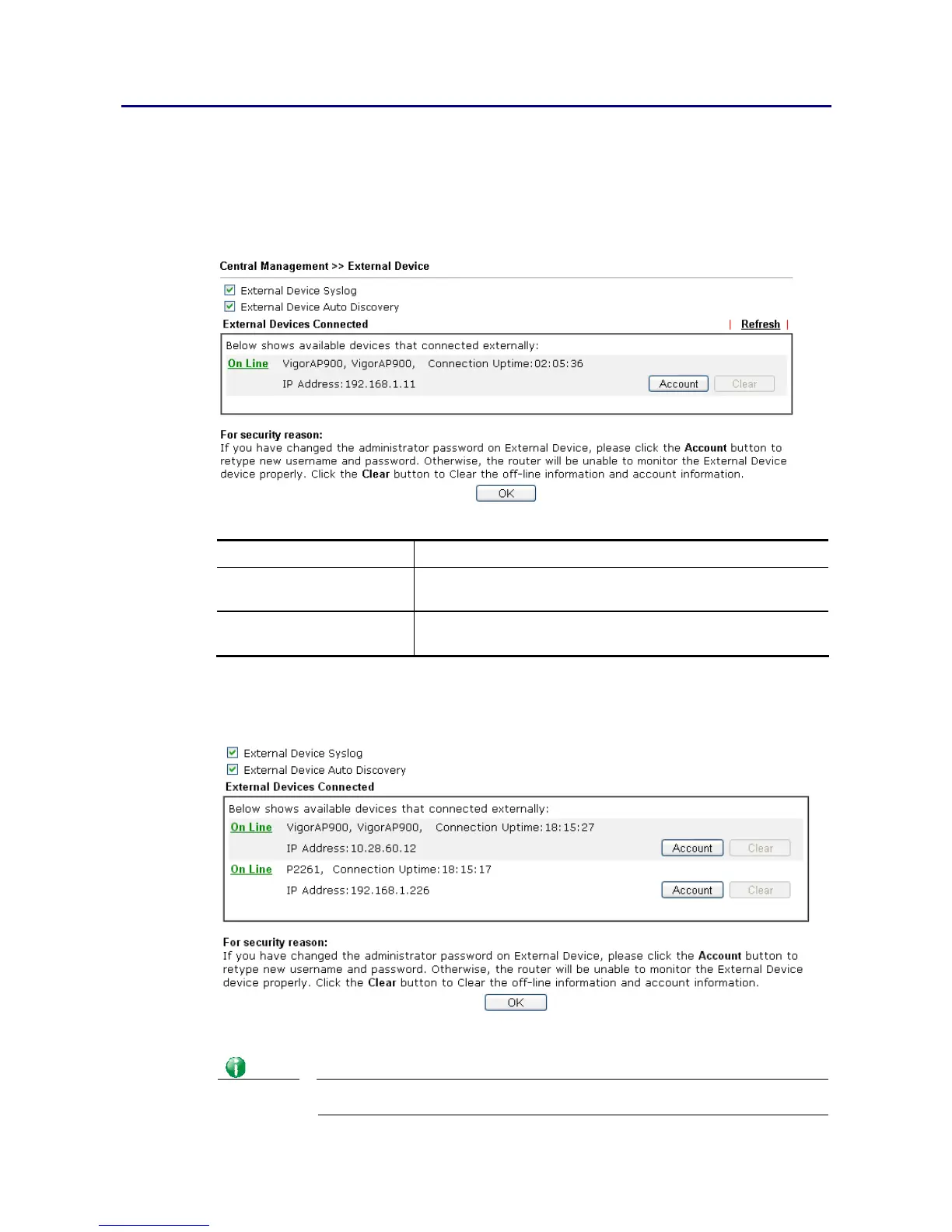
Vigor router can be used to connect with many types of external devices. In order to control
or manage the external devices conveniently, open External Devices to make detailed
configuration.
Available settings are explained as follows:
Item Description
External Device Syslog Check this box to display information of the detected device
on Syslog.
External Device Auto
Discovery
Check this box to detect the external device automatically
and display on this page.
From this web page, check the box of External Device Auto Discovery. Later, all the
available devices will be displayed in this page with icons and corresponding information. You
can change the device name if required or remove the information for off-line device
whenever you want.
When you finished the configuration, click OK to save it.
Info
Only DrayTek products can be detected by this function.














 To Next Page