I
I
I
I
I
I
-
-
1
1
-
-
3
3
S
S
e
e
c
c
u
u
r
r
i
i
t
t
y
y
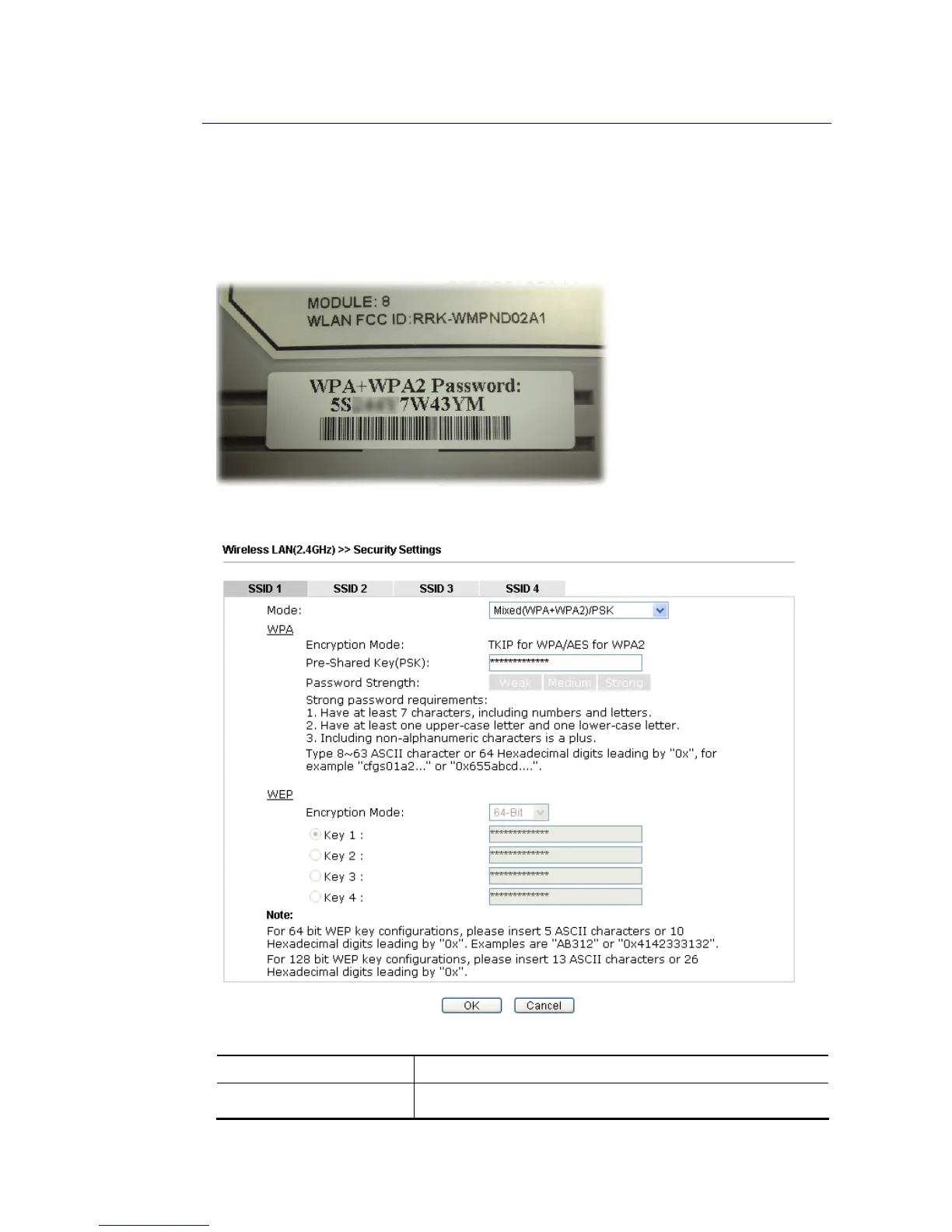
This page allows you to set security with different modes for SSID 1, 2, 3 and 4 respectively.
After configuring the correct settings, please click OK to save and invoke it.
The password (PSK) of default security mode is provided and stated on the label pasted on the
bottom of the router. For the wireless client who wants to access into Internet through such
router, please input the default PSK value for connection.
By clicking the Wireless LAN>>Security Settings, a new web page will appear so that you
could configure the settings of WPA and WEP.
Available settings are explained as follows:
Item Description
Mode
There are several modes provided for you to choose.














 To Next Page