I
I
I
I
-
-
4
4
-
-
5
5
-
-
2
2
I
I
n
n
t
t
e
e
r
r
n
n
a
a
l
l
R
R
A
A
D
D
I
I
U
U
S
S
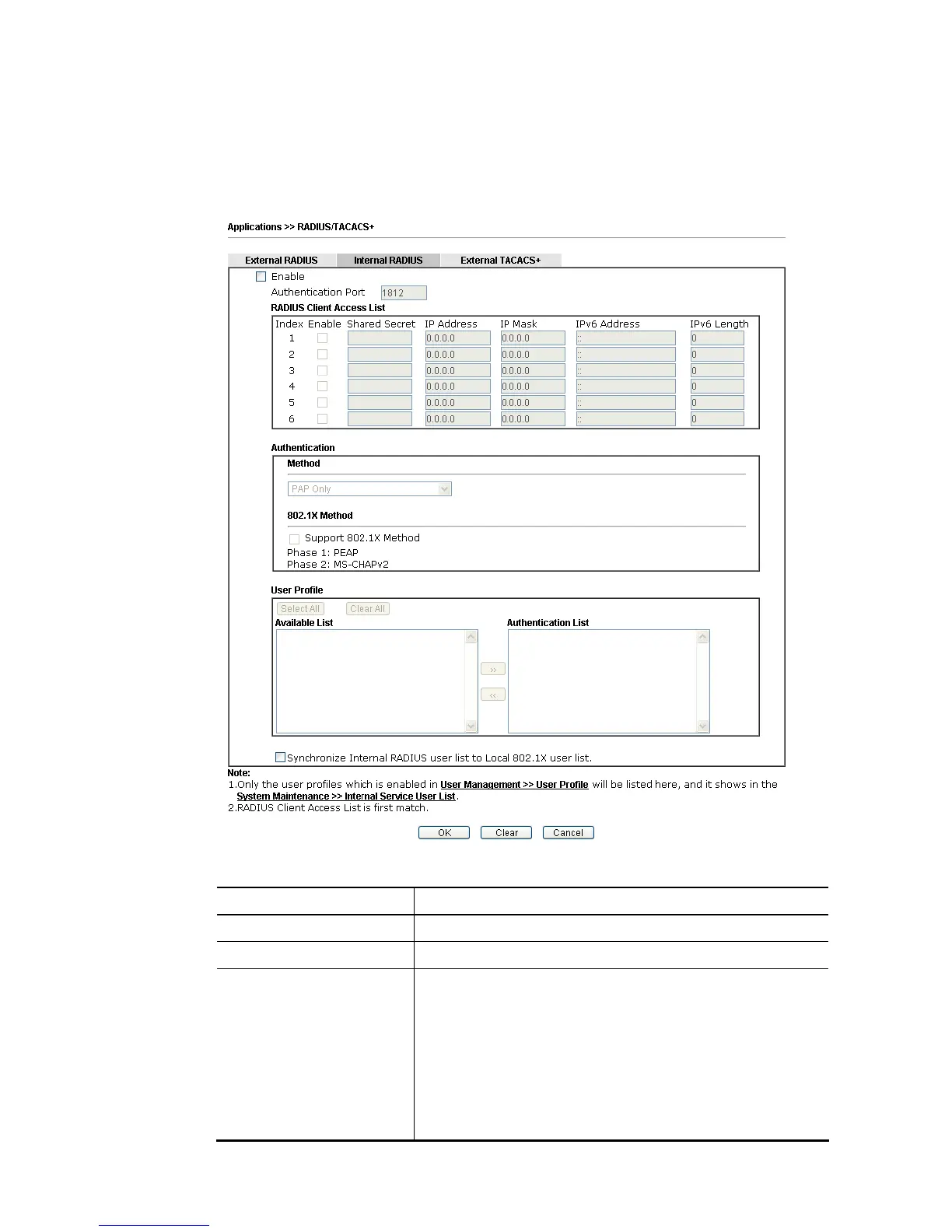
Except for being a built-in RADIUS client, Vigor router also can be operated as a RADIUS server
which performs security authentication by itself. This page is used to configure settings for
internal RADIUS server. Then LAN user of Vigor router will be authenticated by Vigor router
directly.
Available settings are explained as follows:
Item Description
Enable Check to enable internal RADIUS client feature.
Authentication Port Set a port number for internal RADIUS server.
RADIUS Client Access List Allow to configure that clients under specified domain (IPv4
and IPv6) must be authenticated with the specified shared
secret.
Enable - Check to enable RADIUS client feature.
Shared Secret - The RADIUS server and client share a secret
that is used to authenticate the messages sent between
them. Both sides must be configured to use the same shared
secret. The maximum length of the shared secret you can set
is 36 characters.














 To Next Page