V
V
I
I
I
I
-
-
5
5
-
-
3
3
V
V
P
P
N
N
M
M
a
a
n
n
a
a
g
g
e
e
m
m
e
e
n
n
t
t
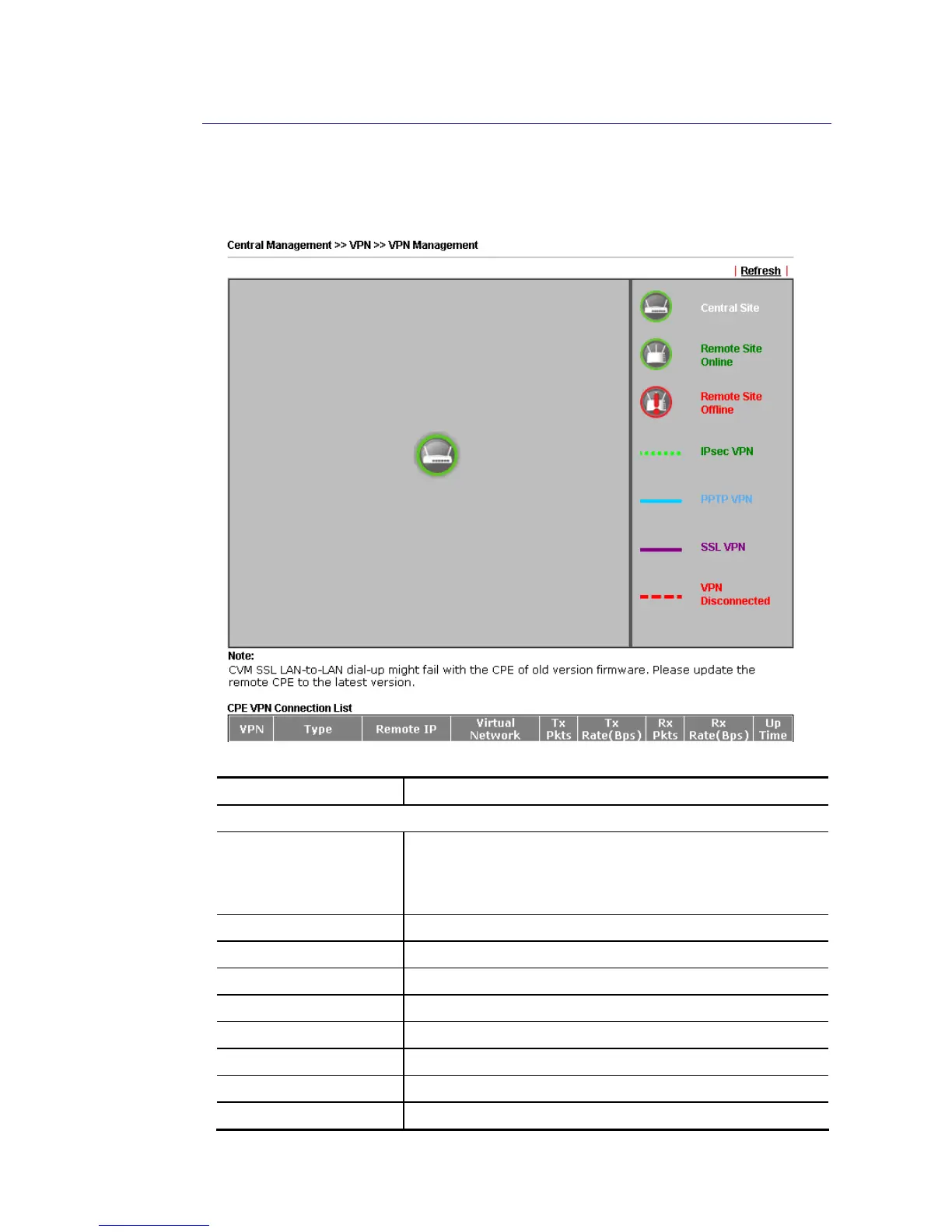
An easy and quick method is offered to configure VPN settings for building VPN connection
automatically between Vigor2860 series (treated as VPN server) and other Vigor router
(treated as CPE device, i.e., VPN client).
Available parameters are listed as follows:
Item Description
CPE VPN Connection List
VPN Display the name of the LAN-to-LAN profile.
It is generated automatically when you click the
PPTP/IPsec/Advanced button to build the VPN connection
between Vigor2860 and remote CPE.
Type Display the dial-in type and the authentication method.
Remote IP Display the IP address of the remote CPE and the interface.
Virtual Network Display the IP address and subnet mask of Vigor2860 series.
Tx Pkts Display the number of the transmitted packets.
Tx Rate(Bps) Display the number of the transmitted rate.
Rx Pkts Display the number of the received packets.
Rx Rate(Bps) Display the number of the received rate.
Up Time Display the connection time of such VPN.














 To Next Page