V
V
-
-
1
1
-
-
1
1
1
1
C
C
o
o
n
n
n
n
e
e
c
c
t
t
i
i
o
o
n
n
M
M
a
a
n
n
a
a
g
g
e
e
m
m
e
e
n
n
t
t
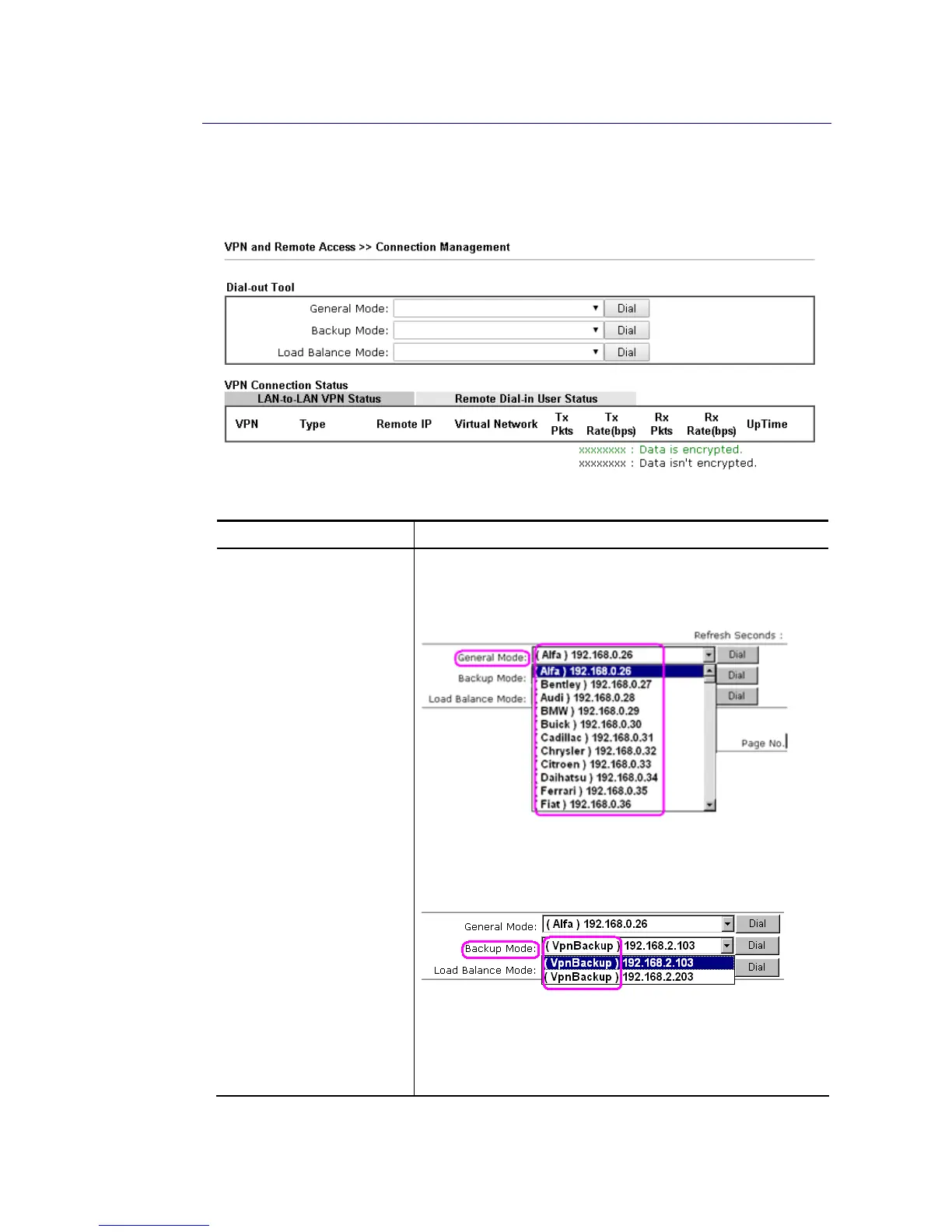
You can find the summary table of all VPN connections. You may disconnect any VPN
connection by clicking Drop button. You may also aggressively Dial-out by using Dial-out Tool
and clicking Dial button.
Available settings are explained as follows:
Item Description
Dial-out Tool General Mode - This filed displays the profile configured in
LAN-to-LAN (with Index number and VPN Server IP address).
The VPN connection built by General Mode does not support
VPN backup function.
Backup Mode - This filed displays the profile name saved in
VPN TRUNK Management (with Index number and VPN Server
IP address). The VPN connection built by Backup Mode
supports VPN backup function.
Dial - Click this button to execute dial out function.
Refresh Seconds - Choose the time for refresh the dial
information among 5, 10, and 30.
Refresh - Click this button to refresh the whole connection
status.














 To Next Page