I
I
I
I
I
I
-
-
1
1
-
-
2
2
G
G
e
e
n
n
e
e
r
r
a
a
l
l
S
S
e
e
t
t
u
u
p
p
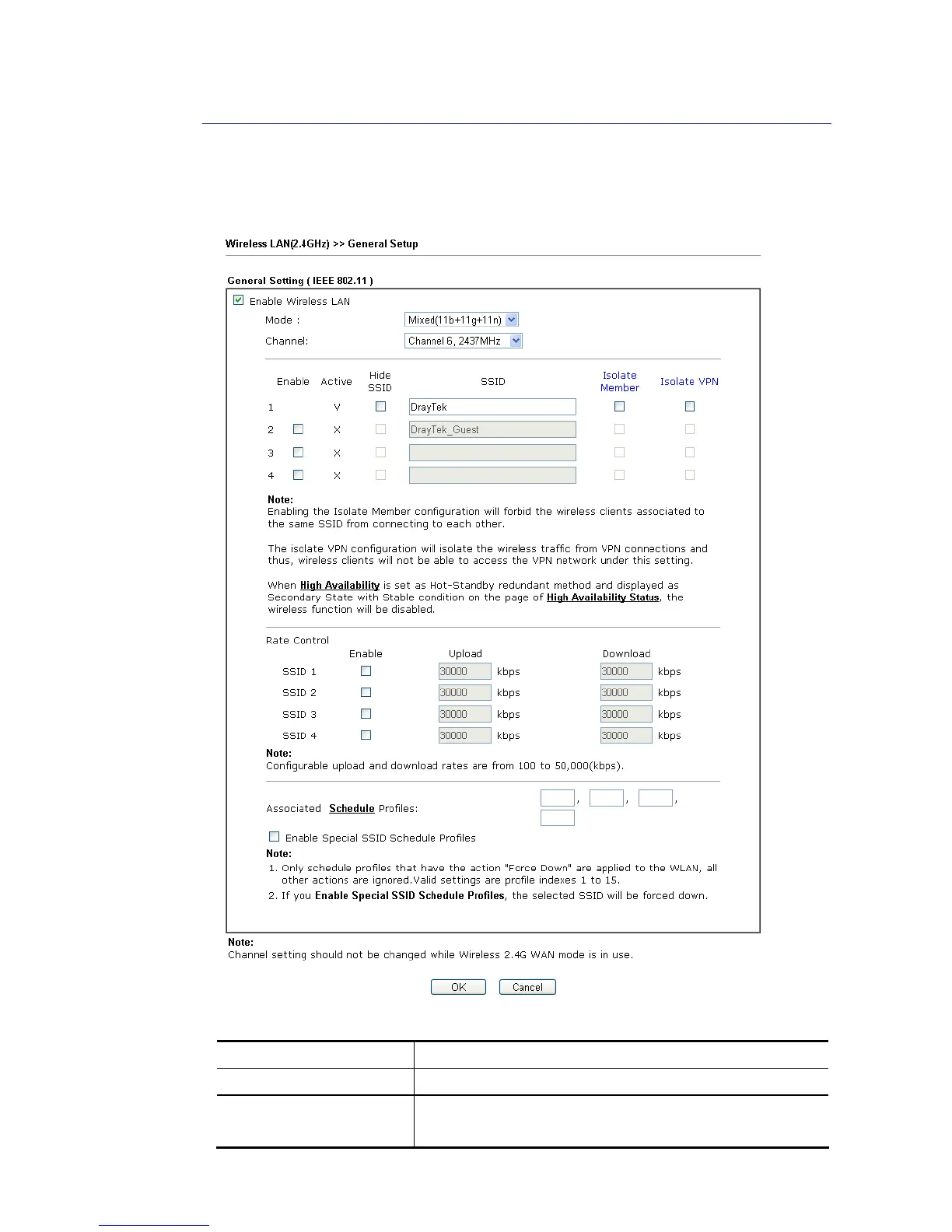
By clicking the Wireless LAN>>General Setup, a new web page will appear so that you could
configure the SSID and the wireless channel. Please refer to the following figure for more
information.
Available settings are explained as follows:
Item Description
Enable Wireless LAN Check the box to enable wireless function.
Mode For 2.4GHz/LTE: At present, the router can connect to 11g
Only, 11n Only(2.4 GHz), Mixed (11b+11g), Mixed (11g+11n),














 To Next Page