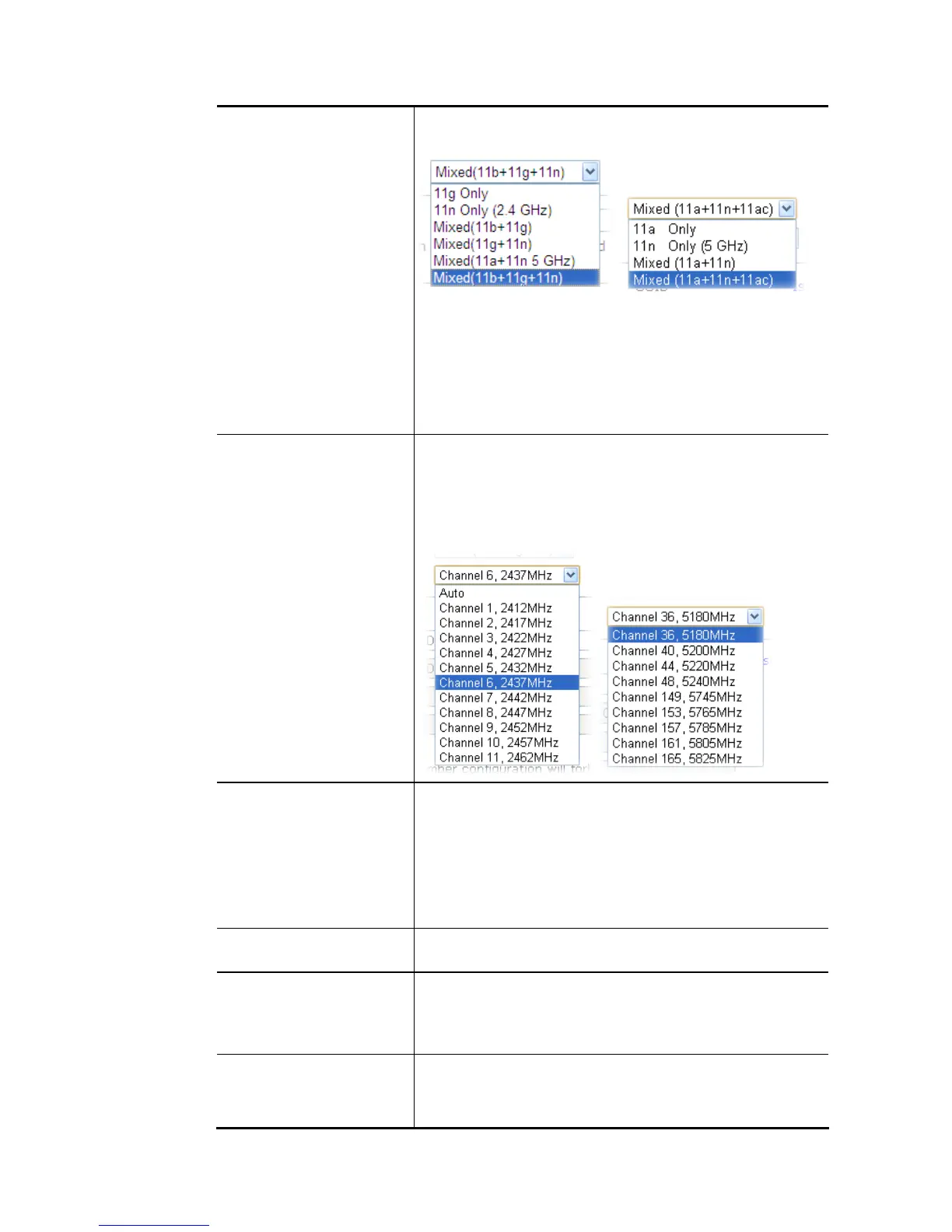
and Mixed (11b+11g+11n) stations simultaneously. Simply
choose Mixed (11b+11g+11n) mode.
For 5GHz: At present, the router can connect to 11a Only,
11n Only(5 GHz), Mixed (11a+11n), and Mixed
(11a+11n+11ac) stations simultaneously. Simply choose
Mixed (11a+11n+11ac) mode.
In which, 802.11b/g operates on 2.4G band, 802.11a
operates on 5G band, 802.11n operates on either 2.4G or 5G
band, and 802.11ac operates on 5G band only.
Channel Means the channel of frequency of the wireless LAN. The
default channel is 6 (for 2.4GHz) / 36 (for 5GHz). You may
switch channel if the selected channel is under serious
interference. If you have no idea of choosing the frequency,
please select Auto to let system determine for you.
For 2.4GHz: For 5 GHz:
Hide SSID Check it to prevent from wireless sniffing and make it harder
for unauthorized clients or STAs to join your wireless LAN.
Depending on the wireless utility, the user may only see the
information except SSID or just cannot see any thing about
Vigor wireless router while site surveying. The system allows
you to set four sets of SSID for different usage. In default,
the first set of SSID will be enabled. You can hide it for your
necessity.
SSID Means the identification of the wireless LAN. SSID can be any
text numbers or various special characters.
Isolate Member –Check this box to make the wireless clients
(stations) with the same SSID not accessing for each other.
VPN – Check this box to make the wireless clients (stations)
with different VPN not accessing for each other.
Schedule Set the wireless LAN to work at certain time interval only.
You may choose up to 4 schedules out of the 15 schedules
pre-defined in Applications >> Schedule setup. The default
setting of this field is blank and the function will always














 To Next Page