Security Key The wireless mode offered by this wizard is WPA2/PSK.
The WPA encrypts each frame transmitted from the radio
using the key, which either PSK (Pre-Shared Key) entered
manually in this field below or automatically negotiated via
802.1x authentication.
Either 8~63 ASCII characters, such as 012345678(or 64
Hexadecimal digits leading by 0x, such as
"0x321253abcde...").
Rate Control It controls the data transmission rate through wireless
connection.
Upload – Check Enable and type the transmitting rate for
data upload. Default value is 30,000 kbps.
Download – Type the transmitting rate for data download.
Default value is 30,000 kbps.
Next Click it to get into the next setting page.
Cancel Exit the wireless wizard without saving any changes.
4. After typing the required information, click Next.
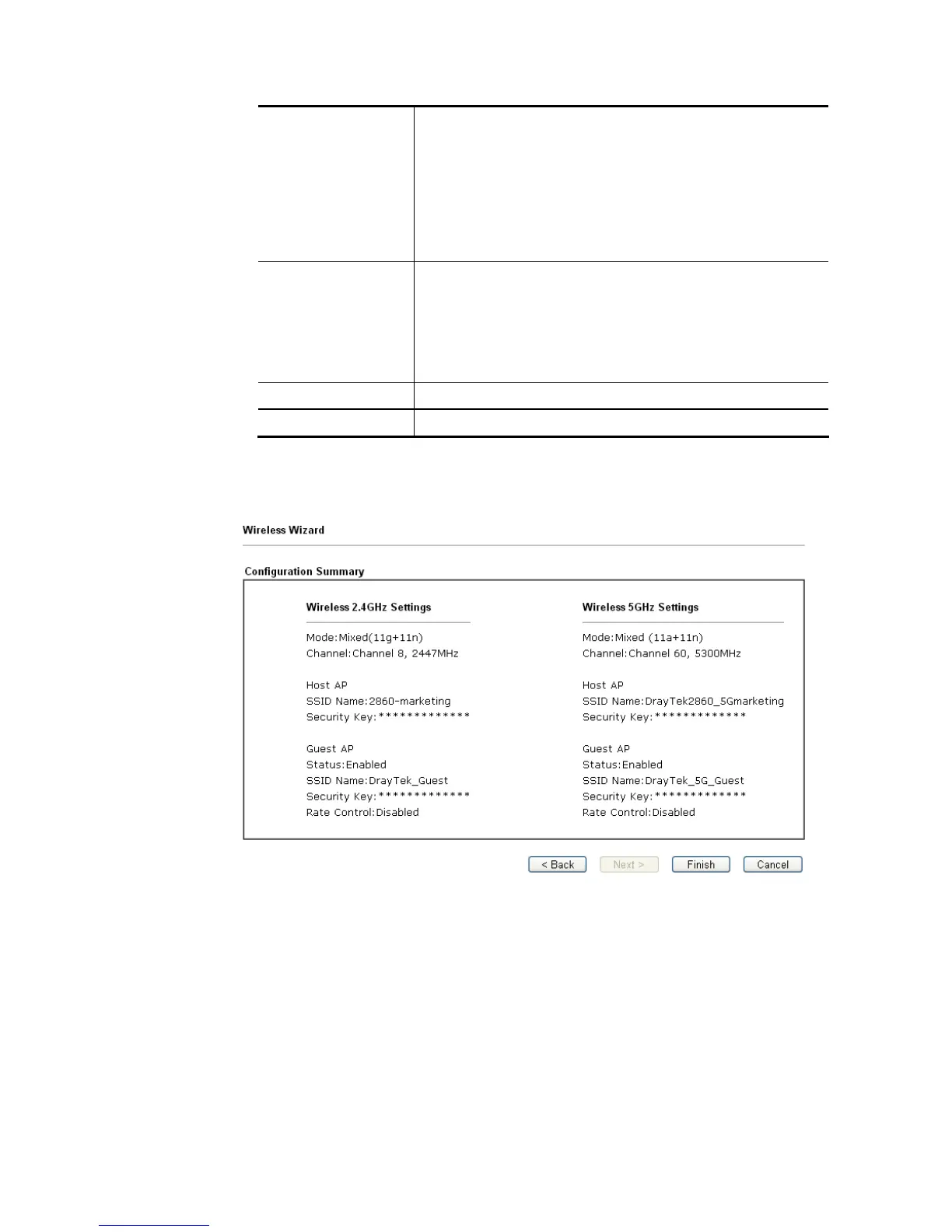
5. The following page will display the configuration summary for wireless setting.
6. Click Finish to complete the wireless settings configuration.














 To Next Page