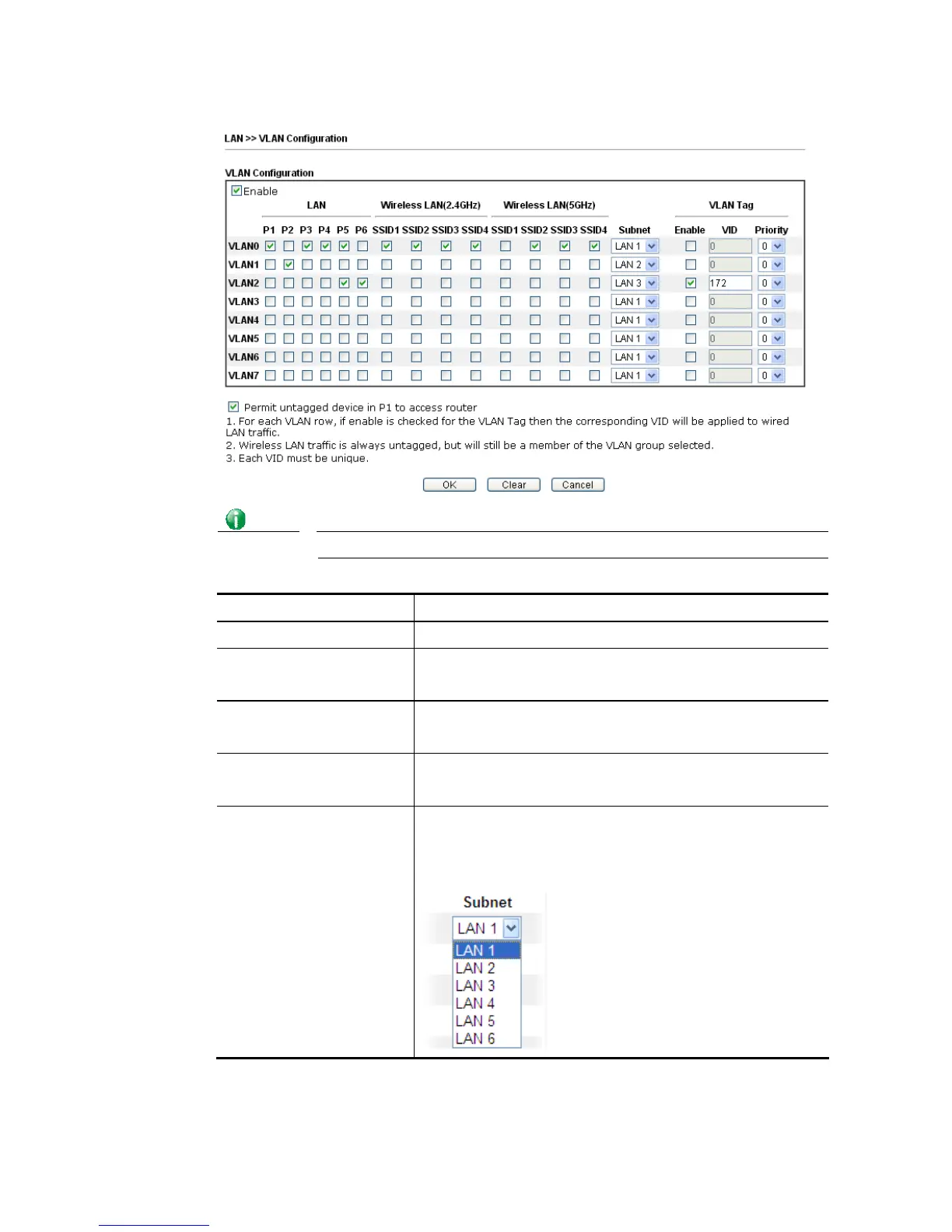
For Vigor2860n-plus series, the web page will be shown as follows:
Info
Settings in this page only applied to LAN port but not WAN port.
Available settings are explained as follows:
Item Description
Enable Click it to enable VLAN configuration.
LAN P1 – P6 – Check the LAN port(s) to group them under the
selected VLAN.
Wireless LAN (2.4GHz) SSID1 – SSID4 – Check the SSID boxes to group them under the
selected VLAN.
Wireless LAN (5GHz) SSID1 – SSID4 – Check the SSID boxes to group them under the
selected VLAN.
Subnet Choose one of them to make the selected VLAN mapping to
the specified subnet only. For example, LAN1 is specified for
VLAN0. It means that PCs grouped under VLAN0 can get the
IP address(es) that specified by the subnet.














 To Next Page